Txbox
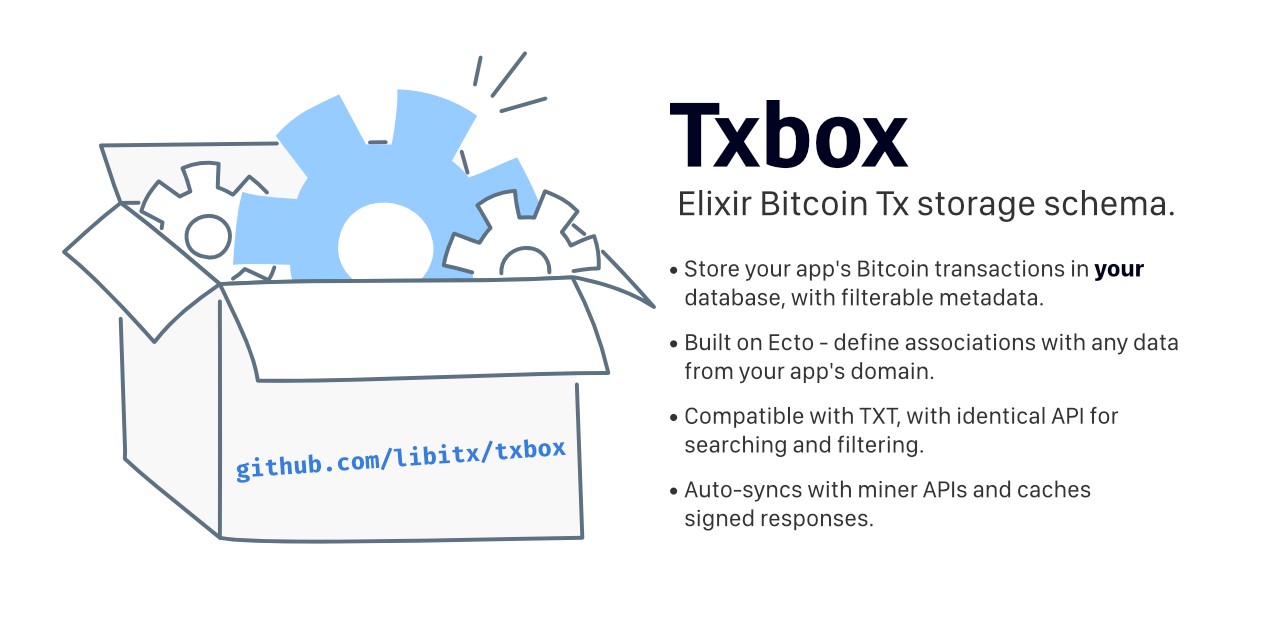



Txbox is a Bitcoin transaction storage schema. It lets you store Bitcoin transactions in your application's database with searchable and filterable semantic metadata. Txbox is inspired by TXT but adapted to slot into an Elixir developers toolset.
- Built on Ecto! Store Bitcoin Transactions in your database and define associations with any other data from your app's domain.
- Built in queue for pushing signed transactions to the Bitcoin network via the Miner API.
- Auto-syncs with the Miner API of your choice, and caches signed responses.
- Aims to be compatible with TXT, with similar schema design and API for searching and filtering.
- Unlike TXT, no web UI or HTTP API is exposed. Txbox is purely a database schema with query functions - the rest is up to you.
- Coming soon (™) - Seamlessly import and export from other TXT-compatible platforms.
Installation
The package can be installed by adding txbox to your list of dependencies in mix.exs.
def deps do
  [
    {:txbox, "~> 0.3"}
  ]
end
Once installed, update your application's configuration, making sure Txbox knows which Repo to use.
# config/config.exs
config :txbox, repo: MyApp.Repo
Next, Txbox to your application's supervision tree.
children = [
  {Txbox, [
    # Manic miner configuration (defaults to :taal)
    miner: {:taal, headers: [{"token", "MYTOKEN"}]},
    # Maximum number of times to attempt polling the miner (default is 20)
    max_status_attempts: 20,
    # Interval (in seconds) between each mAPI request (default is 300 - 5 minutes)
    retry_status_after: 300
  ]}
]

Supervisor.start_link(children, strategy: :one_for_one)
Finally, run the following tasks to generate and run the required database migrations.
mix txbox.gen.migrations
mix ecto.migrate
Upgrading
If upgrading from a previous version of txbox, make sure to run the migrations
task to check if any new migrations are required.
mix txbox.gen.migrations
# If needed
mix ecto.migrate
Usage
For detailed examples, refer to the full documentation.
Once up an running, using Txbox is simple. The Txbox modules provides four CRUD-like functions for managing transactions: create/2, update/2, find/2 and all/2.
To add a transaction to Txbox, the minimum required is to give a txid.
Txbox.create(%{
  txid: "6dfccf46359e033053ab1975c1e008ddc98560f591e8ed1c8bd051050992c110"
})
Once a transaction is added, Txbox automatically syncs with the Miner API of your choice, updating the transaction's status until it is confirmed in a block.
When a channel name is ommitted, transactions are added to the default_channel/0 ("txbox"), but by specifiying a channel name as the first argument, the transaction will be added to that channel. You can provide additional metadata about the transaction, as well as attach the raw transaction binary.
Txbox.create("photos", %{
  txid: "6dfccf46359e033053ab1975c1e008ddc98560f591e8ed1c8bd051050992c110",
  rawtx: <<...>>,
  tags: ["hubble", "universe"],
  meta: %{
    title: "Hubble Ultra-Deep Field"
  },
  data: %{
    bitfs: "https://x.bitfs.network/6dfccf46359e033053ab1975c1e008ddc98560f591e8ed1c8bd051050992c110.out.0.3"
  }
})
The transaction can be retrieved by the txid.
Txbox.find("6dfccf46359e033053ab1975c1e008ddc98560f591e8ed1c8bd051050992c110")
As before, omitting the channel scopes the query to the default_channel/0 ("txbox"). Alterntively you can pass the channel name as the first argument, or use "_" which is the TXT syntax for global scope.
Txbox.find("_", "6dfccf46359e033053ab1975c1e008ddc98560f591e8ed1c8bd051050992c110")
A list of transactions can be returned using all/2. The second parameter must be a t:map/0 of query parameters to filter and search by.
Txbox.all("photos", %{
  from: 636400,
  tagged: "hubble",
  limit: 5
})
A full text search can be made by using the :search filter parameter.
Txbox.all("_", %{
  search: "hubble deep field"
})
Filtering and searching
Txbox adopts the same syntax and query modifiers used by TXT. Txbox automatically normalizes the query map, so keys can be specifiied either as atoms or strings. Here are a few examples:
:search- Full text search made on trasactions' tags and meta data%{search: "hubble deep field"}
:tagged- Filter transactions by the given tag or tags%{tagged: "photos"}- all transactions tagged with "photos"%{tagged: ["space", "hubble"]}- all transactions tagged with both "space" and "hubble"%{tagged: "space, hubble"}- as above, but given as a comma seperated string
:from- The block height from which to filter transactions by%{from: 636400}- all transactions from and including block 636400
:to- The block height to which to filter transactions by%{to: 636800}- all transactions upto and including block 636800%{from: 636400, to: 636800}- all transactions in the range 636400 to 636800
:at- The block height at which to filter transactions by exactly%{at: 636500}- all transactions at block 636500%{at: "null"}- all transactions without a block height (unconfirmed)%{at: "!null"}- all transactions with any block height (confirmed)
:order- The attribute to sort transactions by%{order: "i"}- sort by block height in ascending order%{order: "-i"}- sort by block height in descending order%{order: "created_at"}- sort by insertion time in ascending order%{order: "-created_at"}- sort by insertion time in descending order
:limit- The maximum number of transactions to return:offset- The start offset from which to return transactions (for pagination)
Transaction state machine and miner API integration
Under the hood, Txbox is packed with a powerful state machine with automatic miner API integration.
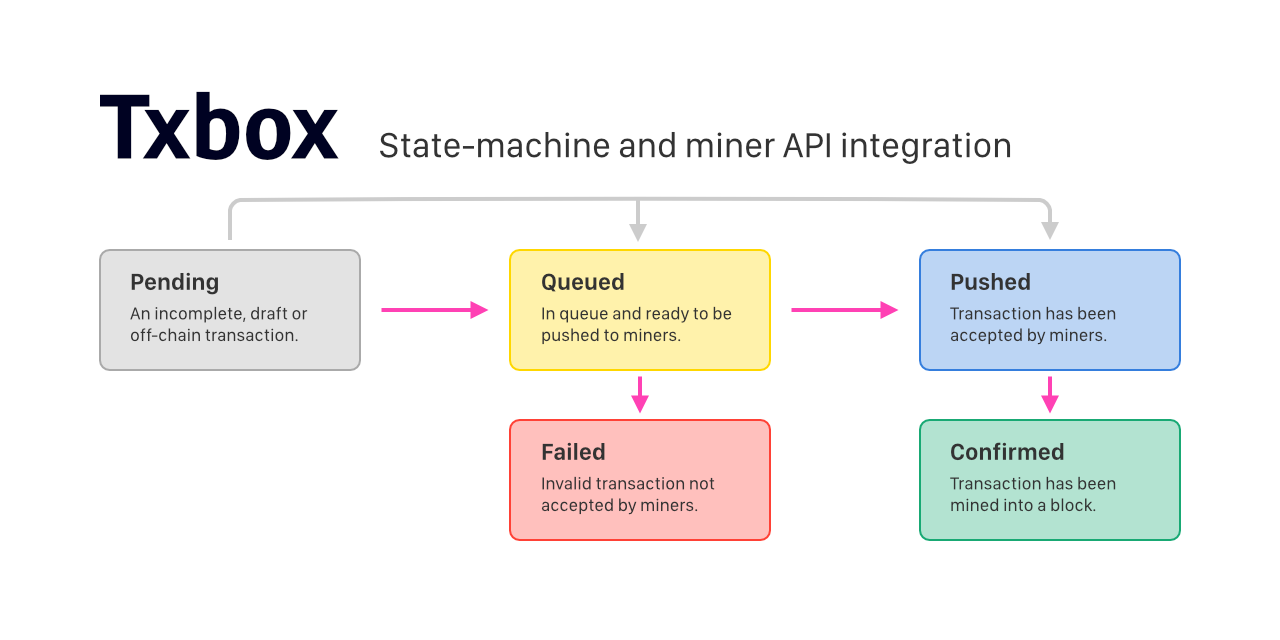
When creating a new transaction, you can set its state to one of the following values.
"pending"- If no state is specified, the default state is"pending". Pending transactions can be considered draft or incomplete transactions. Draft transactions can be updated, and will not be pushed to miners unless the state changes."queued"- Under the"queued"state, a transaction will be asynchronously pushed to the configured miner API in the background. Depending on the miner response, the state will transition to"pushed"or"failed"."pushed"- If the state is specified as"pushed", this tells Txbox the transaction is already accepted by miners. In the background, Txbox will poll the configured miner API until a response confirms the transaction is in a block.
The miner API queue and processing occurs automatically in a background process, run under your application's supervision tree. For details refer to Txbox.Mapi.Queue and Txbox.Mapi.Processor.
Each historic miner API response is saved associated to the transaction. The most recent response is always preloaded with the transaction. This allows you to inspect any messages or errors given by miners.
iex> {:ok, tx} = Txbox.find("6dfccf46359e033053ab1975c1e008ddc98560f591e8ed1c8bd051050992c110")
iex> tx.status
%Txbox.Transactions.MapiResponse{
  type: "push",
  payload: %{
    "return_result" => "failure",
    "return_description" => "Not enough fees",
    ...
  },
  public_key: "03e92d3e5c3f7bd945dfbf48e7a99393b1bfb3f11f380ae30d286e7ff2aec5a270",
  signature: "3045022100c8e7f9369545b89c978afc13cc19fc6dd6e1cd139d363a6b808141e2c9fccd2e02202e12f4bf91d10bf7a45191e6fe77f50d7b5351dae7e0613fecc42f61a5736af8",
  verified: true
}
For more examples, refer to the full documentation.
License
Txbox is open source and released under the Apache-2 License.
© Copyright 2020 libitx.