Twitter Stream


Just a fault-tolerant Twitter streaming library.
Add a twitter stream process to your supervision tree and watch the tweets surge in.

Why use Twitter Stream?
If you’re looking for an unassuming twitter stream process to add to your supervision tree then :twitter_stream might be the one. Twitter Stream is a GenServer that establishes an HTTP connection to the Twitter API, receives and decodes chunks, then sends a tweet message to the process of your choice. This architecture allows for multiple fault-tolerant streams that send tweets to one or more processes.
Documentation
Online documentation is available at https://hexdocs.pm/twitter_stream
Getting started
Add :twitter_stream to your list of dependencies in mix.exs:
def deps do
  [{:twitter_stream, "~> 0.2"}]
end
For OAuth1.0 authentication, add your twitter app’s access_token, token_secret,consumer_key, consumer_secret to your environment.
TWITTER_ACCESS_TOKEN="access_token"
TWITTER_TOKEN_SECRET="token_secret"
TWITTER_CONSUMER_KEY="consumer_key"
TWITTER_CONSUMER_SECRET="consumer_secret"
Usage
TwitterStream is a GenServer and thus can be used in the same manner.
TwitterStream.start_link/1 expects a keyword list of options:
Parameters to send to the Twitter Streaming API
params: %{"track" => "developer"}Process to send all decoded tweets
sink: self()GenServer registration name, optional and defaults to TwitterStream
name: DeveloperTwitterStream
Try to collect some tweets in IEx, run $ iex -S mix
  iex> opts = [params: %{"track" => "developer"}, sink: self(), name: DeveloperTwitterStream]
  iex> {:ok, pid} = TwitterStream.start_link(opts)
  iex> flush()
  {:tweet,
    %{
      "text" => "...",
      ...
    }
  }
Note: Depending on what the track value is, it may take a while to get a tweet or there could be many tweets per second
TwitterStream can also be added to your application’s supervision tree. Try the following to add TwitterStream to your Phoenix app.
Add :twitter_stream options to config.exs
config :phx_twitter_stream, :twitter_stream,
  params: %{"track" => "developer"},
  sink: PhxTwitterStream.DeveloperTwitterStream
Add TwitterStream to the application’s supervision tree, application.ex
  def start(_type, _args) do
    opts = Application.get_env(:phx_twitter_stream, :twitter_stream)

    children = [
      PhxTwitterStreamWeb.Endpoint,
      {PhxTwitterStream.DeveloperTwitterStream, []},
      {TwitterStream, opts},
    ]

    opts = [strategy: :one_for_one, name: PhxTwitterStream.Supervisor]
    Supervisor.start_link(children, opts)
  end
Create a new module that will receive the incoming tweets, developer_twitter_stream.ex
defmodule PhxTwitterStream.DeveloperTwitterStream do
  use GenServer

  def start_link(opts) do
    GenServer.start_link(__MODULE__, opts, name: __MODULE__)
  end

  def init(opts) do
    {:ok, opts}
  end

  def handle_info({:tweet, from, tweet}, opts) do
    PhxTwitterStreamWeb.TweetChannel.broadcast_tweet(tweet)

    {:noreply, opts}
  end
end
To display the incoming tweets, we can use Phoenix Channels
Add a new channel for broadcasting tweets, tweet_channel.ex
defmodule PhxTwitterStreamWeb.TweetChannel do
  use Phoenix.Channel

  def join("room:tweets", _message, socket) do
    {:ok, socket}
  end

  def broadcast_tweet(tweet) when is_map(tweet) do
    PhxTwitterStreamWeb.Endpoint.broadcast("room:tweets", "new_tweet", tweet)
  end
end
Add the new channel to the user_socket.ex
channel "room:tweets", PhxTwitterStreamWeb.TweetChannel
Connect to the channel and handle the new_tweet event in socket.js
let channel = socket.channel("room:tweets", {})

channel.on("new_tweet", tweet => {
  console.log("tweet", tweet)

  var tweet_container = document.createElement('div');
  tweet_container.innerHTML = tweet.text;

  document.querySelector('body').appendChild(tweet_container);
})
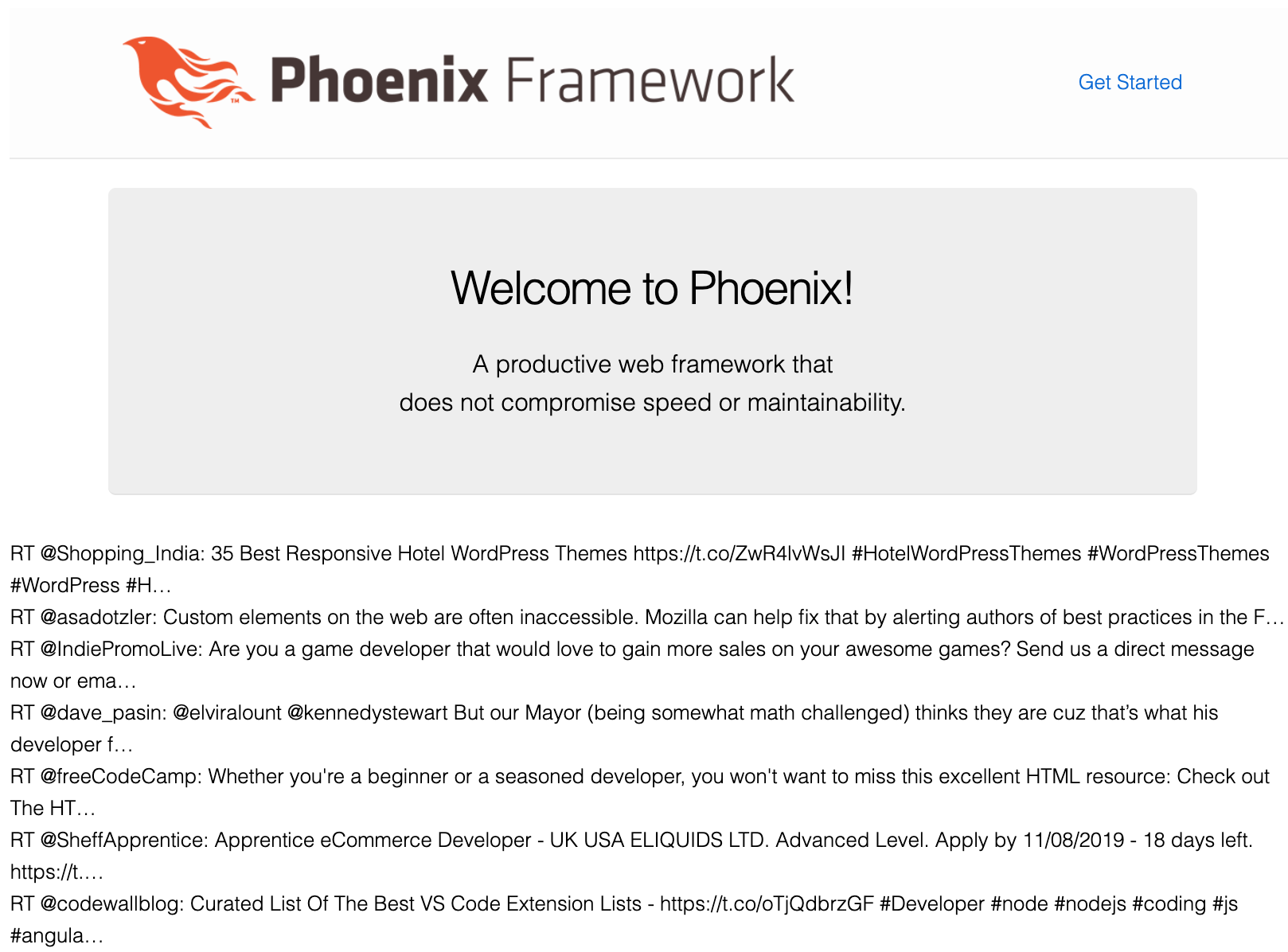
Navigate to http://localhost:4000 and watch the tweets come in
License
MIT. See the LICENSE in this repository for more details.