TermUI


A direct-mode Terminal UI framework for Elixir/BEAM, inspired by BubbleTea (Go) and Ratatui (Rust).
TermUI combines The Elm Architecture with the BEAM process model and supervision primitives to build robust terminal applications.
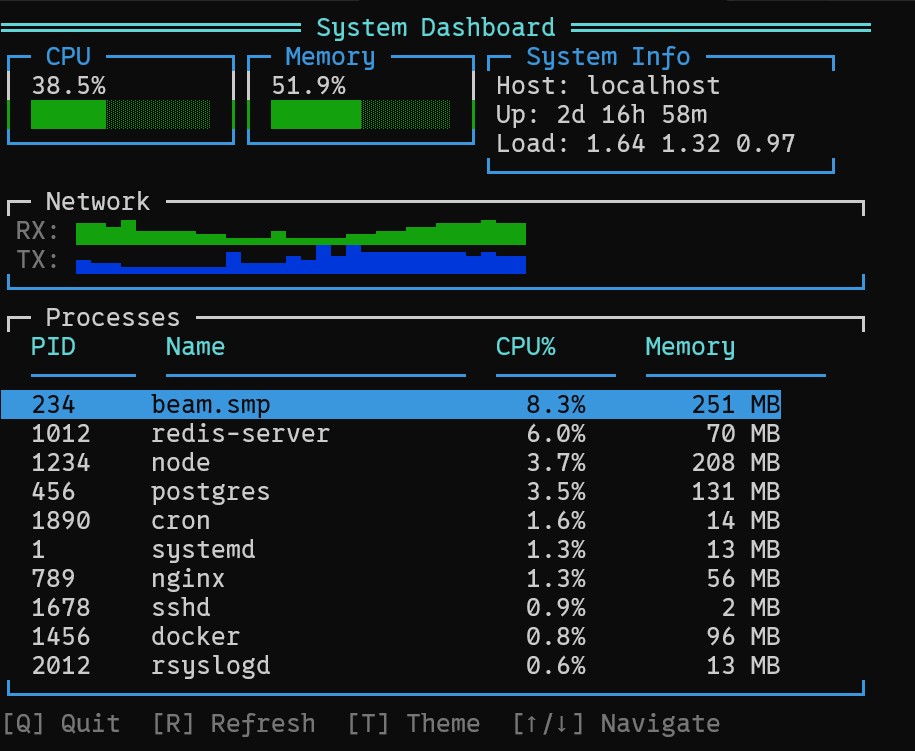
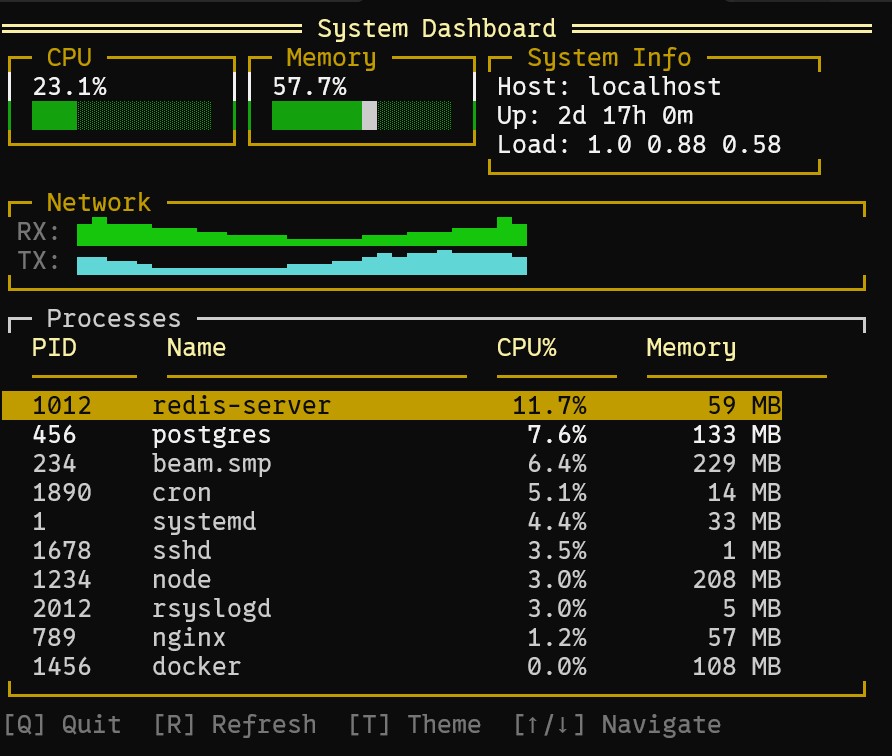
Features
- Elm Architecture - Predictable state management with
init/update/view - Rich Widget Library - Gauges, tables, menus, charts, dialogs, and more
- Efficient Rendering - A dirty render loop capped at roughly 60 FPS, with differential updates in Raw/custom backends and full-frame TTY redraws
- Themable - True color RGB support (16 million colors)
- Terminal Backends - Raw and TTY operation on Unix terminals, plus remote SSH sessions
- OTP Integration - A supervised runtime plus optional lower-level component lifecycle services
- IEx Compatible - Run TUI applications directly in IEx for interactive development
Platform support
TermUI 1.0's local Raw and TTY backends target Unix-style terminals and are supported on Linux and macOS. The SSH backend renders independent sessions to OTP SSH channel devices.
Native Windows console support is experimental. ANSI output can work in a terminal where virtual-terminal processing is already enabled, but TermUI does not yet configure Win32 console modes or provide native raw input and resize handling. On Windows, prefer WSL and verify keyboard, resize, paste, and cleanup behavior for the terminal you deploy with. Mouse tracking is intentionally disabled under WSL/ConPTY because disabling sequences are not handled reliably.
OTP 26's signal API does not expose SIGWINCH to application handlers. The
minimum-version TTY backend still supports size queries, but automatic local
resize events require a newer OTP; Raw mode already requires OTP 28 or later.
IEx Compatibility
TermUI applications work directly in IEx with no code changes. This is perfect for:
- Interactive debugging and development
- Admin tools and dashboards in production IEx sessions
- Prototyping and testing TUI interfaces
Running in IEx
# In your IEx session
iex> TermUI.Runtime.run(root: MyApp.Counter)
# Use arrow keys, press Q to quit, returns to IEx prompt
How It Works
TermUI keeps the active IEx shell in cooked mode and reads through its IO server from a dedicated input process. This avoids replacing the shell while still allowing TermUI to parse navigation keys and return cleanly to the IEx prompt. Depending on the shell and terminal driver, cooked input may be delivered immediately or buffered until Enter is pressed.
Detection and Configuration
You can detect if your application is running in IEx:
iex> TermUI.iex_mode?()
true

iex> TermUI.running_mode()
:iex
Force IEx-compatible mode via configuration:
# config/config.exs
config :term_ui,
  iex_compatible: true
Or via environment variable:
export TERM_UI_IEX_MODE=true
Important Notes
- Navigation keys are supported - Some cooked-mode terminals deliver them only after Enter is pressed
- Keyboard shortcuts are parsed - Including Tab, Enter, Escape, and function keys once the shell delivers their bytes
- Clean shutdown - Terminal state is restored when the app exits
- Clean return to IEx - Exiting the TUI restores the prompt for more commands
Widgets
| Widget | Description |
|---|---|
| Gauge | Progress bar with color zones |
| Sparkline | Compact inline trend graph |
| Table | Scrollable data table with selection and sorting |
| Menu | Hierarchical menu with submenus |
| TextInput | Single-line and multi-line text input |
| Dialog | Modal dialog with buttons |
| PickList | Modal selection with type-ahead filtering |
| Tabs | Tabbed interface for switchable panels |
| AlertDialog | Modal dialog for confirmations with standard button configurations |
| ContextMenu | Right-click context menu with keyboard and mouse support |
| Toast | Tick-driven notifications with stacking and dismissal |
| Viewport | Scrollable view with keyboard and mouse support |
| SplitPane | Resizable multi-pane layouts for IDE-style interfaces |
| TreeView | Hierarchical data display with expand/collapse |
| FormBuilder | Structured forms with validation and multiple field types |
| CommandPalette | Searchable command discovery with substring filtering |
| BarChart | Horizontal/vertical bar charts for categorical data |
| LineChart | Line charts using Braille characters for sub-character resolution |
| Canvas | Direct drawing surface for custom visualizations |
| LogViewer | High-performance log viewer with virtual scrolling and filtering |
| StreamWidget | Bounded stream widget with a GenStage consumer adapter |
| ProcessMonitor | Live BEAM process inspection with sorting and filtering |
| SupervisionTreeViewer | OTP supervision hierarchy visualization |
| ClusterDashboard | Distributed Erlang cluster monitoring |
Installation
Add term_ui to your dependencies in mix.exs:
def deps do
  [
    {:term_ui, "~> 1.0"}
  ]
end
Quick Start
defmodule Counter do
  use TermUI.Elm

  alias TermUI.Event
  alias TermUI.Renderer.Style

  def init(_opts), do: %{count: 0}

  def event_to_msg(%Event.Key{key: :up}, _state), do: {:msg, :increment}
  def event_to_msg(%Event.Key{key: :down}, _state), do: {:msg, :decrement}
  def event_to_msg(%Event.Key{key: "q"}, _state), do: {:msg, :quit}
  def event_to_msg(_, _), do: :ignore

  def update(:increment, state), do: {%{state | count: state.count + 1}, []}
  def update(:decrement, state), do: {%{state | count: state.count - 1}, []}
  def update(:quit, state), do: {state, [TermUI.Command.quit()]}

  def view(state) do
    stack(:vertical, [
      text("Counter Example", Style.new(fg: :cyan, attrs: [:bold])),
      text("", nil),
      text("Count: #{state.count}", nil),
      text("", nil),
      text("↑/↓ to change, Q to quit", Style.new(fg: :bright_black))
    ])
  end
end

# Run the application
TermUI.Runtime.run(root: Counter)
Documentation
User Guides
| Guide | Description |
|---|---|
| Overview | Introduction to TermUI concepts |
| Getting Started | First steps and setup |
| Elm Architecture | Understanding init/update/view |
| Events | Handling keyboard and mouse input |
| Styling | Colors, attributes, and themes |
| Layout | Arranging components on screen |
| Widgets | Using built-in widgets |
| Terminal | Terminal capabilities and modes |
| Commands | Side effects and async operations |
| Advanced Widgets | Navigation, visualization, streaming, and BEAM introspection widgets |
Developer Guides
| Guide | Description |
|---|---|
| Architecture Overview | System layers and design |
| Runtime Internals | GenServer event loop and state |
| Rendering Pipeline | View to terminal output stages |
| Event System | Input parsing and dispatch |
| Buffer Management | ETS double buffering |
| Terminal Layer | Raw mode and ANSI sequences |
| Elm Implementation | Elm Architecture for OTP |
| Creating Widgets | How to build and contribute widgets |
| Testing Framework | Component and widget testing |
Examples
The examples/ directory contains standalone applications demonstrating each widget:
| Example | Description |
|---|---|
| alert_dialog | Confirmation dialogs with standard buttons |
| bar_chart | Horizontal and vertical bar charts |
| canvas | Free-form drawing with box/braille characters |
| cluster_dashboard | Distributed Erlang cluster monitoring |
| command_palette | VS Code-style command discovery |
| context_menu | Right-click context menus |
| dashboard | System monitoring dashboard with multiple widgets |
| dialog | Modal dialogs with buttons |
| form_builder | Structured forms with validation |
| gauge | Progress bars and percentage indicators |
| iex_counter | Minimal counter designed for IEx/TTY mode |
| line_chart | Braille-based line charts |
| log_viewer | Real-time log display with filtering |
| markdown_viewer | Scrollable Markdown rendering |
| menu | Nested menus with keyboard navigation |
| multi_renderer | Backend selection and capability degradation |
| pick_list | Modal selection with type-ahead |
| process_monitor | Live BEAM process inspection |
| sparkline | Inline data visualization |
| split_pane | Resizable multi-pane layouts |
| stream_widget | GenStage consumer integration with a bounded display buffer |
| supervision_tree_viewer | OTP supervision hierarchy |
| table | Scrollable data tables with selection |
| tabs | Tab-based navigation |
| text_input | Single and multi-line text input |
| toast | Tick-driven notification dismissal |
| tree_view | Hierarchical data with expand/collapse |
| viewport | Scrollable content areas |
# Run any example
cd examples/dashboard
mix deps.get
mix termui.run
Requirements
- Elixir 1.15+
- OTP 26+ for TTY mode; OTP 28+ for native Raw mode
- An ANSI-capable terminal; common widgets support ASCII fallback, while Braille charts and a few legacy/specialized renderers require Unicode (see the compatibility guide)
License
MIT License - see LICENSE for details.