Prometheus.io client for Erlang






Prometheus.io monitoring system and time series database client in Erlang.
- IRC: #erlang on Freenode;
- Slack: #prometheus channel - Browser or App(slack://elixir-lang.slack.com/messages/prometheus).
Integrations
- Cowboy1/2 Exporters and Cowboy2 instrumenter
- Opencensus.io integration
- Ecto Instrumenter
- Elixir client
- Elixir plugs Instrumenters and Exporter
- Extatus - App to report metrics to Prometheus from Elixir GenServers
- Fuse plugin
- Inets HTTPD Exporter
- OS process info Collector (linux, freebsd, macos)
- Phoenix Instrumenter
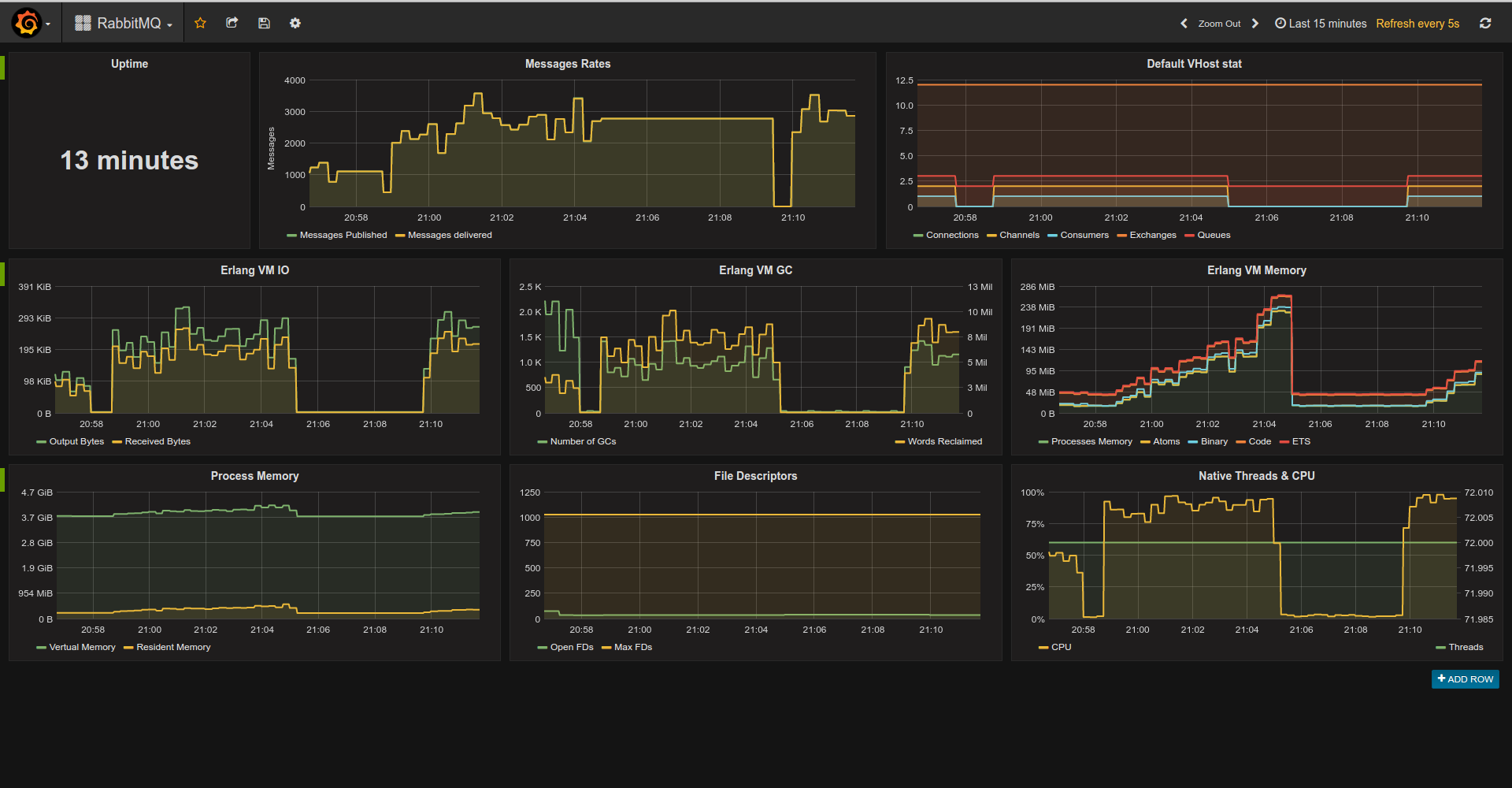
- RabbitMQ Exporter.
Dashboards
Blogs
- A Simple Erlang Application, with Prometheus.
- Monitoring Elixir apps in 2016: Prometheus and Grafana
Erlang VM & OTP Collectors
Compatibility
Build tools
Rebar3 is supported.
Example Console Session
Run shell with compiled and loaded app:
rebar3 shellStart the Prometheus app:
prometheus:start().Register metrics:
prometheus_gauge:new(#{name => pool_size, help => "MongoDB Connections pool size"}),
prometheus_counter:new(#{name => http_requests_total, help => "Http request count"}).
prometheus_summary:new(#{name => orders, help => "Track orders count/total sum"}).
prometheus_histogram:new(#{name => http_request_duration_milliseconds,
                           labels => [method],
                           buckets => [100, 300, 500, 750, 1000],
                           help => "Http Request execution time"]).
Use metrics:
prometheus_gauge:set(pool_size, 365),
prometheus_counter:inc(http_requests_total).
prometheus_summary:observe(orders, 10).
prometheus_summary:observe(orders, 15).
prometheus_histogram:observe(http_request_duration_milliseconds, [get], 95).
prometheus_histogram:observe(http_request_duration_milliseconds, [get], 100).
prometheus_histogram:observe(http_request_duration_milliseconds, [get], 102).
prometheus_histogram:observe(http_request_duration_milliseconds, [get], 150).
prometheus_histogram:observe(http_request_duration_milliseconds, [get], 250).
prometheus_histogram:observe(http_request_duration_milliseconds, [get], 75).
prometheus_histogram:observe(http_request_duration_milliseconds, [get], 350).
prometheus_histogram:observe(http_request_duration_milliseconds, [get], 550).
prometheus_histogram:observe(http_request_duration_milliseconds, [get], 950).
prometheus_histogram:observe(http_request_duration_milliseconds, [post], 500),
prometheus_histogram:observe(http_request_duration_milliseconds, [post], 150).
prometheus_histogram:observe(http_request_duration_milliseconds, [post], 450).
prometheus_histogram:observe(http_request_duration_milliseconds, [post], 850).
prometheus_histogram:observe(http_request_duration_milliseconds, [post], 750).
prometheus_histogram:observe(http_request_duration_milliseconds, [post], 1650).
Export metrics as text:
io:format(prometheus_text_format:format()).->
# TYPE http_requests_total counter
# HELP http_requests_total Http request count
http_requests_total 2
# TYPE pool_size gauge
# HELP pool_size MongoDB Connections pool size
pool_size 365
# TYPE orders summary
# HELP orders Track orders count/total sum
orders_count 4
orders_sum 50
# TYPE http_request_duration_milliseconds histogram
# HELP http_request_duration_milliseconds Http Request execution time
http_request_duration_milliseconds_bucket{method="post",le="100"} 0
http_request_duration_milliseconds_bucket{method="post",le="300"} 1
http_request_duration_milliseconds_bucket{method="post",le="500"} 3
http_request_duration_milliseconds_bucket{method="post",le="750"} 4
http_request_duration_milliseconds_bucket{method="post",le="1000"} 5
http_request_duration_milliseconds_bucket{method="post",le="+Inf"} 6
http_request_duration_milliseconds_count{method="post"} 6
http_request_duration_milliseconds_sum{method="post"} 4350
http_request_duration_milliseconds_bucket{method="get",le="100"} 3
http_request_duration_milliseconds_bucket{method="get",le="300"} 6
http_request_duration_milliseconds_bucket{method="get",le="500"} 7
http_request_duration_milliseconds_bucket{method="get",le="750"} 8
http_request_duration_milliseconds_bucket{method="get",le="1000"} 9
http_request_duration_milliseconds_bucket{method="get",le="+Inf"} 9
http_request_duration_milliseconds_count{method="get"} 9
http_request_duration_milliseconds_sum{method="get"} 2622
To use a ready-made HTTP exporter, check out the Inets HTTPD Exporter or the Cowboy1/2 Exporters.
API
API can be grouped like this:
Standard Metrics & Registry
prometheus_counter- counter metric, to track counts of events or running totals;prometheus_gauge- gauge metric, to report instantaneous values;prometheus_histogram- histogram metric, to track distributions of events;prometheus_summary- summary metric, to track the size of events;prometheus_boolean- boolean metric, to track the state of something;prometheus_registry- working with Prometheus registries.
All metrics created via new/1 or declare/1. The difference is that new/1 actually wants metric to be
new and raises {mf_already_exists, {Registry, Name}, Message} error if it isn't.
Both new/1 and declare/1 accept options as t:proplists:proplist/0 or t:map/0.
Common options are:
name- metric name, can be an atom or a string (required);help- metric help, string (required);labels- metric labels, label can be an atom or a string (default is []);registry- Prometheus registry for the metric, can be any term. (default isdefault)
Histogram also accepts buckets option. Please refer to respective modules docs for the more information.
Exposition Formats
prometheus_text_format- renders metrics for a given registry (default isdefault) in text format;prometheus_protobuf_format- renders metrics for a given registry (default isdefault) in protobuf v2 format.
General Helpers
prometheus_buckets- linear or exponential bucket generators;prometheus_http- helpers for HTTP instrumenters;prometheus_mnesia- Mnesia instrumentation helpers.
Advanced
You will need these modules only if you're writing a custom collector for an app/lib that can't be instrumented directly.
prometheus_collector- common interface for collectors;prometheus_format- common interface for exposition formats;prometheus_model_helpers- provides API for working with underlying Prometheus models. You'll use that if you want to create a custom collector.
Build
rebar3 compileConfiguration
Prometheus.erl supports standard Erlang app configuration.
collectors- List of custom collectors modules to be registered automatically. Can beall_loadedin order to find all modules implementing theprometheus_collectorbehaviour. Supports an "alias" optiondefault, which will append all default collectors implemented in this library. If undefined, the default collectors implemented in this library will be used.instrumenters- List of custom instrumenter modules to be registered automatically. Can beall_loadedin order to find all modules implementing theprometheus_instrumenterbehaviour. If undefined, none will be loaded.default_metrics- List of metrics to be registered during app startup. Metric format:{Type, Spec}whereTypeis a metric type (counter, gauge, etc),Specis a list to be passed toMetric:declare/1. Deprecated format{Registry, Metric, Spec}also supported.
Collectors & Exporters Conventions
Configuration
All 3d-party libraries should be configured via prometheus app env.
Exporters are responsible for maintaining scrape endpoint. Exporters are usually tightly coupled with the web server and are singletons. They should understand these keys:
path- url for scraping;format- scrape format as module name i.e.prometheus_text_formatorprometheus_protobuf_format. Exporter-specific options should be under<exporter_name>_exporterfor erlang or<Exporter_name>Exporterfor Elixir i.e.PlugsExporterorelli_exporter
Collectors collect integration specific metrics i.e. ecto timings, process information and so on.
Their configuration should be under <collector_name>_collectorfor erlang or <Collector_name>Collector for Elixir i.e. process_collector, EctoCollector and so on.
Naming
For Erlang: prometheus_<name>_collector/prometheus_<name>_exporter.
For Elixir: Prometheus.<name>Collector/Prometheus.<name>Exporter.