Prometheus.erl 

Prometheus monitoring system and time series database client in Erlang.
Metrics
Standard
- [x] Counter
- [x] Gauge
- [x] Summary
- [x] Histogram
Custom Collectors
erlang_vm_memory_collector- Collects information about Erlang VM memory usage mainly usingerlang:memory/0erlang_vm_statistics_collector- Collects Erlang VM statistics usingerlang:statistics/1
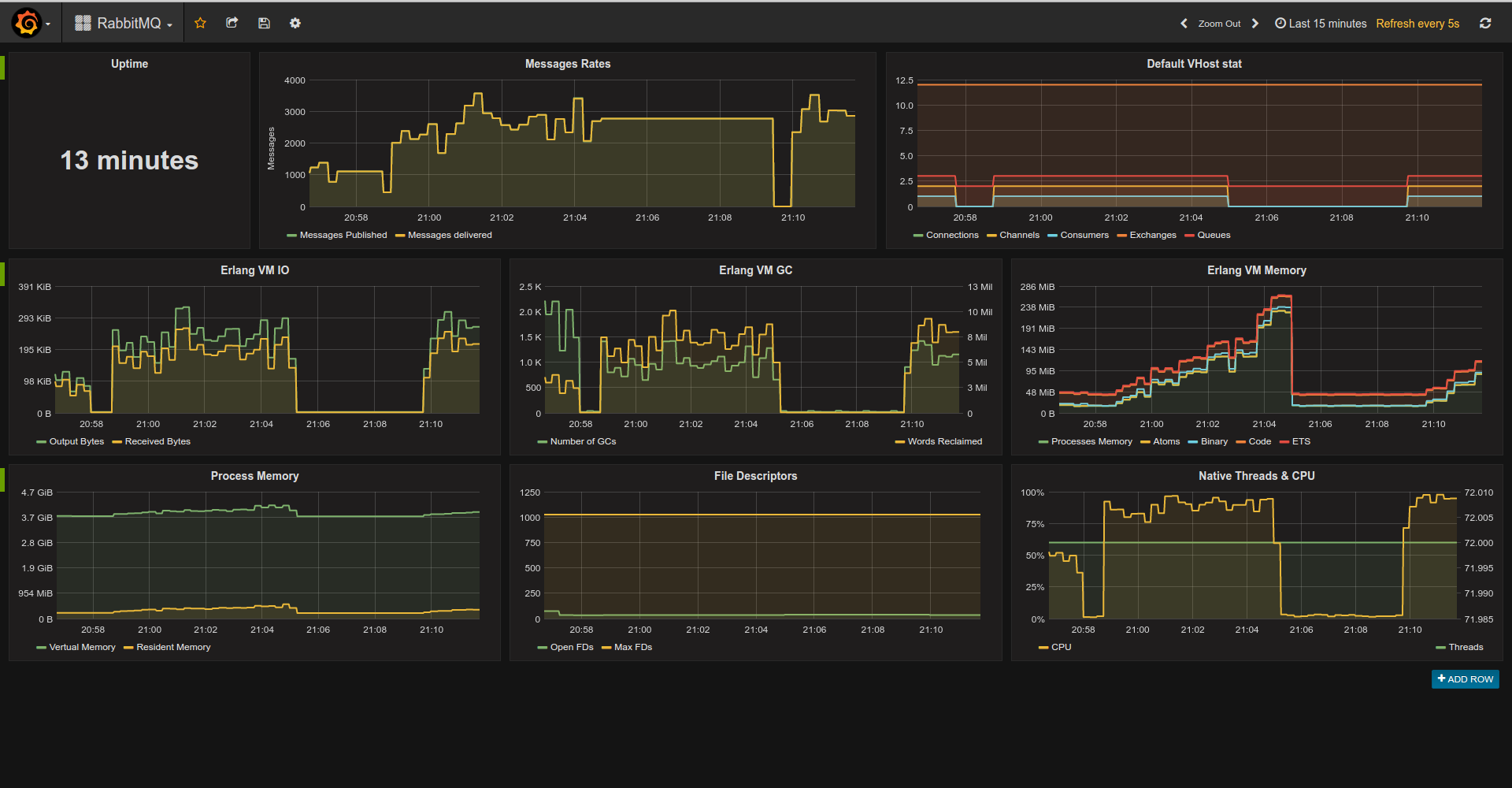
You can write custom collector/exporter for any library/app you’d like. For example here is RabbitMQ Exporter
Elixir Plugs
Here you can find Elixir Plugs.
Example Console Session
Run shell with compiled and loaded app:
$ rebar3 shellStart prometheus app:
prometheus:start().Register metrics:
prometheus_gauge:new([{name, pool_size}, {help, "MongoDB Connections pool size"}]),
prometheus_counter:new([{name, http_requests_total}, {help, "Http request count"}]).
prometheus_summary:new([{name, orders}, {help, "Track orders count/total sum"}]).
prometheus_histogram:new([{name, http_request_duration_milliseconds},
                               {labels, [method]},
                               {bounds, [100, 300, 500, 750, 1000]},
                               {help, "Http Request execution time"}]).
Use metrics:
prometheus_gauge:set(pool_size, 365),
prometheus_counter:inc(http_requests_total).
prometheus_summary:observe(orders, 10).
prometheus_summary:observe(orders, 15).
prometheus_histogram:observe(http_request_duration_milliseconds, [get], 95).
prometheus_histogram:observe(http_request_duration_milliseconds, [get], 100).
prometheus_histogram:observe(http_request_duration_milliseconds, [get], 102).
prometheus_histogram:observe(http_request_duration_milliseconds, [get], 150).
prometheus_histogram:observe(http_request_duration_milliseconds, [get], 250).
prometheus_histogram:observe(http_request_duration_milliseconds, [get], 75).
prometheus_histogram:observe(http_request_duration_milliseconds, [get], 350).
prometheus_histogram:observe(http_request_duration_milliseconds, [get], 550).
prometheus_histogram:observe(http_request_duration_milliseconds, [get], 950).
prometheus_histogram:observe(http_request_duration_milliseconds, [post], 500),
prometheus_histogram:observe(http_request_duration_milliseconds, [post], 150).
prometheus_histogram:observe(http_request_duration_milliseconds, [post], 450).
prometheus_histogram:observe(http_request_duration_milliseconds, [post], 850).
prometheus_histogram:observe(http_request_duration_milliseconds, [post], 750).
prometheus_histogram:observe(http_request_duration_milliseconds, [post], 1650).
Export metrics as text:
io:format(prometheus_text_format:format()).->
# TYPE http_requests_total counter
# HELP http_requests_total Http request count
http_requests_total 2
# TYPE pool_size gauge
# HELP pool_size MongoDB Connections pool size
pool_size 365
# TYPE orders summary
# HELP orders Track orders count/total sum
orders_count 4
orders_sum 50
# TYPE http_request_duration_milliseconds histogram
# HELP http_request_duration_milliseconds Http Request execution time
http_request_duration_milliseconds_bucket{method="post",le="100"} 0
http_request_duration_milliseconds_bucket{method="post",le="300"} 1
http_request_duration_milliseconds_bucket{method="post",le="500"} 3
http_request_duration_milliseconds_bucket{method="post",le="750"} 4
http_request_duration_milliseconds_bucket{method="post",le="1000"} 5
http_request_duration_milliseconds_bucket{method="post",le="+Inf"} 6
http_request_duration_milliseconds_count{method="post"} 6
http_request_duration_milliseconds_sum{method="post"} 4350
http_request_duration_milliseconds_bucket{method="get",le="100"} 3
http_request_duration_milliseconds_bucket{method="get",le="300"} 6
http_request_duration_milliseconds_bucket{method="get",le="500"} 7
http_request_duration_milliseconds_bucket{method="get",le="750"} 8
http_request_duration_milliseconds_bucket{method="get",le="1000"} 9
http_request_duration_milliseconds_bucket{method="get",le="+Inf"} 9
http_request_duration_milliseconds_count{method="get"} 9
http_request_duration_milliseconds_sum{method="get"} 2622
Bucket generators
prometheus_buckets:generate_linear(-15, 5, 6) produces [-15, -10, -5, 0, 5, 10]

prometheus_buckets:generate_exponential(100, 1.2, 3) produces [100, 120, 144]
Implementation Note
Prometheus.erl exports two API sets.
-
For Integers:
prometheus_coutner:inc,prometheus_summary:observeandprometheus_histogram:observe. Implementation is based onets:update_counter. While this is expected to be much faster than using processes for synchronization it restricts us to integers-only while Prometheus expects series values to be double. ETS-based metrics are optimistic - for basic metrics such as counters/gauges it first tries to increment and iff series doesn’t exist it queries ETS to check if metric actually registered and if so it inserts series. For histograms at least one lookup is required - we need buckets to compute bucket counter position. -
For Floats:
prometheus_coutner:dinc,prometheus_summary:dobserveandprometheus_histogram:dobserve. Implementation is based ongen_serverwhich is used for synchronizations (ets doesn’t support float atomic increments).
NOTE: you can use float APIs after integer but not vice-versa.
Configuration
Prometheus.erl supports standard Erlang app configuration.
default_collectors- List of custom collectors modules to be registered automatically. If undefined list of all modules implementingprometheus_collectorbehaviour will be used.default_metrics- List of metrics to be registered during app startup. Metric format:{Registry, Metric, Spec}whereRegistryis registry name,Metricis metric type (prometheus_counter, prometheus_gauge … etc),Specis a list to be passed toMetric:register/2.
TODO
- [x] Floats support
- [x] Tests
- [x] Bucket generators
- [x] Protobuf format
- [x] Full summary implementation
- [ ] Extend custom collectors collection?
Build
$ rebar3 compileLicense
MIT