📊 Phoenix Analytics



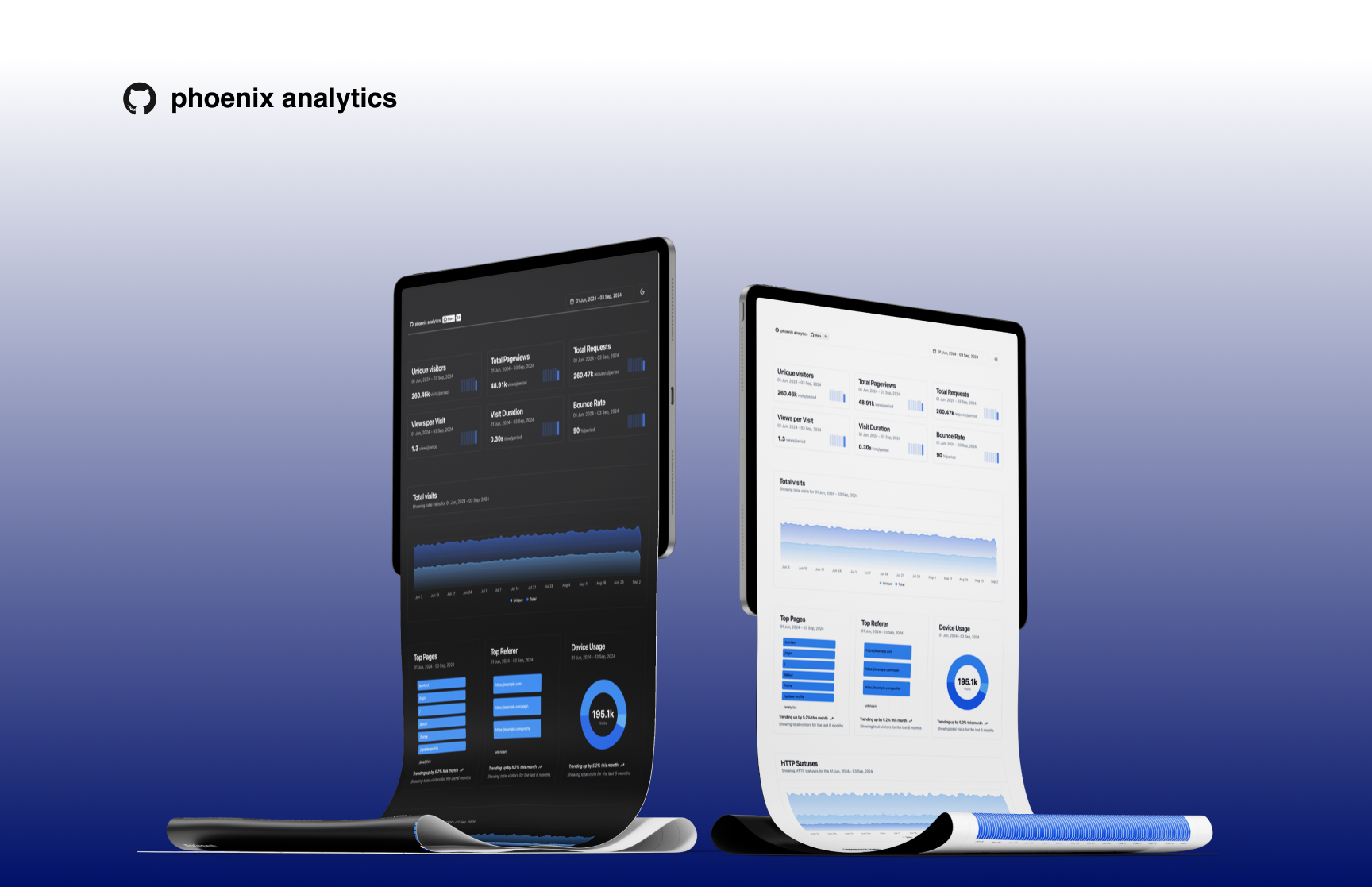
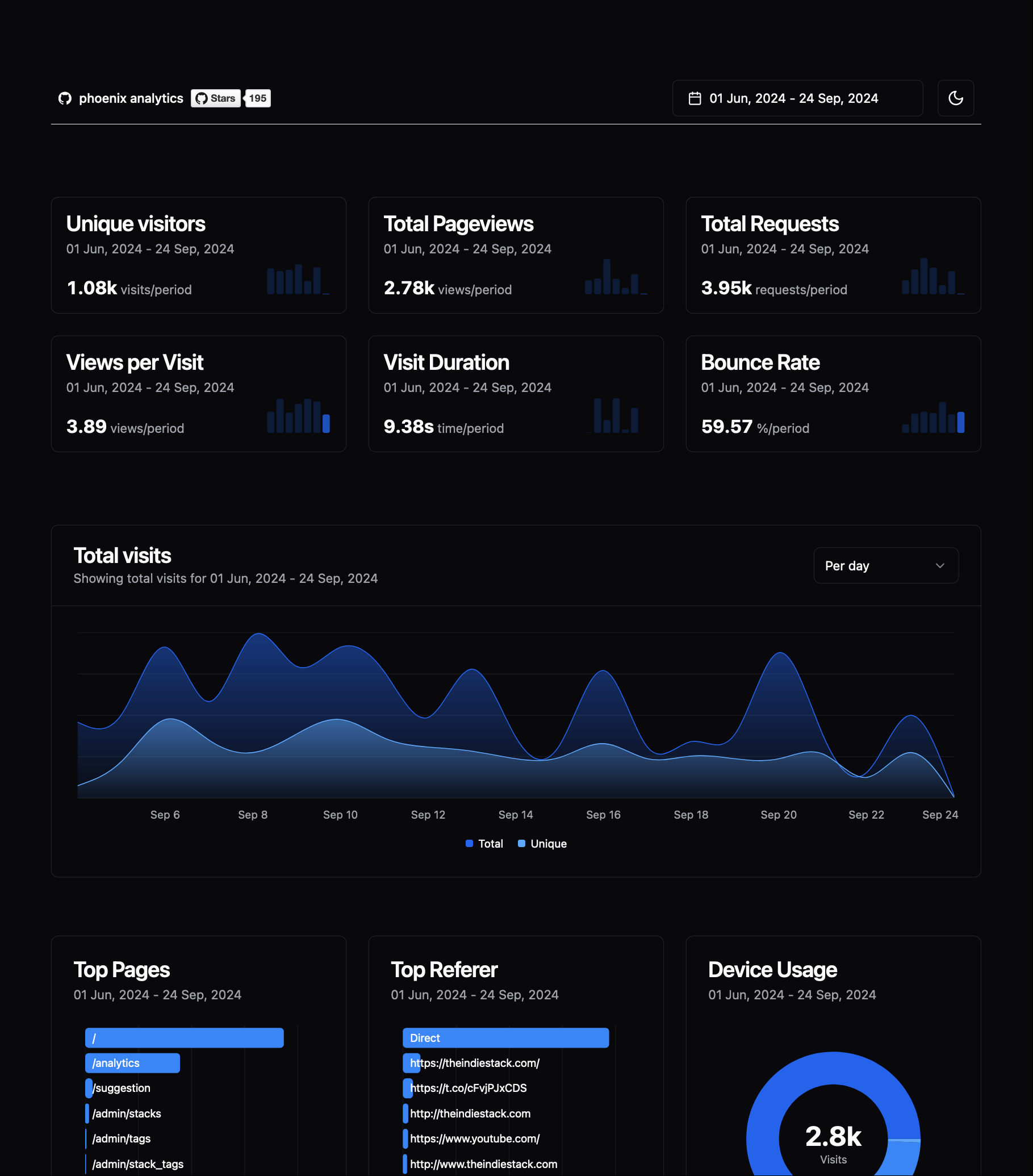
Phoenix Analytics is embedded plug and play tool designed for Phoenix applications. It provides a simple and efficient way to track and analyze user behavior and application performance without impacting your main application's performance and database.
Key features:
- ⚡️ Lightweight and fast analytics tracking
- ⛓️💥 Separate storage using DuckDB to avoid affecting your main database
- 🔌 Easy integration with Phoenix applications
- 📊 Minimalistic dashboard for data visualization
The decision to use DuckDB as the storage was made to ensure that the analytics data collection process does not interfere with or degrade the performance of your application's primary transactional database. This separation allows for efficient data storage and querying specifically optimized for analytics purposes, while keeping your main database focused on serving your application's core functionality.
https://github.com/user-attachments/assets/66ee00d4-3928-46ec-bfca-c03e2569bc0a
Installation
If available in Hex, the package can be installed
by adding phoenix_analytics to your list of dependencies in mix.exs:
def deps do
  [
    {:phoenix_analytics_duck, "~> 0.3"}
  ]
end
Update config/config.exs
config :phoenix_analytics_duck,
  duckdb_path: System.get_env("DUCKDB_PATH") || "analytics.duckdb",
  app_domain: System.get_env("PHX_HOST") || "example.com"
[!IMPORTANT] In case you have dynamic cluster, you can use your PostgresDB as backend.
config :phoenix_analytics_duck,
  duckdb_path: System.get_env("DUCKDB_PATH") || "analytics.duckdb",
  app_domain: System.get_env("PHX_HOST") || "example.com",
  postgres_conn: System.get_env("POSTGRES_CONN") || "dbname=postgres user=phoenix password=analytics host=localhost"
[!IMPORTANT] In case you would like to proceed with Postgres option, consider enabling caching.
config :phoenix_analytics_duck,
  duckdb_path: System.get_env("DUCKDB_PATH") || "analytics.duckdb",
  app_domain: System.get_env("PHX_HOST") || "example.com",
  postgres_conn: System.get_env("POSTGRES_CONN") || "dbname=postgres user=phoenix password=analytics host=localhost",
  cache_ttl: System.get_env("CACHE_TTL") || 120 # seconds
[!IMPORTANT] In case you are hosting your app on fly.io or heroku which doesn't let to persist data on the disk, you can add
in_memory: trueinto :phoenix_analytics_duck config. And don't forget to removeduckdb_pathfrom the config, otherwise PA will try to create duckdb on the disk.
config :phoenix_analytics_duck,
  app_domain: System.get_env("PHX_HOST") || "example.com",
  postgres_conn: System.get_env("POSTGRES_CONN") || "dbname=postgres user=phoenix password=analytics host=localhost",
  in_memory: true
Add migration file
In case you have ecto less / no migrations project you can do the following:
iex -S mixPhoenixAnalytics.Migration.up()
mix ecto.gen.migration add_phoenix_analytics[!TIP] Based on your configuration migration will be run in appropriate database. If only
duckdb_paththen in duckdb file. Ifduckdb_pathandpostgres_connprovided then in your Postgres database.
defmodule MyApp.Repo.Migrations.AddPhoenixAnalytics do
  use Ecto.Migration

  def up, do: PhoenixAnalytics.Migration.up()
  def down, do: PhoenixAnalytics.Migration.down()
end
mix ecto.migrate
Add plug to enable tracking to endpoint.ex, ‼️ add it straight after your Plug.Static
plug PhoenixAnalytics.Plugs.RequestTracker
Add dashboard route to your router.ex
use PhoenixAnalytics.Web, :router

phoenix_analytics_dashboard "/analytics"
Update your .gitignore
*.duckdb
*.duckdb.*
[!WARNING] ‼️ Please test thoroughly before proceeding to production!
Deploying
Self-host with Coolify
If you're self-hosting with Coolify and you want to use DuckDB, you will have to make a few changes to the Dockerfile.
Coolify creates container volumes with nobody:root and without write permissions. We have to add that.
Create a storage in your project
- choose Volume Mount
-
you only need to give it a destination, I use
/app/data
Add the path in your env variables and make it available at build time. For example
DUCKDB_PATH/app/data/analytics.duckdb- Build variable?
Update the Dockerfile
# in builder phase add
ARG DUCKDB_PATH
ENV DUCKDB_PATH=${DUCKDB_PATH}

...
...

# in runner phase, add after these lines
WORKDIR "/app"
RUN chown nobody /app

#
# add the following
#
WORKDIR /app/data # replace `/app/data` by whichever path you choose
RUN chown nobody:root /app/data
RUN chmod -R g+w /app/data
WORKDIR "/app"

...

# set runner ENV
ENV MIX_ENV="prod"
...
Documentation
Documentation can be generated with ExDoc and published on HexDocs. Once published, the docs can be found at https://hexdocs.pm/phoenix_analytics.
Shortcuts:
t-> todayctrl+t-> yesterdayw-> last_weekm-> last_30_daysq-> last_90_daysy-> last_12_monthctrl+w-> previous_weekctrl+m-> previous_monthctrl+q-> previous_quarterctrl+y-> previous_yeara-> all_time
Development
If you would like to contribute, first you would need to install deps, assets and then compile css and js. I put everything under next mix command:
mix setupThen you would need some database with seeds. Here is command for this:
DUCKDB_PATH="analytics.duckdb" mix run priv/repo/seeds.exsor if you would like to test with Postgres backend:
cd examples/duck_postgres/

docker compose -f postgres-compose.yml up

# from project root
mix run priv/repo/seeds_postgres.exs
[!NOTE] Move database with seeds to example project which you going to use.
Lastly you can use one of example applications to start server.
cd examples/duck_only/

mix deps.get

mix phx.server
You can navigate to http://localhost:4000/dev/analytics
Performance test
I performed vegeta test on basic Macbook Air M2, to see if plug will affect application performance.
Script can be found here: vegeta/vegeta.sh
| With plug | Without |
|---|---|
 |  |
For whom this library
- Single instance Phoenix app (duckdb only recommended)
- Multiple instances of Phoenix app without auto scaling group (duckdb or postgres option can be used)
- Multiple instances of Phoenix app with auto scaling group (only postgres powered apps supported at the moment)