Pentiment


Beautiful, compiler-style diagnostic messages for Elixir.
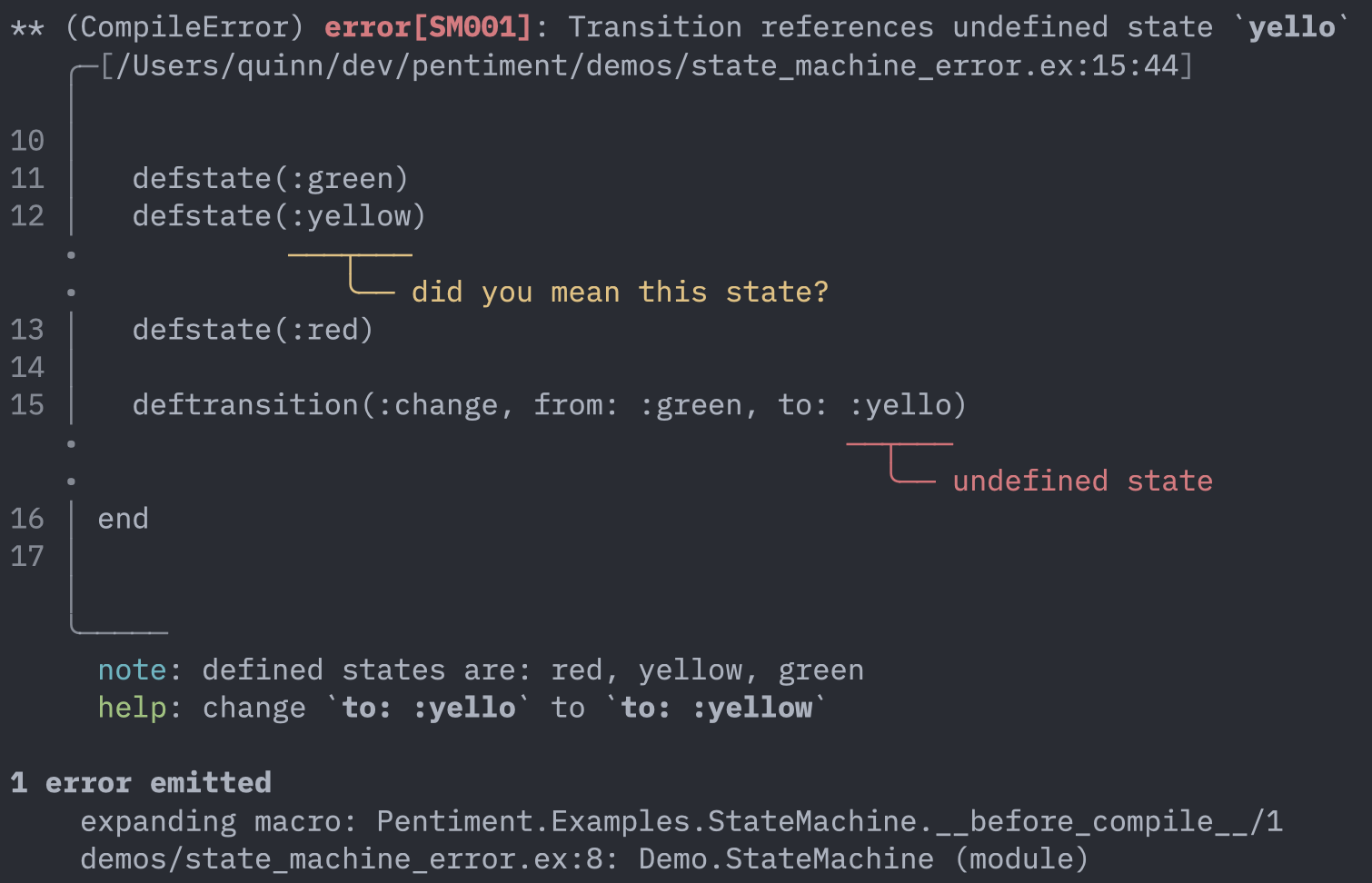
Features
- Rich source context — Highlighted code spans with line numbers and visual pointers
- Syntax highlighting — Source excerpts colorized via optional makeup lexers
- Multiple labels — Primary and secondary annotations to show related code locations
- Helpful metadata — Error codes, notes, and actionable suggestions
- Flexible spans — Line/column positions, byte offsets, or deferred pattern search
- Elixir integration — Extract spans directly from AST metadata
Installation
def deps do
  [{:pentiment, "~> 0.2"}]
end
Quick Example
alias Pentiment.{Report, Label, Span, Source}

report =
  Report.error("Undefined variable")
  |> Report.with_code("E001")
  |> Report.with_source("lib/app.ex")
  |> Report.with_label(Label.primary(Span.position(10, 5), "not found in scope"))
  |> Report.with_help("did you mean `user`?")

source = Source.from_file("lib/app.ex")
IO.puts(Pentiment.format(report, source))
Syntax Highlighting
Pentiment has no hard runtime dependencies. To syntax-highlight the source excerpts in rendered diagnostics, add the makeup lexers for the languages you report on:
def deps do
  [
    {:pentiment, "~> 0.2"},
    {:makeup_elixir, "~> 1.0"},
    {:makeup_erlang, "~> 1.0"}
  ]
end
Highlighting activates automatically (syntax: :auto) when ANSI colors are
active, a lexer is available, and the source's language is known — inferred
from the source name's extension (.ex/.exs, .erl/.hrl), or set
explicitly with Pentiment.Source.from_string("gen.ex", code, language: :elixir).
Pass syntax: false to disable it, or colors: false for fully plain
output (for example, when rendering into editor diagnostics). A custom
highlighter module implementing Pentiment.Highlighter can be supplied via
the :highlighter option.
Use Cases
Pentiment is designed for:
- Compile-time macro errors — Validate DSL usage with precise source locations
- Parser error reporting — Convert parse failures into helpful diagnostics
- Configuration validation — Catch invalid keys and suggest corrections
- Custom linters — Build tools that report issues with rich context
Documentation
- Examples Overview — Integration patterns and quick start
- Config Validation — Compile-time config checking
- State Machine DSL — Multi-span errors
- Guard Restriction — AST walking patterns
- Parser Errors — NimbleParsec integration
- YAML Validation — Semantic file validation
Full API documentation available on HexDocs.