observer_cli



Visualize Erlang/Elixir Nodes On The Command Line base on recon. Document in detail.
Goal
- Provide a high-performance tool usable both in development and production settings.
- Focus on important and detailed information about real-time running system.
- Keep minimal consumption.
Installation
Erlang
%% rebar.config

{deps, [observer_cli]}
%% erlang.mk

dep_observer_cli = hex 1.5.4
Elixir
# mix.exs

   def deps do
     [{:observer_cli, "~> 1.5"}]
   end
How-To
Try in local shell.
%% rebar3 project

rebar3 shell
1> observer_cli:start().
%% mix project

iex -S mix
iex(1)> :observer_cli.start
Monitor remote node
%% rebar3 project

rebar3 shell --name 'observer_cli@127.0.0.1'
1> observer_cli:start('target@host', 'magic_cookie').
%% mix project

iex --name "observer_cli@127.0.0.1" -S mix
iex(1)> :observer_cli.start(:'target@host', :'magic_cookie')
❗ ensure observer_cli application been loaded on target node.
Try in Elixir 1.9.x release
%% create elixir release

mix release
%% rpc current node

_build/dev/rel/example/bin/example rpc ":observer_cli.start"
❗ ensure observer_cli application been loaded on current node.
Escriptize
- cd path/to/observer_cli/
rebar3 escriptizeto generate an escript executable containing the project's and its dependencies' BEAM files. Place script(_build/default/bin/observer_cli) anywhere in your path and useobserver_clicommand.observer_cli TARGETNODE [TARGETCOOKIE REFRESHMS]to monitor remote node.
DEMO
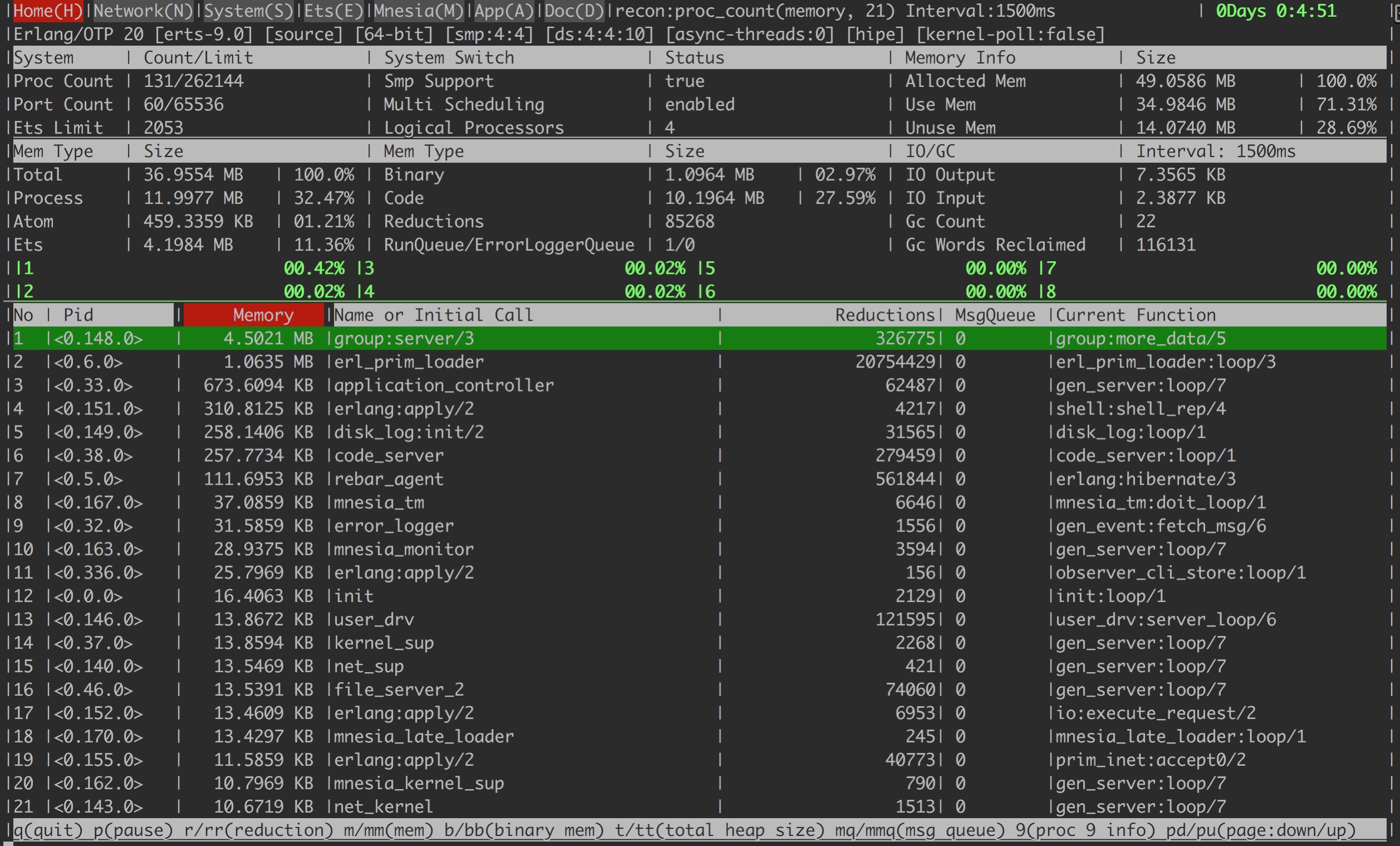
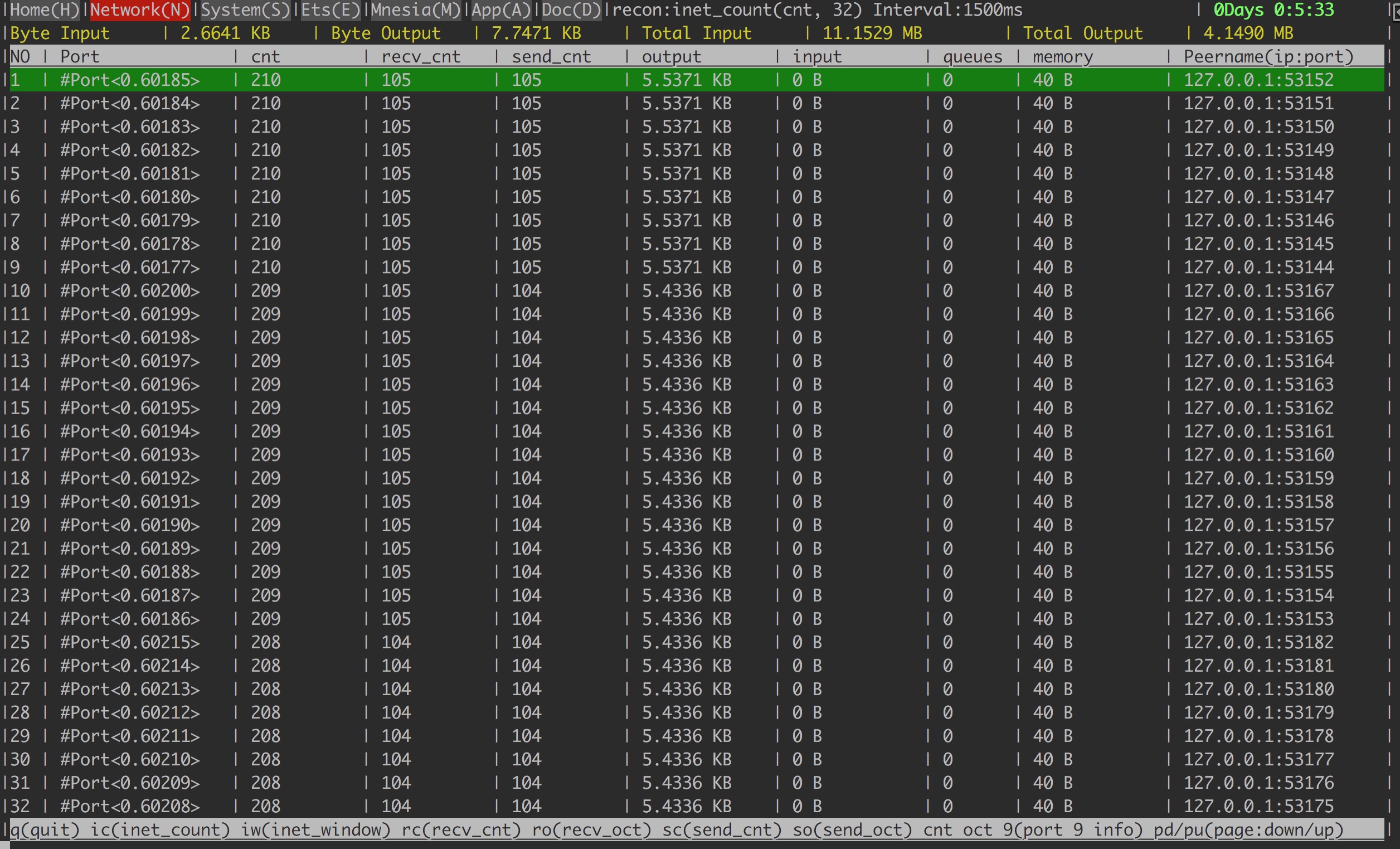
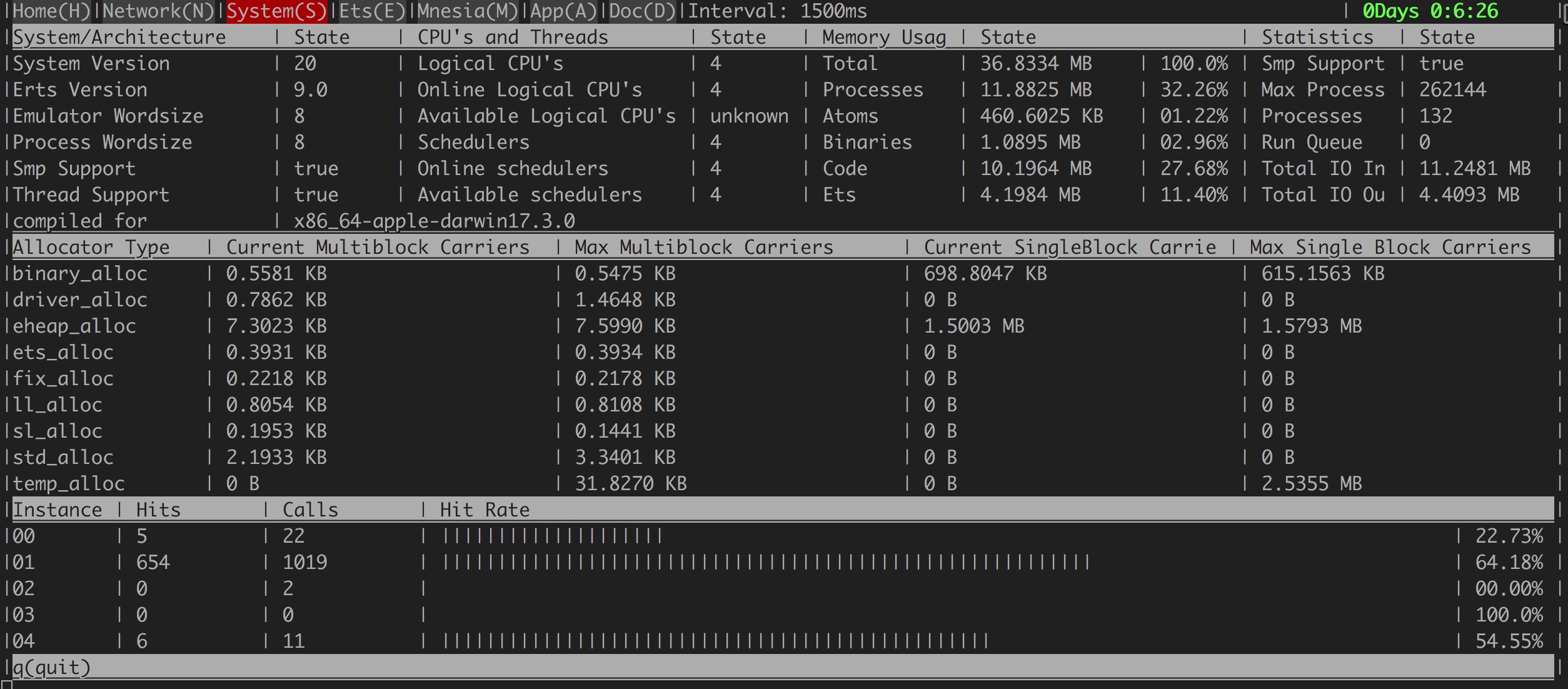
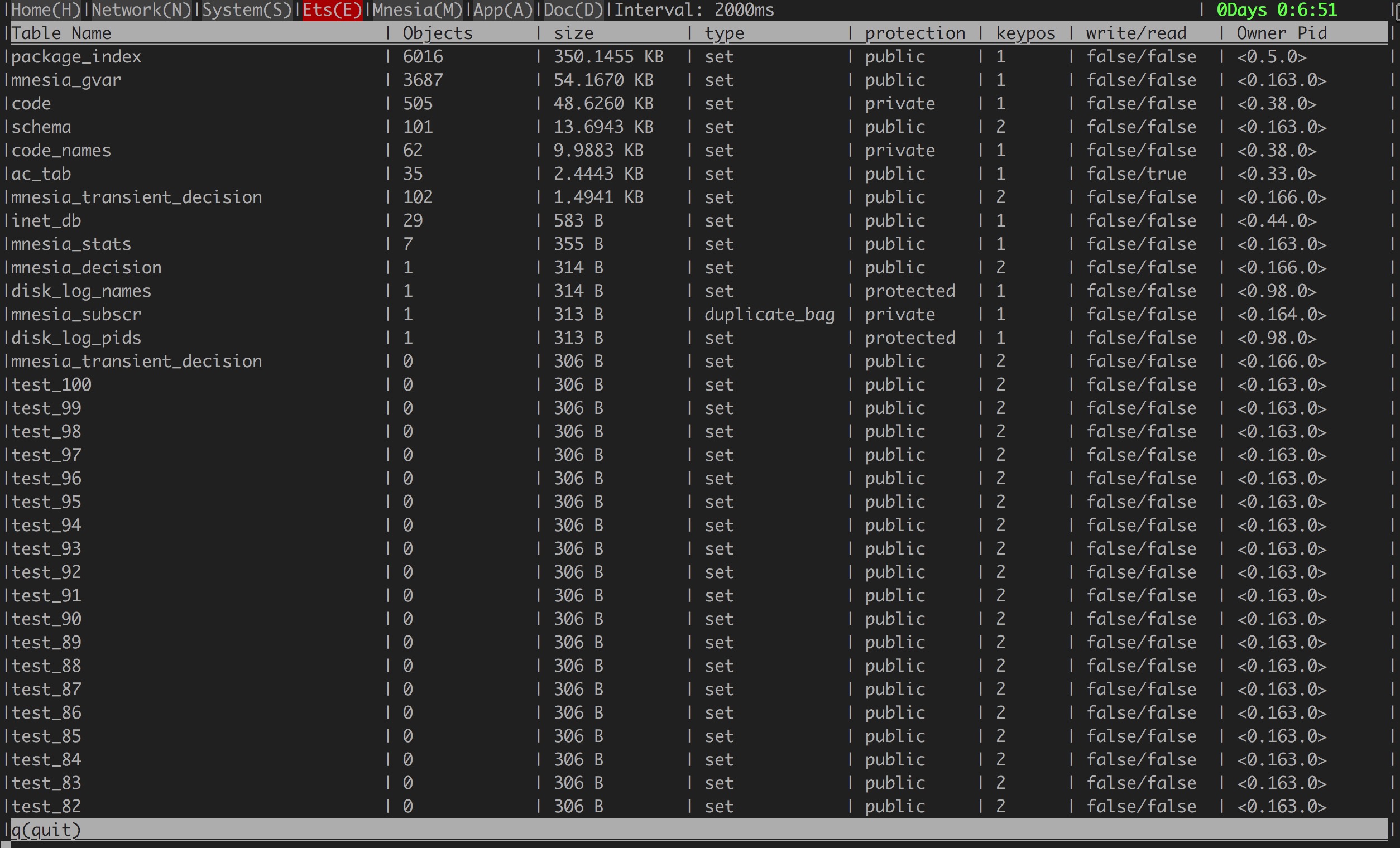
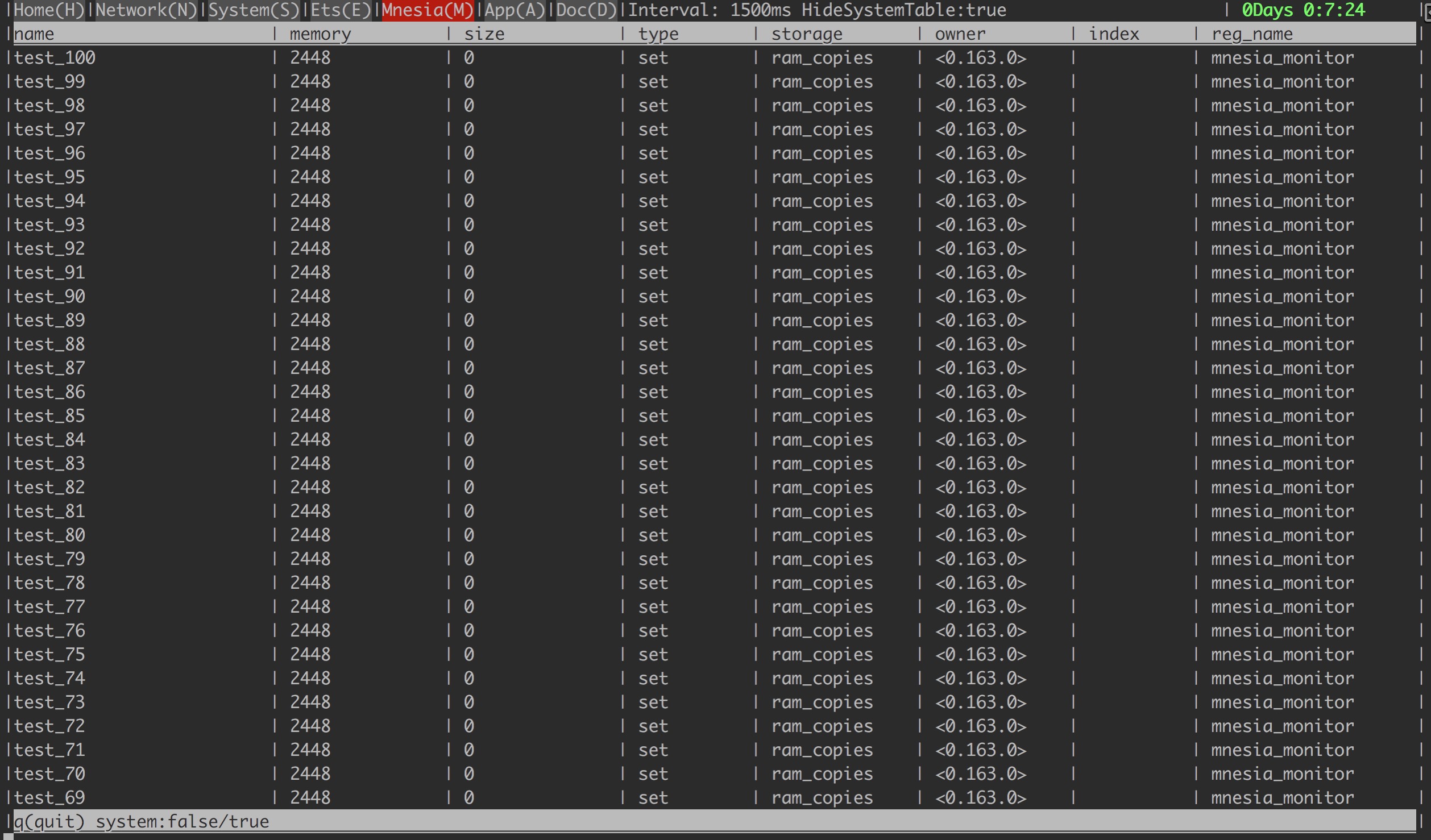

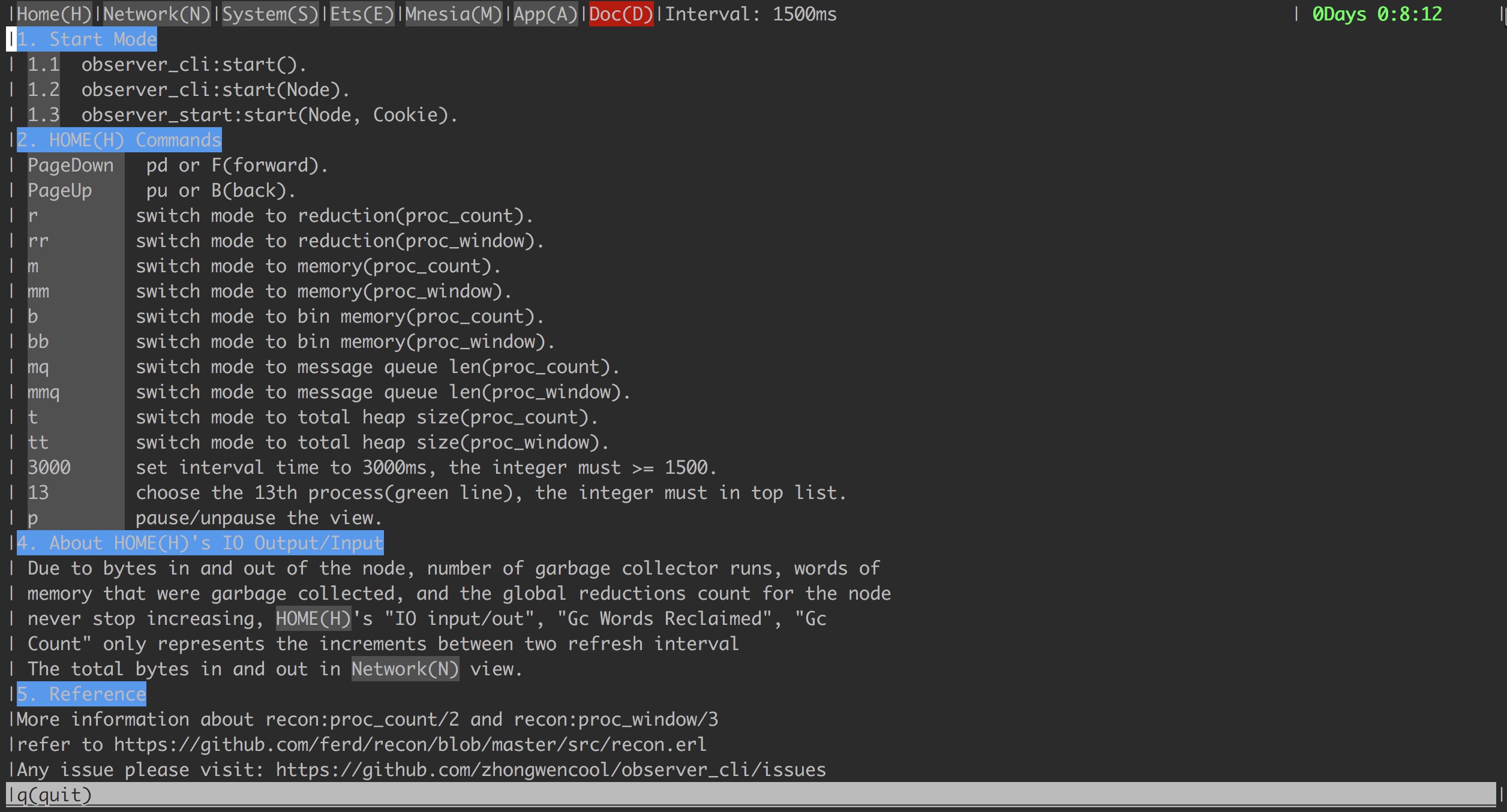
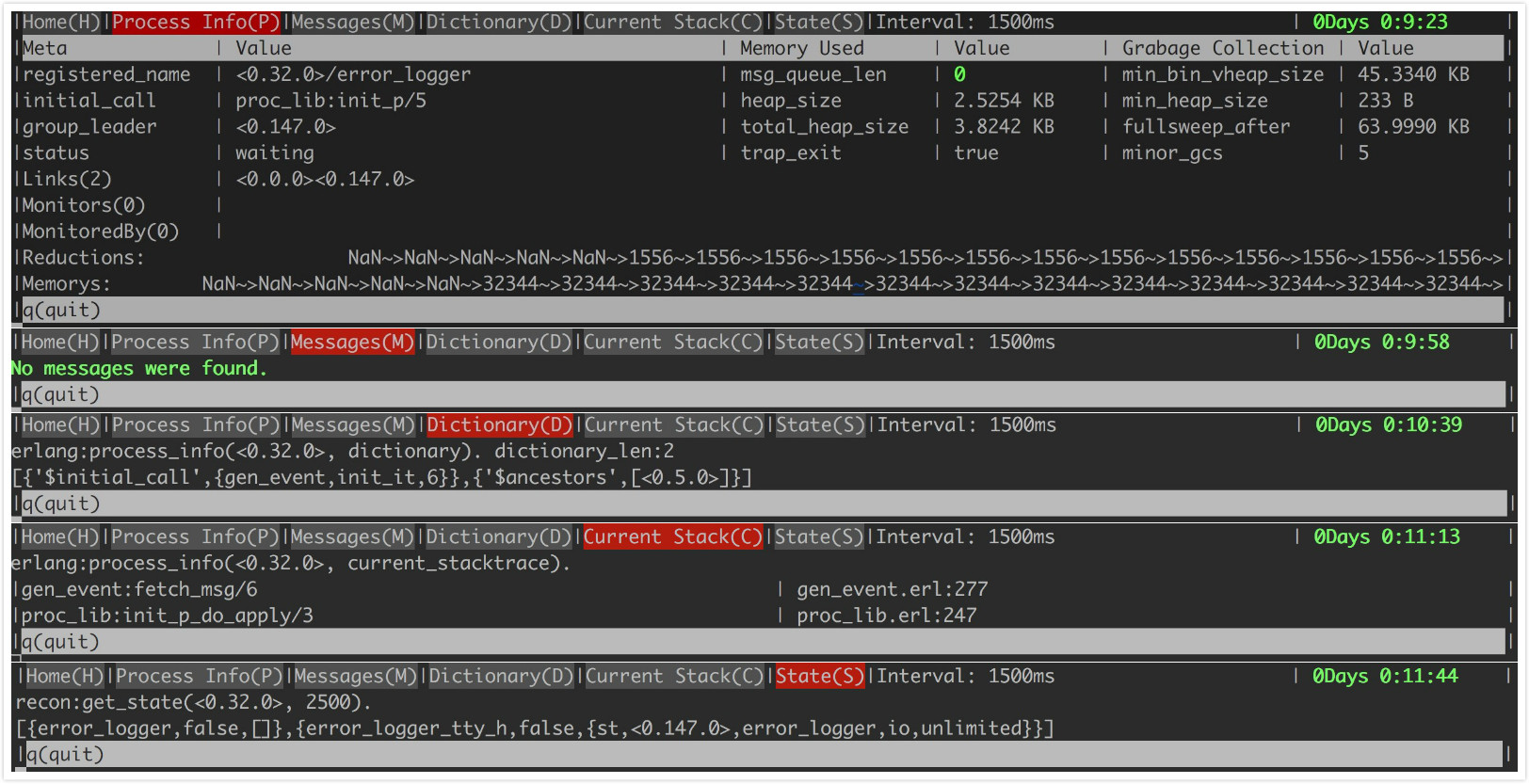
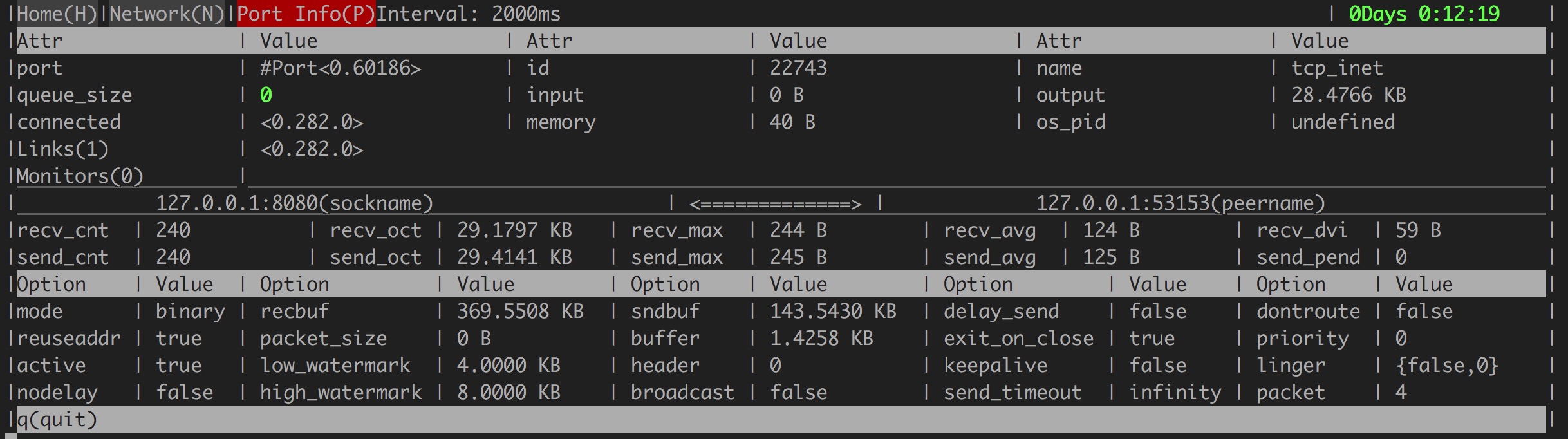
How to write your own plugin?
If you need to customize some of your internal metrics and integrate it into observer_ci,
you only need to write a observer_cli_plugin behaviour in a few simple steps to get a nice presentation.
- Configure observer_cli,tell observer_cli how to find your plugin.
%% module       - Specific module implements plugin behavior. It's mandatory.

%% title        - Menu title. It's mandatory.

%% shortcut     - Switch plugin by shortcut. It's mandatory.

%% interval     - Refresh interval ms. It's optional. default is 1500ms.

%% sort_column  - Sort the sheet by this index. It's optional default is 2.


{plugins,
  [
    #{module => observer_cli_plug_behaviour1, title => "XPlug",
      interval => 1500, shortcut => "X", sort_column => 3},
    #{module => observer_cli_plug_behaviour2, title => "YPlug",
      interval => 1600, shortcut => "Y", sort_column => 3}
  ]
}

- Write observer_cli_plugin behaviour. observer_cli_plugin has 3 callbacks.
2.1 attributes.
-callback atributes(PrevState) -> {[Rows], NewState} when
    Rows :: #{content => string()|integer()|{byte, pos_integer()},
              width => pos_integer(), color => binary()}.
for example:
attributes(PrevState) ->
    Attrs =
    [
        [
            #{content => "XXX Ets Size", width => 20},
            #{content => ets:info(xxx,size), width => 10},
            #{content => "Pool1 Size", width => 15},
            #{content => application:get_env(app,pool1_size), width => 30},
            #{content => "XYZ1 Process Mem", width => 18,
            #{content => {byte, element(2, erlang:process_info(xyz1, memory))}, width => 16}
        ],
        [
            #{content => "YYY Ets Size", width =>20},
            #{content => ets:info(yyy,size), width => 10},
            #{content => "Pool2 Size", width =>15},
            #{content => application:get_env(app,pool2_size), width => 30},
            #{content =>"XYZ2 Process Mem", width =>18},
            #{content => {byte, element(2, erlang:process_info(xyz2, memory))}, width => 16}
        ],
        [
            #{content => "ZZZ Ets Size", width =>20},
            #{content => ets:info(zzz,size), width => 10},
            #{content => "Pool3 Size", width =>15},
            #{content => application:get_env(app,pool3_size), width => 30},
            #{content => "XYZ3 Process Mem", width =>18},
            #{content => {byte, element(2, erlang:process_info(xyz3, memory))}, width => 16}
        ]
    ],
    NewState = PrevState,
    {Attrs, NewState}.

-callback sheet_header() -> [SheetHeader] when
    SheetHeader :: #{title => string(), width => pos_integer(), shortcut => string()}.
for example:
sheet_header() ->
    [
        #{title => "Pid", width => 25},
        #{title => "Status", width => 25},
        #{title => "Memory", width => 24, shortcut => "S"},
        #{title => "Reductions", width => 24, shortcut => "R"},
        #{title => "Message Queue Len", width => 25, shortcut => "Q"}
    ].
-callback sheet_body(PrevState) -> {[SheetBody], NewState} when
    PrevState :: any(),
    SheetBody :: list(),
    NewState :: any().
for example:
sheet_body(PrevState) ->
    Body =
      [begin
         [
             Pid,
             element(2, erlang:process_info(Pid, status)),
             element(2, erlang:process_info(Pid, memory)),
             element(2, erlang:process_info(Pid, reductions)),
             element(2, erlang:process_info(Pid, message_queue_len))
         ]
     end||Pid <- erlang:processes()
    ],
    NewState = PrevState,
    {Body, NewState}.
Support F/B to page up/down.
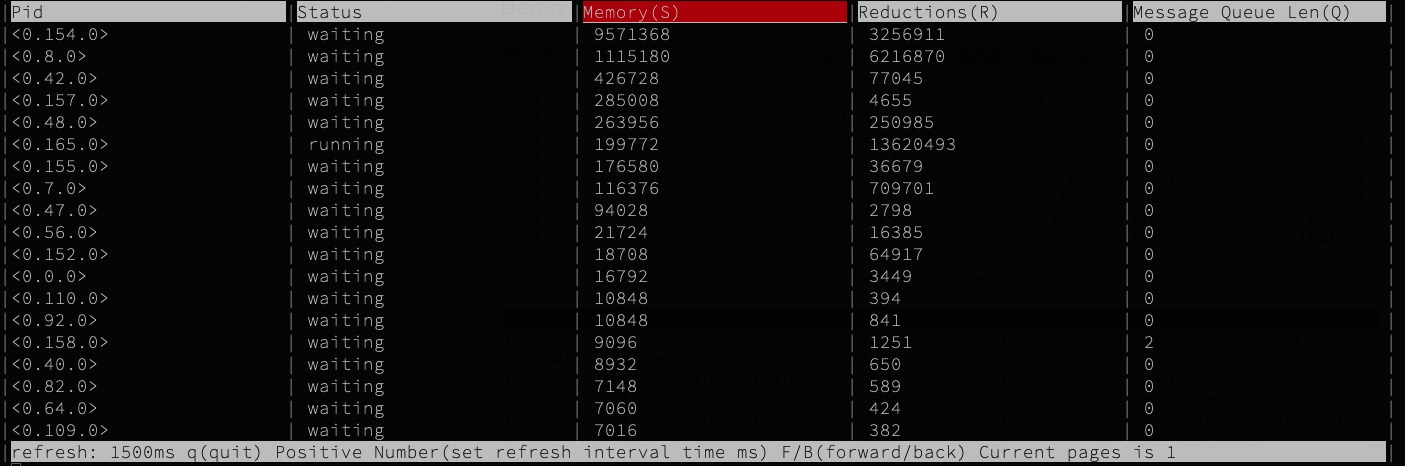
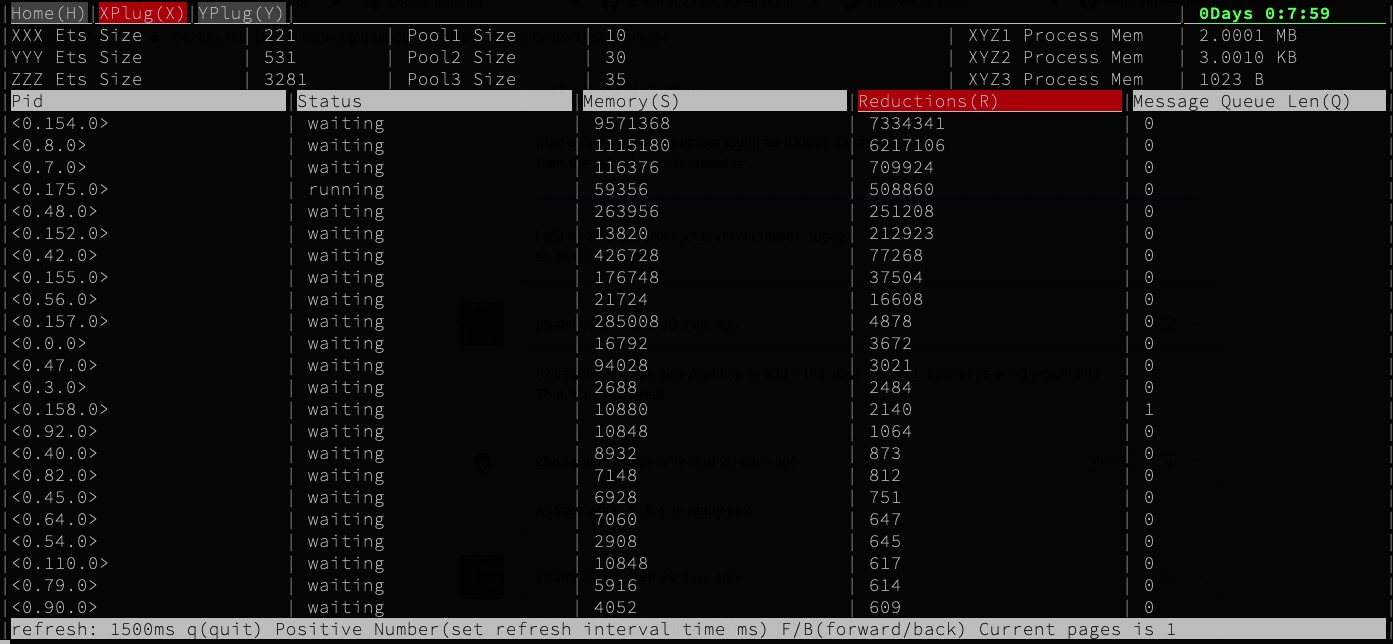
A more specific plugin can collect linux system information such as kernel vsn, loadavg, disk, memory usage, cpu utilization, IO statistics.
Changelog
-
1.5.4
- Bump Recon to 2.5.1 for otp23 alloc compat.
-
1.5.2
- Use erlang:system_info(otp_release) when can't find
OTP_VERSIONfile for the full version.
- Use erlang:system_info(otp_release) when can't find
-
1.5.1
- Hide mnesia tab when it's not started
- Show specific erl version such as '22.0.5'
-
1.5.0
- Bump Recon to 2.5.0
-
1.4.5
- Include a minimal mix.exs build file
- Make sure EXIT message has been clear
-
1.4.4
- Make sure connection errors can be handled
-
1.4.3
- Bump Recon to 2.4.0
-
1.4.2
- Hidden schedule process bar when core > 100.
- Allow to compile escript w/ inet6 based distribution.
- Rewrite plugin callback, rename kv_label/0 to attributes/1.
-
1.4.1
- Fixed ets view memory usage wrong.
- mnesia view memory usage According to bytes.
-
1.4.0
- Support write your own plugin.
-
1.3.4
- View(ets mnesia) support page down/up; support sort by memory or size.
- Fixed pause crash.
- Make refresh interval configurable.
-
1.3.3
- fixed io:format(Format,Args) Format not support iolist OTP R21
-
1.3.2
- Make sure all observer_cli process exit when quit.
- Upgrade recon to 2.3.6
-
1.3.1
- Add atom limit/count in home.
- Escript support short name and long name.
- Fixed store process not exit.
- Upgrade recon to 2.3.5
-
1.3.0
- Rewrite Network/Process view.
- Support PageDown/PageUp for top n list.
- Escript auto load observer_cli when it's not load on target node.
-
1.2.2
- fix schedule number >= 32 display wrong.
- improve memory(byte/kilobyte/megabyte/gigabyte) unit.
-
1.2.1
- fixed autosize not work.
- try best to make color adjust all platform.
-
1.2.0
- add application GUI.
- Rearrange GUI and optimize render.
- Always automatically adapt to the window size.
-
1.1.0
- Support escript,
observer_cli <TARGETNODE> <COOKIE>
- Support escript,
-
1.0.9
- Upgrade rebar3 to 3.3.3 for publish hex repo.
Contributors
 zhongwencool 💻 |
 Dimitrios Zorbas 💻 |
 taotao 💻 |
 Trevor Brown 💻 |
 Zaiming Shi 💻 |
|---|
License
See the LICENSE file for license rights and limitations (MIT).