Oban Web



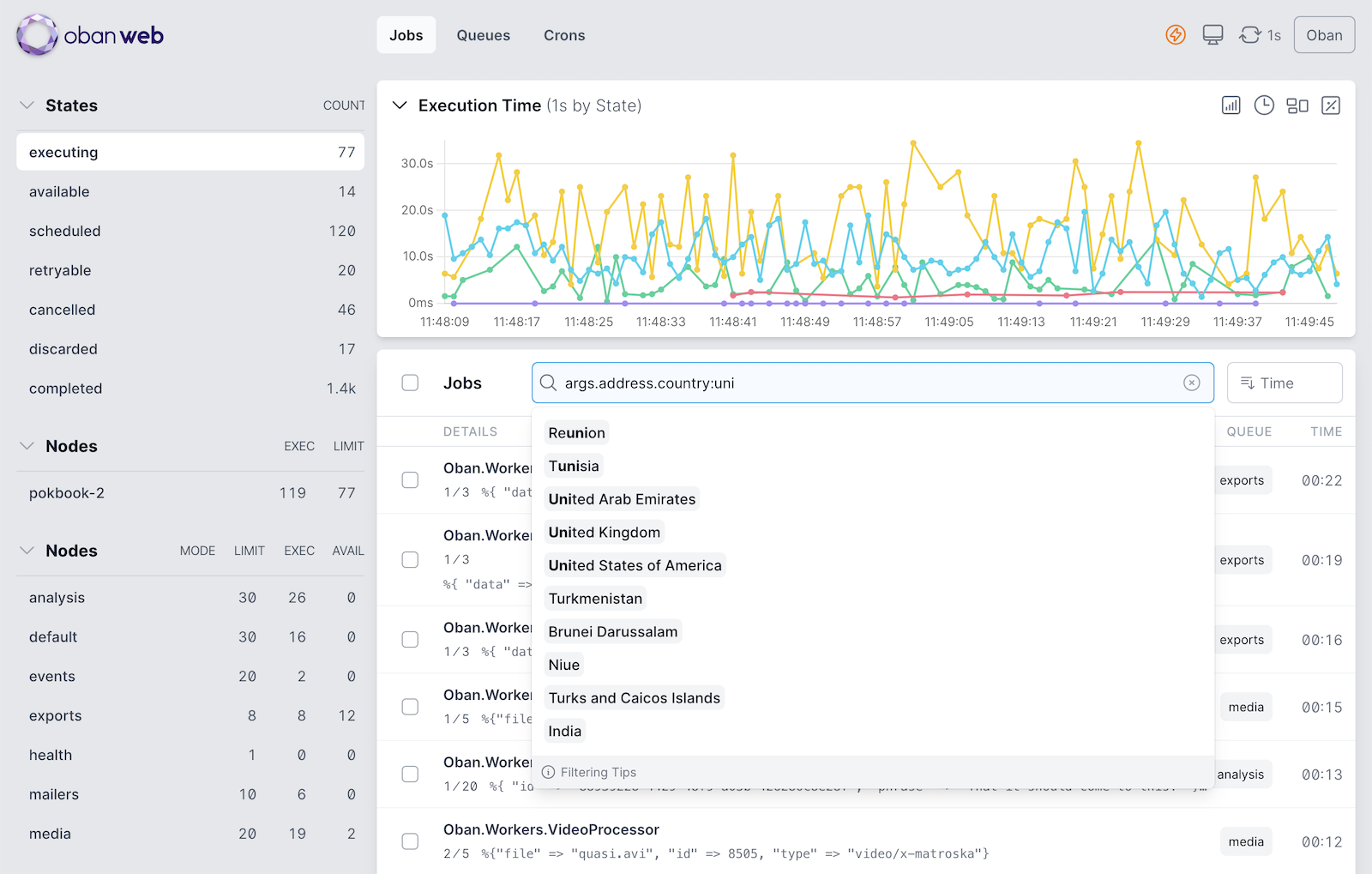
Oban Web is a view of Oban’s inner workings that you host directly within your application. Powered by Oban Metrics and Phoenix Live View, it is distributed, lightweight, and fully realtime.
Features
🐦🔥 Embedded LiveView - Mount the dashboard directly in your application without any external dependencies.
📊 Realtime Charts - Powered by a custom, distributed time-series data store that’s compacted for hours of efficient storage and filterable by node, queue, state, and worker.
🛸 Live Updates - Monitor background job activity across all queues and nodes in real time, with customizable refresh rates and automatic pausing on blur.
🔍 Powerful Filtering - Intelligently filter jobs by worker, queue, args, tags and more with auto-completed suggestions.
🔬 Detailed Inspection - View job details including when, where and how it was ran (or how it failed to run).
🔄 Batch Actions - Cancel, delete and retry selected jobs or all jobs matching the current filters.
🎛️ Queue Controls - Scale, pause, resume, and stop queues across all running nodes. Queues running with Oban Pro can also edit global limits, rate limiting, and partitioning.
♊ Multiple Dashboards - Switch between all running Oban instance from a single mount point, or restrict access to some dashboards with exclusion controls.
🔒 Access Control - Allow admins to control queues and interract with jobs while restricting other users to read-only use of the dashboard.
🎬 Action Logging - Use telemetry events to instrument and report all of a user’s dashboard activity. A telemetry-powered logger is provided for easy reporting.
Installation
See the installation guide for details on installing and configuring Oban Web for your application.
Standalone Docker Image
A standalone Docker image is available for monitoring Oban without embedding the dashboard in your application:
docker run -d \
  -e DATABASE_URL="postgres://user:pass@host:5432/myapp" \
  -p 4000:4000 \
  ghcr.io/oban-bg/oban-dash
See the standalone guide for configuration options and details.
Contributing
To run the Oban Web test suite you must have PostgreSQL 12+ and MySQL 8+ running. Once dependencies are installed, setup the databases and run necessary migrations:
mix test.setupDevelopment Server
For development, a single file server that generates a wide variety of fake jobs is built in:
iex -S mix devPython Development Workers
A Python development app is available that runs alongside the Elixir dev server, sharing the same database. Python workers use separate queues (inference, scraping, etl, webhooks, notifications, transcoding, maintenance) and are tagged with “python” for easy filtering in the dashboard.
First, install the Python dependencies (requires uv):
mix py.installThen, with the Elixir dev server running in one terminal, start the Python workers in another:
mix py.devAlternatively, run directly from the py directory:
cd py && uv run py-devTesting with Oban Pro
Oban Pro is an optional dependency for development and testing. The test suite will automatically
skip Pro-dependent tests (tagged with @tag :pro) when Oban Pro is not available.
To run tests with Pro features, you’ll need access to a valid Oban Pro license. First, authorize with the Oban repository:
mix hex.repo add oban https://repo.oban.pro \
  --fetch-public-key SHA256:4/OSKi0NRF91QVVXlGAhb/BIMLnK8NHcx/EWs+aIWPc \
  --auth-key YOUR_AUTH_KEY
Then fetch dependencies and run the full test suite:
mix deps.get
mix test
To explicitly run tests without Oban Pro:
mix test --exclude proCommunity
There are a few places to connect and communicate with other Oban users:
- Ask questions and discuss #oban on the Elixir Forum
- Request an invitation and join the #oban channel on Slack
- Learn about bug reports and upcoming features in the issue tracker