/ˈniːmiː/ - Snapshot testing utilities for Elixir


https://gist.github.com/assets/503938/57073c2c-6243-4b17-a91f-b705f4524dc9
Mneme augments ExUnit.Assertions with a set of assertions that know how to update themselves.
This is sometimes called snapshot, approval, or golden master testing.
With Mneme, you write something like...
auto_assert my_function()...and next time you run your tests, Mneme:
- runs the code,
- generates a pattern from the result,
- prints a diff,
- and asks if you'd like the test updated.
When you say yes, your test now looks like this:
auto_assert %MyAwesomeValue{so: :cool} <- my_function()This lets you quickly write lots of tests, and like ordinary tests, you'll see when they fail. But, unlike ordinary tests, Mneme asks if you'd like the test updated for the new value.
Features:
- Auto-updating assertions: maintain correct tests as behavior changes during development.
- Alternatives to familiar assertions:
auto_assert,auto_assert_raise,auto_assert_receive,auto_assert_received. - Seamless integration with ExUnit: no need to change your workflow, just run
mix test. - Interactive prompts in your terminal when a new assertion is added or an existing one changes.
- Syntax-aware diffs highlight the meaningful changes in a value.
- Built-in test watcher: see changes immediately with
mix mneme.watch.
Getting started
Add
:mnemeas a dependency in yourmix.exs.defp deps do [ {:mneme, ">= 0.0.0", only: :test} ] endFetch dependencies and run
mix mneme.installwithMIX_ENV=test. You're prompted with a diff before any files are saved.$ mix deps.get # If MIX_ENV=test is not set, you will see a "task could not be found" error $ MIX_ENV=test mix mneme.installAdd
use Mnemewherever youuse ExUnit.Case.defmodule MyTest do use ExUnit.Case, async: true use Mneme test "arithmetic" do auto_assert 2 + 2 end endRun
mix testand typey<ENTER>when prompted. Theauto_assertcall should be updated to:auto_assert 4 <- 2 + 2
Interactive tour
If you'd like to see Mneme in action, you can download and run examples/tour_mneme.exs, a standalone tour that only requires that you have Elixir installed. Give it a try without installing Mneme into your own project.
$ curl -o tour_mneme.exs https://raw.githubusercontent.com/zachallaun/mneme/main/examples/tour_mneme.exs

$ elixir tour_mneme.exs
Requirements
Elixir
Mneme requires Elixir version 1.14 or later.
Formatter
If you do not use a formatter, the first auto-assertion will reformat the entire file, introducing unrelated formatting changes. Mneme rewrites your test scripts when updating an assertion using the formatter configuration for your project.
It's highly recommended to configure your editor to format Elixir files on-save.
Supported formatters:
Mix.Tasks.Format(Elixir's default formatter)FreedomFormatter
Command line interface
Auto-assertions are run with your normal tests when you run mix test and a terminal prompt is used whenever one needs to be updated.
Here's what that might look like:
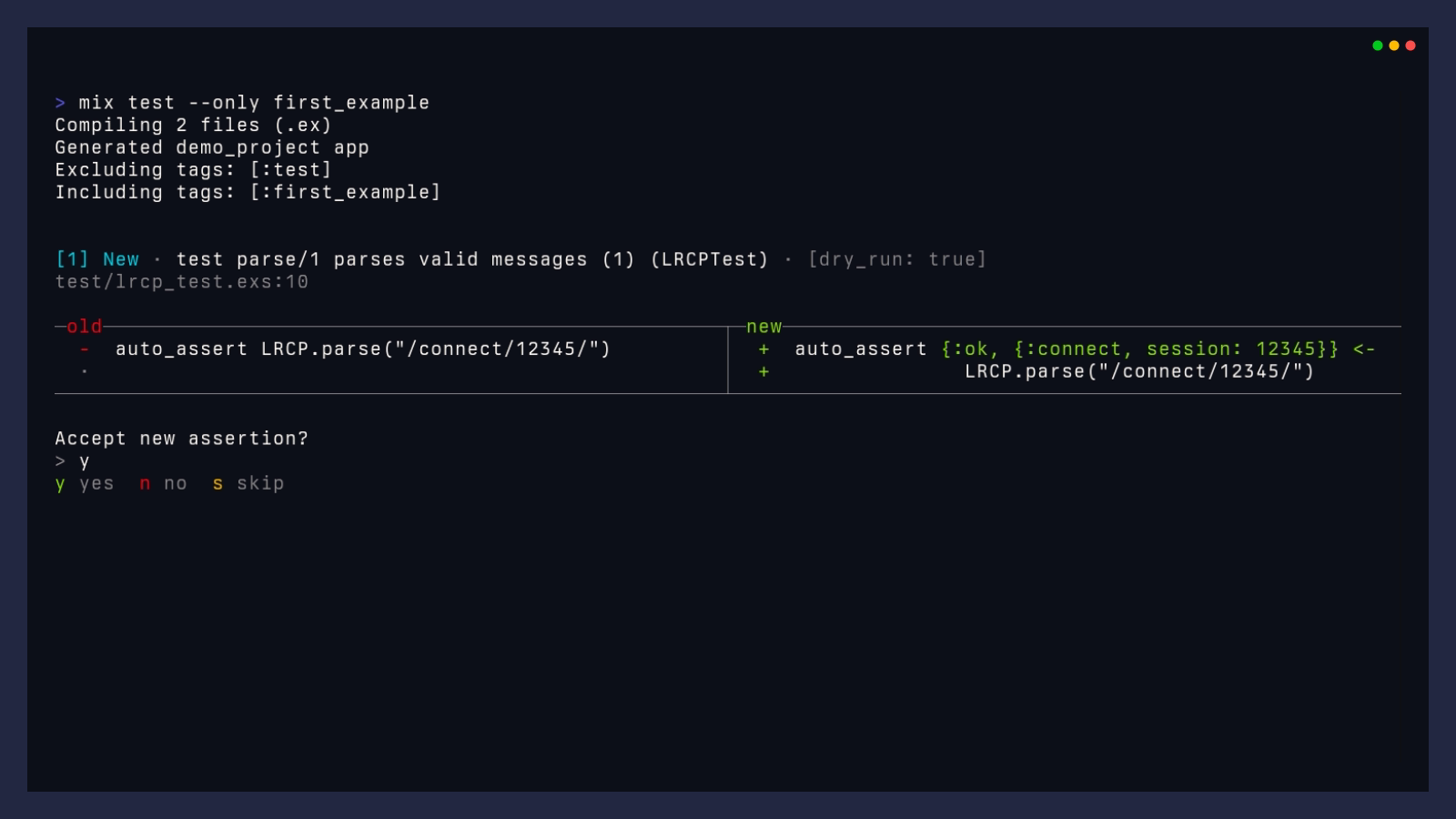
Whenever that happens, you have a few options:
| Key | Action | Description |
|---|---|---|
y | Accept | Accept the proposed change. The assertion will be re-run and should pass. |
n | Reject | Reject the proposed change and fail the test. |
s | Skip |
Skip this assertion. The test will not fail, but the mix test process will exit with 1. |
k | Next | If multiple patterns have been generated, cycle to the next one. |
K | Last | If multiple patterns have been generated, cycle to the last one. |
j | Previous | If multiple patterns have been generated, cycle to the previous one. |
J | First | If multiple patterns have been generated, cycle to the first one. |
Note that the CLI is not available when tests are run in a CI environment.
Continuous Integration
In a CI environment, Mneme will not attempt to prompt and update any assertions, but will instead fail any tests that would update.
This behavior is enabled by the CI environment variable, which is set by convention by many continuous integration providers.
export CI=trueLinks and acknowledgements
Special thanks to:
What if writing tests was a joyful experience?, from the Jane Street Tech Blog, for inspiring this library.
My Kind of REPL, an article by Ian Henry that shows how snapshot testing can change your workflow.
Sourceror, a library that makes complex code modifications simple.
Rewrite, which makes updating source code a breeze.
Owl, which makes it much easier to build a pretty CLI.
Insta, a snapshot testing tool for Rust, whose great documentation provided an excellent reference for snapshot testing.
assert_value, an existing Elixir project that provides similar functionality.