
Meld is a command-line utility that makes it easy to provide a mix task as a global command, enabling real CLIs.
Usage
meld link ./my_mix_project mix_taskWhere '/.my_mix_project' is a directory containing an Elixir app with a mix task that can be run. 'mix_task' is the mix task name, that means that it can be run with 'mix mix_task'.
Meld will create a shell script in its directory at ~/.meld. This shell
script will cd into the specified directory and run the mix task. By adding
the Meld directory to the global PATH, a simulated global executable is
achieved.
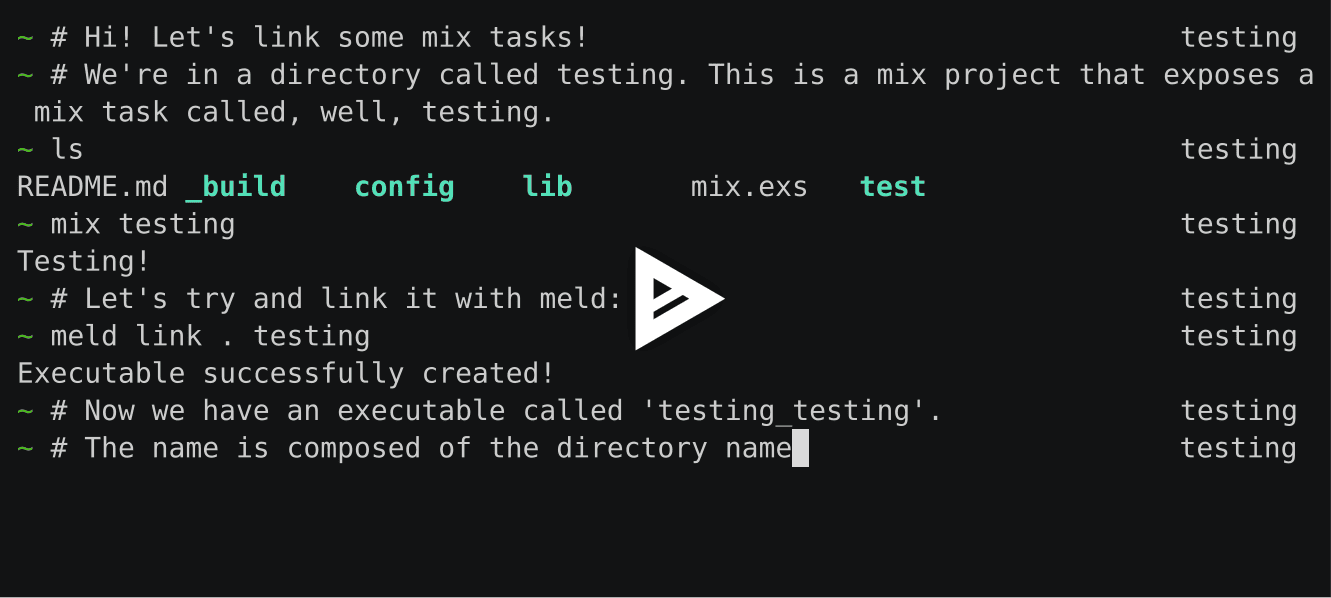
The default name is DIRECTORY-NAME_MIX-TASK-NAME. So, in our example, the
script name would be my_mix_project_mix_task (I hope you don't name your
projects like that). You can, however, override the default name. Just run
meld help link for more info.
There's also a screencast for explaining the linking process:
[ 
Usage as library
Meld.link "./my_mix_project", "mix_task" # to link
Meld.unlink "mix_task" # to unlink
Installation
You need Elixir with Erlang OTP installed.
On OSX:
brew tap stuffs/tapto tap to where the meld formula is located.brew install meld(if that doesn't work,brew install stuffs/tap/meld).meld setupto create the~/.meldfolder.
As a one-liner, that's:
brew tap stuffs/tap; brew install meld; meld setupOn Linux:
-
Run
curl -kLO https://cdn.rawgit.com/sup/meld/releases/download/0.1.2/meldto download the binary. -
Make it executable:
chmod +x ./meld -
Next, move it into your PATH somewhere. You can symlink it into
/usr/local/binor somewhere else, or just move it there. But of course, you can also use it if it's not in the PATH. Run either:
sudo ln -s meld /usr/local/bin/meldsudo mv meld /usr/local/bin/meldThe former is easier to update, I recommend that.
-
Now, run
meld setup(or./meld setupif it's not in the PATH). This creates the Meld script directory under~/.meld, under which all linked scripts are going to be saved. -
Make sure that the
~/.meldfolder is in your PATH and has the correct rights assigned to it (chmod 755 ~/.meld).
And that's it! You're ready to link some tasks!
License
MIT, see LICENSE.