MagicaX


A comprehensive Elixir toolkit for parsing and generating MagicaVoxel (.vox) files.
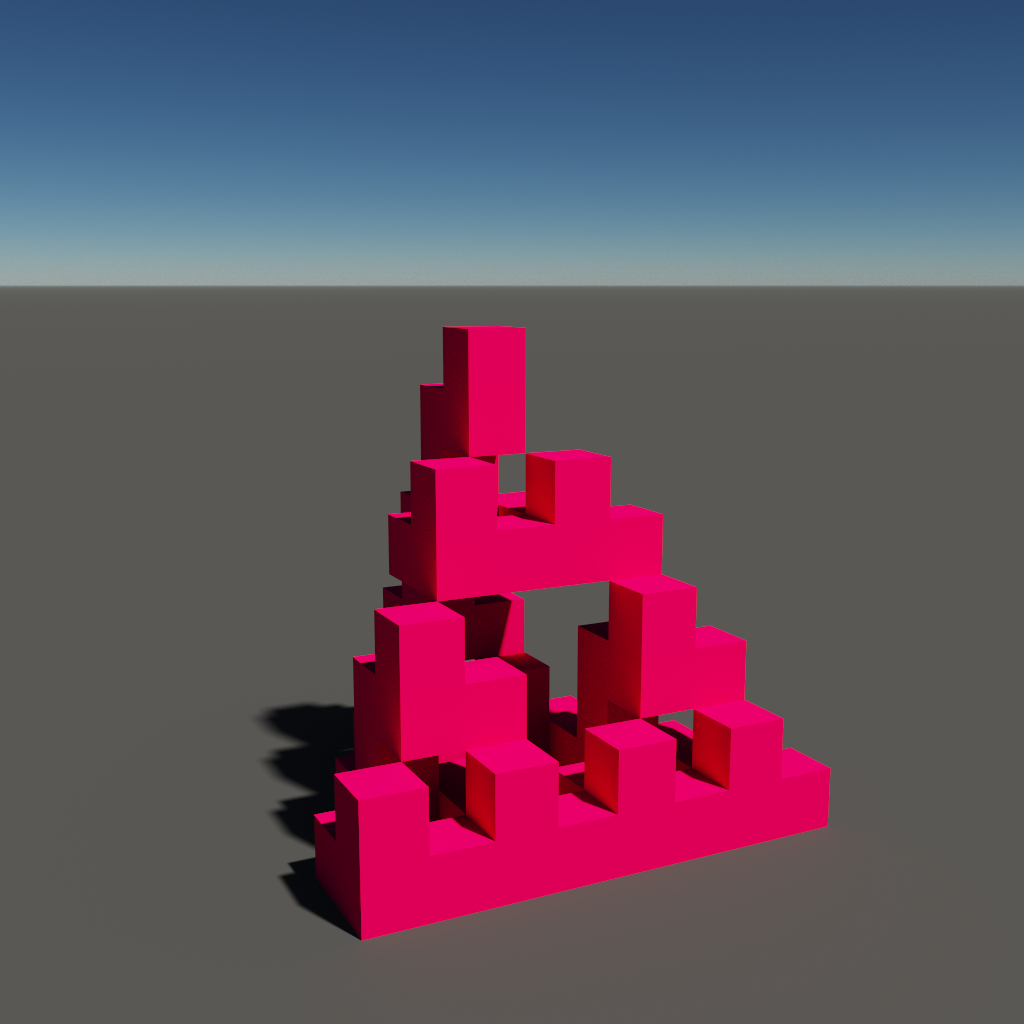
Features
🔍 Parser (MagicaX.VoxParser)
- Complete VOX parsing - 100% data coverage with zero skipped bytes
- All major chunk types - SIZE, XYZI, RGBA, MATL, LAYR, rOBJ, rCAM, NOTE, nTRN, nSHP, nGRP, META
- 3D matrix representation - Efficient spatial data structure
- Comprehensive analysis - Detailed chunk statistics and validation
🎨 Generator (MagicaX.VoxGenerator)
- Multiple input methods - JSON, programmatic, and file-based generation
- Built-in shapes - Cube, sphere, teapot generators
- Custom palettes - Full 256-color support
- No external dependencies - Pure Elixir implementation
Installation
Add magicax to your list of dependencies in mix.exs:
def deps do
  [
    {:magicax, "~> 0.1.0"}
  ]
end
Then run mix deps.get to fetch the dependency.
Quick Start
Library Usage
# Parse a VOX file
{:ok, data} = MagicaX.parse_file("model.vox")
IO.inspect(data.size)           # {32, 32, 32}
IO.inspect(length(data.voxels)) # 1024

# Generate from JSON file
{:ok, message} = MagicaX.generate_from_json_file("model.json")

# Generate basic shapes
{:ok, message} = MagicaX.generate_cube("cube.vox", 10)
{:ok, message} = MagicaX.generate_sphere("sphere.vox", 8)

# Generate programmatically
dimensions = {10, 10, 10}
voxels = [{0, 0, 0, 1}, {1, 1, 1, 2}]
{:ok, message} = MagicaX.generate_vox_file("model.vox", dimensions, voxels)
Standalone Scripts (Development)
For development and testing, you can also run the examples directly using Mix.install:
# Parse VOX files
elixir examples/parser_example.exs path/to/model.vox

# Generate VOX files (includes recursive fractal generation)
elixir examples/generator_example.exs

# Basic usage examples
elixir examples/basic_usage.exs
The examples use Mix.install([{:magicax, path: "../"}]) to automatically compile and load the library.
JSON Format
Required Fields
{
  "dimensions": [x, y, z],           // MANDATORY: 3D dimensions
  "voxels": [                        // MANDATORY: Array of voxel objects
    {
      "x": 0,                        // MANDATORY: X coordinate (0-255)
      "y": 0,                        // MANDATORY: Y coordinate (0-255)
      "z": 0,                        // MANDATORY: Z coordinate (0-255)
      "color_index": 1               // MANDATORY: Color index (0-255)
    }
  ]
}
Optional Fields
{
  "palette": [                       // OPTIONAL: Custom color palette
    {
      "r": 255,                      // MANDATORY: Red component (0-255)
      "g": 255,                      // MANDATORY: Green component (0-255)
      "b": 255,                      // MANDATORY: Blue component (0-255)
      "a": 255                       // MANDATORY: Alpha component (0-255)
    }
  ],
  "metadata": {                      // OPTIONAL: File metadata
    "name": "My VOX Model",
    "author": "Creator Name",
    "description": "Model description"
  }
}
Examples
Simple 3x3x3 Cube
{
  "dimensions": [3, 3, 3],
  "voxels": [
    {"x": 0, "y": 0, "z": 0, "color_index": 1},
    {"x": 1, "y": 0, "z": 0, "color_index": 2},
    {"x": 2, "y": 0, "z": 0, "color_index": 3}
  ]
}
Using the Generator
# Generate from JSON string
json_data = """
{
  "dimensions": [5, 5, 5],
  "voxels": [
    {"x": 0, "y": 0, "z": 0, "color_index": 1}
  ]
}
"""

VoxGenerator.generate_from_json("output.vox", json_data)

# Generate from map
model_data = %{
  "dimensions" => [4, 4, 4],
  "voxels" => [
    %{"x" => 0, "y" => 0, "z" => 0, "color_index" => 1}
  ]
}

VoxGenerator.generate_from_map("output.vox", model_data)

# Generate from local JSON file (recommended for most use cases)
VoxGenerator.generate_from_json_file("output.vox", "my_model.json")
Working with Local JSON Files
The easiest way to create VOX files is using local JSON files:
- Create your JSON file (e.g.,
my_model.json) - Run the generator:
elixir -e "VoxGenerator.generate_from_json_file("output.vox", "my_model.json")"
This approach is perfect for:
- Batch processing multiple JSON models
- Integration with other tools that output JSON
- Version control of your 3D models
- Sharing models between team members
API Reference
Main Module (MagicaX)
The main module provides convenient access to all functionality:
MagicaX.parse_file/1- Parse a VOX fileMagicaX.generate_vox_file/3- Generate VOX from dimensions and voxelsMagicaX.generate_from_json/2- Generate from JSON stringMagicaX.generate_from_json_file/2- Generate from JSON fileMagicaX.generate_cube/2- Generate cube shapeMagicaX.generate_sphere/2- Generate sphere shapeMagicaX.generate_teapot/2- Generate teapot shape
Parser Module (MagicaX.VoxParser)
parse_vox_file/1- Parse a VOX file and return structured data
Generator Module (MagicaX.VoxGenerator)
generate_vox_file/4- Create custom VOX filegenerate_from_json/2- Generate from JSON stringgenerate_from_json_file/2- Generate from JSON filegenerate_from_map/2- Generate from Elixir mapgenerate_cube/2- Generate cube VOX filegenerate_sphere/2- Generate sphere VOX filegenerate_teapot/2- Generate teapot VOX file
Project Structure
magicax/
├── lib/
│   ├── magicax.ex           # Main module and public API
│   ├── vox_parser.ex        # VOX file parser
│   └── vox_generator.ex     # VOX file generator
├── examples/
│   ├── json/               # Example JSON models
│   ├── parser_example.exs  # Parser usage examples
│   ├── generator_example.exs # Generator usage examples
│   └── basic_usage.exs     # Basic library usage
├── vox/                    # Sample VOX files
│   ├── teapot.vox
│   ├── castle.vox
│   └── chr_knight.vox
├── mix.exs                 # Project configuration
├── CLAUDE.md               # Development instructions
└── README.md               # This file
Requirements
- Elixir 1.18+ - Core language requirement
- No external dependencies - Pure Elixir implementation with custom JSON parser
Performance
- Parser: Efficiently handles large files (tested with 133KB+ models)
- Generator: Optimized voxel generation algorithms
- Memory: Efficient binary handling for complex 3D models
- Coverage: 100% data coverage for VOX format parsing (zero skipped bytes)
Contributing
Feel free to submit issues, feature requests, or pull requests to improve the toolkit!