logjam
![Build Status][travis badge]][travis]
[![LFE Versions][lfe badge]][lfe]
[![Erlang Versions][erlang badge]][versions]
[![Tags][github tags badge]](https://img.hex.pm/fetch/df91dde10ed79c3e4947c6ed47df2c8a01d63b26/68747470733a2f2f6769746875622e636f6d2f6c6665782f6c6f676a616d2f74616773) [
[ 

A Logging Library for LFE
Table of Contents
Introduction ↟
The preferred logging library in Erlang is lager. However, it doesn't work out of the box with LFE, due to the fact that it uses parse transforms (the LFE compiler uses Core Erlang and does not generate Erlang abstract terms, which are how Erlang parse transforms work).
As such, we needed a way to easily use lager from LFE. So here you have it: a a pile of logs for the LFE community, in a river of LFE code ...
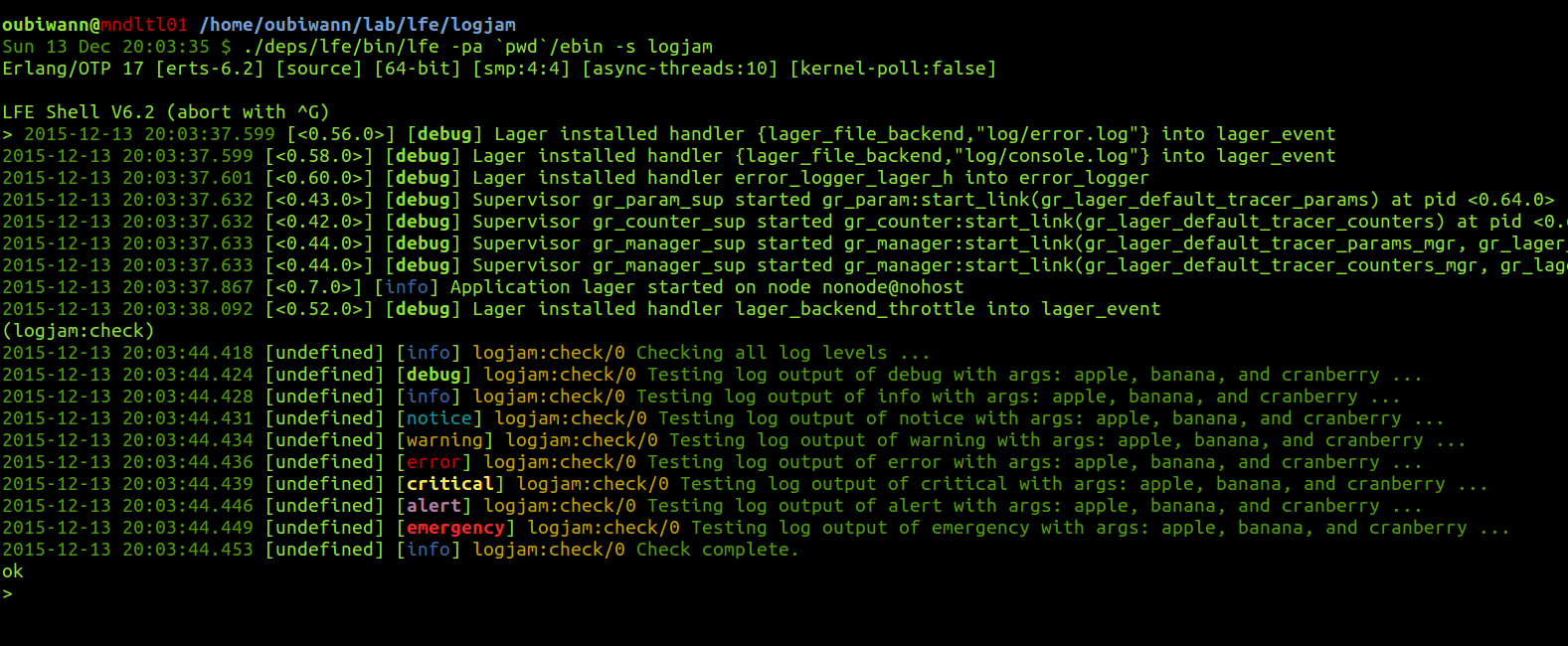
Dependencies ↟
As of version 0.3.0, this project assumes that you have
rebar3 installed somwhere in your $PATH.
It no longer uses the old version of rebar. If you do not wish to use rebar3,
you may use the most recent rebar2-compatible release of logjam: 0.2.0.
Installation ↟
Just add it to your rebar.config deps:
{deps, [
  ...
  {logjam, ".*",
    {git, "git@github.com:lfex/logjam.git", "master"}}
    ]}.
And then do the usual:
$ make compileSetup ↟
Basic Configuration ↟
First things first, make sure you have an lfe.config file with the
appropriate lager configuration options set. For instance:
#(logging (
   #(log-level info)
   #(backend lager)
   #(options (#(lager_console_backend info)
              #(lager_file_backend (
                #(file "log/error.log")
                #(level error)
                #(size 10485760)
                #(date "$D0")
                #(count 5)))
              #(lager_file_backend (
                #(file "log/console.log")
                #(level info)
                #(size 10485760)
                #(date "$D0")
                #(count 5)))))))
Any legal lager configuration will work (as long as you translate it into LFE syntax first!).
If you'd like to use use the custom log formatter (modeled after logging formats common in Clojure applications), you can configure your handler like the following:
#(logging (
   #(log-level debug)
   #(colored true)
   #(backend lager)
   #(options (#(lager_console_backend (
                debug
                #(logjam-formatter
                  (date " " time " [" pid "] [" severity "] " message "\n"))))
               ...))))
Color Support ↟
Logjam supports colourd logging -- you just need to enable it in your
project's lfe.config file. See the logjam lfe.config for example
configuration.
To not have ANSI colors as part of the output, be sure to use #(colored false).
If you'd like to use your own colors, you can start with this template:
#(logging (
   #(log-level debug)
   #(colored true)
   #(colors (#(timestamp (color green))
             #(process (color cyan))
             #(date (color green))
             #(time (color green))
             #(modfunc (color yellow))
             #(message (color green))
             #(debug (color greenb))
             #(info (color blue))
             #(notice (color cyan))
             #(warning (color yellow))
             #(error (color red))
             #(critical (color yellowb))
             #(alert (color magentab))
             #(emergency (color redb))))
  ...))
The confguration value for the color is a list of module and func that will be called to wrap color around the log text indicated by the configuration's key (e.g., timestamp, debug, etc.)
Starting Logjam ↟
Next, start the logjam application (which will perform additional setup and start lager):
> (logjam:start)
ok
2015-12-17 13:08:04.163 [<0.7.0>] [info] Application lager started on ...
You may or may not see a message logged to the console, depending upon your log-level setting in lfe.config.
Usage ↟
The logjam module includes all the logging functions you may be used to in other logging frameworks. These allow you do make calls like the following:
(logjam:info "An informative message")
(logjam:info "A ~p message" '(great))
(logjam:info 'my-mod 'my-func/2 "Message from function ...")
(logjam:info 'my-mod 'my-func/2 "Message from a ~p function ..." '(simple))
If you would like to have your module and function populated in the log more or less automatically, you can call logjam log functions with the "caller" tuple:
(logjam:info `#(c ,(logjam:caller)) "An informative message")
(logjam:info `#(c ,(logjam:caller)) "A ~p message" '(great))
More details on the logging functions are given below.
Log-level Functions ↟
Now you'll be able to use logjam. The following log types are defined:
debuginfonoticewarning(supported withwarnalias)error(supported by both sets oferroranderrfunctions)criticalalertemergency(supported withfailandfaiulrealiases)
Each of these has arity 1, 2, 3, and 4 functions of the same name:
- arity 1: pass a message
-
arity 2: pass an
(io_lib:format ...)format string and arguments for the format string OR pass a caller tuple and a message - arity 3: pass a module, a function, and a message OR pass a caller tuple, a format string, and args
-
arity 4: pass a module, a function, an
(io_lib:format ...)format string, and arguments for the format string
Examples:
> (logjam:info "wassup?")
ok
> 2015-12-17 13:44:06.912 [<0.46.0>] [info] wassup?
> (logjam:critical "~s~shey!" '("a " "critical thing, hey-"))
ok
> 2015-12-17 13:44:31.412 [<0.46.0>] [critical] a critical thing, hey-hey!> (logjam:notice `#(c ,(logjam:caller)) "You better check this out ...")
ok
> 2015-12-17 13:49:10.235 [<0.46.0>] [notice] lists:map/2 You better check this out ...
> (logjam:notice (MODULE) 'my-func "You better check this out ...")
ok
> 2015-12-17 13:45:12.158 [<0.46.0>] [notice] -no-module:my-func You better check this out ...
> (logjam:alert `#(c ,(logjam:caller)) "~s~shey!" '("whoa! " "red alert, "))
ok
> 2015-12-17 13:48:08.277 [<0.46.0>] [alert] lists:map/2 whoa! red alert, hey!> (logjam:alert (MODULE) 'my-func "~s~shey!" '("whoa! " "red alert, "))
ok
> 2015-12-17 13:45:31.196 [<0.46.0>] [alert] -no-module:my-func whoa! red alert, hey!Dynamically Updating Log Levels ↟
logjam provides the following wrappers for this same functionality in lager:
logjam:set-level/1- set the level of the console backendlogjam:set-level/2- set the log level of a given backendlogjam:set-level/3- set the log level of a given backend's' logfile
Examples:
> (logjam:set-level 'debug)
ok
> (logjam:set-level 'lager_console_backend 'debug)
ok> (logjam:set-level 'lager_file_backend "log/console.log" 'debug)
21:32:03.894 [notice] Changed loglevel of log/console.log to debug
ok(logjam:set-level 'lager_file_backend "log/error.log" 'warning)
21:34:32.131 [notice] Changed loglevel of log/error.log to warning
okLicense ↟
Apache Version 2 License
Copyright © 2015-2016, Duncan McGreggor oubiwann@gmail.com