Leaf
Visual WYSIWYG + Obsidian-style hybrid live preview + markdown editor for Phoenix LiveView.
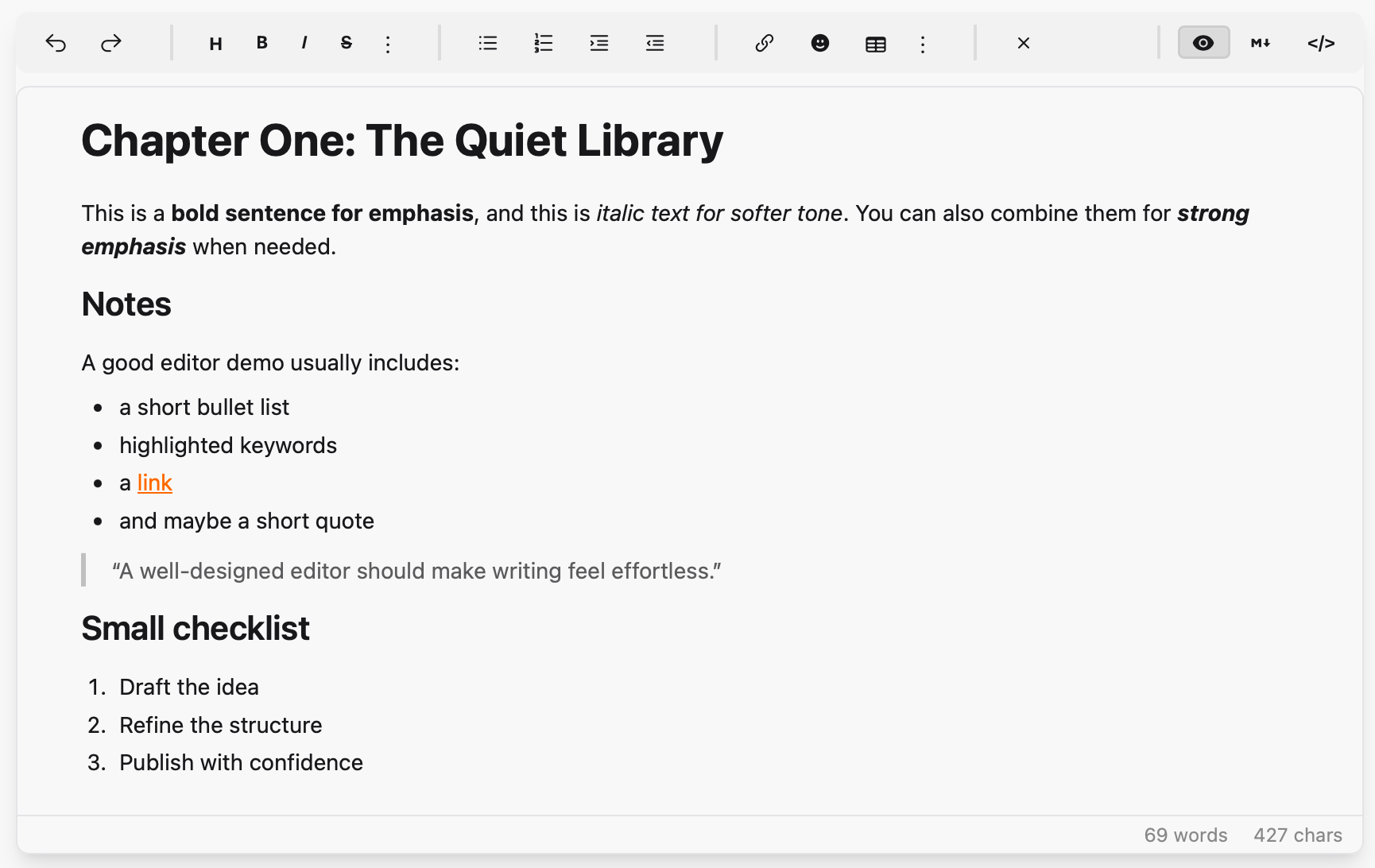
- Visual mode: contenteditable div with toolbar formatting (bold, italic, headings, lists, links, code blocks, tables, blockquotes, inline spoilers, etc.)
- Hybrid mode (Obsidian-style live preview): formatting renders inline (bold, italic, strike, code, spoiler, headings, horizontal rule, lists) while the source markers stay editable — typing
**word**,*word*,~~word~~,||word||,`word`,# heading,---,- item, or1. itemauto-formats on the closing delimiter, and the markers fade in/out as the cursor enters and leaves each formatted run - Markdown mode: plain textarea with toolbar support
- HTML mode: raw HTML editing for power users
- Responsive toolbar: compact, stationary controls for narrow embeds and mobile comment editors; advanced tools progressively move into menus instead of requiring horizontal scrolling
- Drag-and-drop reordering: drag any block element (headings, paragraphs, lists, images, blockquotes, code blocks) to rearrange content
- Resizable: drag the bottom-right grip to change height; double-click the grip to auto-fit to content
- Spoilers: Discord-style
||hidden||markdown that renders as a click-to-reveal censored block in published content - Live editing (optional): several people in one document, each other's carets and selections visible, edits merged as they cross on the wire — one call to wire up, and nothing at all when unused
- Content syncs between modes via Earmark and client-side HTML→Markdown conversion
- No npm dependencies — vendored JS bundle
Installation
Add leaf to your dependencies in mix.exs:
def deps do
  [
    {:leaf, "~> 0.5"}
  ]
end
JavaScript Setup
In your app.js, import the JS and register the hook:
import "../../../deps/leaf/priv/static/assets/leaf.js"

let liveSocket = new LiveSocket("/live", Socket, {
  hooks: {
    Leaf: window.LeafHooks.Leaf,
    // ... your other hooks
  }
})
CDN Alternative
If you prefer not to use the deps/ import path (e.g., non-standard project structure), you can load the JS from CDN instead:
// Load Leaf from CDN
const script = document.createElement("script");
script.src = "https://cdn.jsdelivr.net/gh/alexdont/leaf@v0.5.1/priv/static/assets/leaf.js";
script.onload = () => {
  // Leaf is now available at window.LeafHooks
};
document.head.appendChild(script);
Important
A CDN pin (or a vendored copy of leaf.js) has to move in lockstep with
the hex dependency. The editor renders identically either way, so a bundle
left behind is otherwise silent — it just quietly stops implementing things
the server expects. Leaf compares window.LeafHooks.version against the
library version on mount and warns in the console when they disagree.
Peer Requirements
Leaf's toolbar uses Tailwind CSS + daisyUI classes (btn, btn-xs, divider, textarea, etc.) and Heroicons CSS classes (hero-*). Make sure these are available in your project.
Usage
First, import the component in your view helpers (e.g., in my_app_web.ex):
import Leaf, only: [leaf_editor: 1]
Then use it in your templates:
<.leaf_editor
  id="my-editor"
  content={@content}
  mode={:visual}
  toolbar={[:image, :video]}
  deny={[:links, :images, :markdown_mode]}
  placeholder="Write something..."
  readonly={false}
  height="480px"
  debounce={400}
/>
Alternative: direct LiveComponent syntax
<.live_component
  module={Leaf}
  id="my-editor"
  content={@content}
  mode={:visual}
  toolbar={[:image, :video]}
  deny={[:links, :images, :markdown_mode]}
  placeholder="Write something..."
  readonly={false}
  height="480px"
  debounce={400}
/>
Assigns
| Assign | Type | Default | Description |
|---|---|---|---|
id | string | required | Unique editor ID |
content | string | "" | Markdown content |
mode | :hybrid | :visual | :markdown | :html | :hybrid | Initial editor mode |
preset | :advanced | :simple | :advanced | Toolbar preset; :simple is a compact subset for comments and lightweight editing |
toolbar | list | [] | Extra toolbar buttons (:image, :video) |
deny | list | [] | Disallowed features (:links, :images, :video, :visual_mode, :hybrid_mode, :markdown_mode, :html_mode); denied controls are hidden from the UI — see Denying features |
preserve_tags | list | [] | Custom component tag names to protect from the HTML round-trip — required for content using them, see Custom component tags |
toolbar_extra | list | [] | Host-defined toolbar buttons — see Host toolbar buttons |
placeholder | string | "Write something..." | Placeholder text shown when the editor is empty |
readonly | boolean | false | Read-only mode |
height | string | "480px" | Editor height (the body resizes from this baseline) |
debounce | integer | 400 | Debounce interval in ms for content-change events |
loading_preset | atom | :random | Pre-mount loading label preset: :random picks from :unpuzzling, :brewing, :polishing, :composing, :crafting, :tidying. :default shows plain "Loading…" |
loading_text | string | nil | Custom loading label; takes precedence over loading_preset when set |
upload_handler | any | nil | Hint that the consumer supports uploads. When set, the main image button asks the parent for an upload via :leaf_insert_request; when nil, it opens the by-URL dialog directly |
suggestions | list | [] | Inline-suggestion trigger configs — see Inline suggestions |
class | string | nil | Extra classes for the wrapper |
script_nonce | string | "" | CSP nonce applied to the inline <style> block and the bundle-check <script> |
bundle_check | boolean | true | Emit the inline <script> that reports a JS hook that never attached. Set false under a CSP that forbids inline scripts and cannot supply a nonce — it is a diagnostic, nothing depends on it |
Custom component tags
Important
Content that uses custom tags — <Hero />, <Showcase>…</Showcase> —
must declare them in preserve_tags. Without it the visual and hybrid
surfaces flatten each one into loose paragraphs on the first keystroke, and
autosave writes that back over the original. Leaf logs a warning naming any
undeclared PascalCase tag it sees, but only the declaration protects the
content.
<.leaf_editor
  id="post-editor"
  content={@content}
  preserve_tags={["Hero", "Showcase", "Note", "Audio", "EntityForm"]}
/>
A declared tag is pulled out before the markdown parser runs, rendered as a non-editable atomic block and restored verbatim on the way back, so the source round-trips byte for byte.
The block reads as a preview of the component, not as its source. Known attribute names map to typographic roles:
| Role | Attribute names |
|---|---|
| Eyebrow | kicker, eyebrow, overline, badge, category |
| Title | title, heading, headline, name, and label with no link |
| Supporting text | subtitle, subheading, tagline, description, summary, caption, blurb, text, body, alt |
| Banner | image, img, poster, thumbnail, cover, background, avatar, photo, banner, and an image-shaped src |
| Call to action | label/cta/button next to href/url/link/to |
Children render as formatted text, so bold and links inside
<Header>…</Header> are visible while you write. Anything with no role falls
through to a small, faint source line — for those there is nothing better to
say. A tag with nothing to show collapses to its nameplate.
This is a convention, not a contract: Leaf has never seen your <Hero>, so
getting it wrong costs nothing beyond an attribute appearing on the source line.
The scale stays close to prose on purpose — a placeholder that reads like a
document, not an imitation of the published component.
Double-click a block to edit its raw source in place; ⌘/Ctrl+Enter or Save commits, Escape cancels.
Silence the warning (e.g. for content that legitimately contains prose like
<Not A Tag>) with config :leaf, warn_unpreserved_tags: false.
Denying features
deny removes affordances entirely — the markup is never rendered and the
matching client paths refuse to act, so it is one rule rather than a default a
stray click can talk its way past.
| Atom | Effect |
|---|---|
:links | No link button; <a> / […](…) stripped from content |
:images | No image button; <img> /  stripped from content |
:video | No video button |
:visual_mode / :hybrid_mode / :markdown_mode / :html_mode | That mode loses its tab in every switcher and refuses a :set_mode command |
A host whose documents are built from custom component tags typically wants the markdown surface only — the visual surfaces can't edit an atomic block's source anyway:
<.leaf_editor id="content-editor" mode={:markdown}
              deny={[:visual_mode, :hybrid_mode]} … />
Denying the mode you also passed as mode falls back to the first allowed mode
(:hybrid, :visual, :markdown, :html order). Denying every mode raises.
When only one mode survives, the switcher is hidden rather than rendered as a
single dead tab.
Host toolbar buttons
toolbar_extra adds your own buttons; each click sends
{:leaf_toolbar_action, %{editor_id, id, selection}}.
<.leaf_editor
  id="post-editor"
  content={@content}
  toolbar_extra={[
    %{id: "showcase", label: "Showcase", title: "Insert a showcase", collapse: false},
    %{id: "footnote", label: "Footnote"}
  ]}
/>
| Key | Meaning |
|---|---|
:id | Required; echoed back in the message |
:label / :title | Button text / tooltip |
:icon | Rendered as raw markup so an inline <svg> works. That makes it trusted HTML — never build it from user-influenced input |
:glyph | Name of a bundled icon, used in the overflow menus |
:class | Extra classes on the button |
:collapse | false pins the button to the main toolbar row instead of letting it fold into the "More" menu when the toolbar gets narrow |
Use collapse: false for the actions your documents are actually built from —
buried under "More" they are barely more discoverable than typing the tag by
hand, which is the problem they existed to solve.
Inline suggestions
The editor can offer a popup as the writer types a trigger character — # for
tags, @ for people, / for components, : for emoji. It knows nothing about
any of those: it detects a configured trigger, asks the host what matches,
renders the list and inserts the pick. Works in all four modes.
<.leaf_editor
  id="post-editor"
  content={@content}
  suggestions={[
    %{
      trigger: "#",
      boundary: :word_start,
      token: ~r/[\p{L}\p{N}_-]/u,
      first_char: ~r/\p{L}/u,
      max_length: 30,
      allow_create: true,
      insert_suffix: " ",
      label: "Tags"
    }
  ]}
/>
def handle_info({:leaf_suggest, %{editor_id: id, trigger: "#", query: q, seq: seq}}, socket) do
  results =
    Enum.map(my_tag_source(q), fn tag ->
      %{value: tag.name, label: "##{tag.name}", sublabel: "#{tag.count} posts", icon: "hero-hashtag"}
    end)

  send_update(Leaf, id: id, action: :suggestions, trigger: "#", query: q, seq: seq, results: results)
  {:noreply, socket}
end
Every config key but :trigger is optional; keys may be atoms or strings.
:boundary (:word_start / :line_start / :not_line_start / :any),
:token, :first_char, :min_chars, :max_length, :debounce,
:max_results, :allow_create, :keep_trigger, :insert_suffix, :label
and :exclude are documented in full in the Leaf moduledoc.
:not_line_start exists for #, where the first column is already spoken for:
# opens a heading and #tag mid-line opens the popup, with no keystroke
where both are live.
Configuring a # trigger also tells Leaf that # means "tag" here, so
hashtags render as tinted, slightly-italic tokens in the visual and hybrid
surfaces instead of reading as ordinary prose. It is purely a decoration — the
markdown stays #tag. An editor with no # trigger gets no hashtag styling,
so a document using # for issue numbers is left alone.
Two rules matter more than the shape: echo trigger, query and seq back
unchanged so the client can drop replies a later keystroke superseded, and
know that typing is never blocked — a host that never answers gets a short
spinner and then the popup closes on its own.
By default the popup stays shut inside fenced/inline code, inside a markdown
link destination ([jump](#section)) and after a non-space character (URL
fragments like /page#section). ↑/↓ move, Enter and Tab accept, Escape
dismisses; while it is open Enter neither inserts a newline, nor continues a
list, nor submits the surrounding form.
A runnable two-trigger example (# tags and / components) lives in the
demo app's HomeLive.
Messages to Parent
Handle these in your LiveView's handle_info/2:
def handle_info({:leaf_changed, %{editor_id: id, markdown: md, html: html}}, socket) do
  # Content was updated
  {:noreply, assign(socket, :content, md)}
end

def handle_info({:leaf_insert_request, %{editor_id: id, type: :image}}, socket) do
  # User clicked the image toolbar button — show your image picker
  {:noreply, socket}
end

def handle_info({:leaf_mode_changed, %{editor_id: id, mode: mode}}, socket) do
  # Mode switched between :visual and :markdown
  {:noreply, socket}
end

def handle_info({:leaf_suggest, %{editor_id: id, trigger: t, query: q, seq: seq}}, socket) do
  # Only sent when `suggestions` is configured — see "Inline suggestions"
  {:noreply, socket}
end

def handle_info({:leaf_flushed, %{editor_id: id, ref: ref, markdown: md}}, socket) do
  # Only sent in answer to `action: :flush, ref: …` — see "Flushing"
  {:noreply, socket}
end
Live editing adds {:leaf_operation, …}, {:leaf_awareness, …},
{:leaf_ready, …} and {:leaf_resync, …}, answered with the :apply_operation,
:peer_cursors and :revision commands. Leaf.Collab.join/2 handles all of
them — see "Live editing". Handle them yourself only if you are replacing that
wholesale; placing edits that crossed on the wire is harder than it looks, and
getting it slightly wrong shows up as somebody's typing landing a character or
two from where they put it.
Flushing (save before navigate)
action: :flush tells the client to push its pending keystrokes immediately.
On its own that reply arrives as an ordinary {:leaf_changed, …} —
indistinguishable from the debounce firing — so a host that needs to await
the flush (version switch, language switch, translation enqueue) passes a
correlation ref:
send_update(Leaf, id: "content-editor", action: :flush, ref: "save-42")

def handle_info({:leaf_flushed, %{ref: "save-42", markdown: md}}, socket) do
  # every keystroke is in; safe to persist and navigate
end
Without a ref no {:leaf_flushed, …} is sent at all, so existing hosts keep
their exact behaviour.
Commands from Parent
# Insert an image at the cursor position
send_update(Leaf, id: "my-editor", action: :insert_image, url: "https://...", alt: "description")

# Replace all content. Re-baselines the dirty snapshot by default — replacing
# content programmatically is not a user edit, so `protect_navigation` does not
# prompt about work the writer never did. `mark_saved: false` opts out.
send_update(Leaf, id: "my-editor", action: :set_content, content: "# New content")

# Switch mode programmatically (ignored when that mode is denied)
send_update(Leaf, id: "my-editor", action: :set_mode, mode: :markdown)

# Push pending keystrokes; `ref` makes the reply identifiable
send_update(Leaf, id: "my-editor", action: :flush, ref: "save-42")

# Mark the current content as the clean baseline
send_update(Leaf, id: "my-editor", action: :mark_saved)

# Answer a {:leaf_suggest, …} request (echo trigger/query/seq back unchanged)
send_update(Leaf,
  id: "my-editor",
  action: :suggestions,
  trigger: "#",
  query: "eli",
  seq: 7,
  results: [%{value: "elixir", label: "#elixir", sublabel: "12 posts", icon: "hero-hashtag"}]
)
Live editing
Several people in one document at once. Off unless you ask for it: an editor that has not been told to collaborate measures nothing, sends nothing, and listens for nothing.
Wiring it up
Start a room for the document. One room per document — a note, a page, a draft:
# In your application supervisor, or wherever you supervise per-document
# processes. A vault would start one per note, on demand.
{Leaf.Collab.Room,
 name: MyApp.Notes.room_name(id),
 pubsub: MyApp.PubSub,
 document_id: id,
 initial_content: File.read!(path),
 store: MyApp.NoteStore}
Then join it from the LiveView:
def mount(%{"id" => id}, _session, socket) do
  {:ok,
   Leaf.Collab.join(socket,
     room: MyApp.Notes.room_name(id),
     editor_id: "note-editor",
     identity: %{name: socket.assigns.current_user.name}
   )}
end
and hand the editor what join/2 gave you:
<.leaf_editor
  id="note-editor"
  content={@leaf_collab.content}
  collaboration={@leaf_collab.collaboration}
/>
That is the whole integration. join/2 attaches a handle_info hook, so you
write no message handling of your own.
Be precise about what that hook consumes, because it changes how you read
content. It handles — and stops — {:leaf_operation, …}, {:leaf_awareness, …},
{:leaf_ready, …}, {:leaf_resync, …}, {:leaf_debug_state, …} and
{:leaf_changed, …}. That last one matters: a collaborating LiveView does
not receive {:leaf_changed, …}. Read the document from
@leaf_collab.content instead — it is kept current on every edit, local or
remote. Messages the hook does not recognise pass through to your own
handle_info clauses untouched.
One collaborative editor per LiveView: join/2 owns the @leaf_collab assign
and the hook name. Two documents on one page need two LiveViews (or a
LiveComponent per document).
What join/2 puts in your assigns
@leaf_collab.content | the document as it stands |
@leaf_collab.collaboration | what the editor needs; pass it straight through |
@leaf_collab.people | everyone with a caret in the document — %{id, label, color, offset, anchor} |
@leaf_collab.activity | recent edits, newest first, if you want to show a feed |
@leaf_collab.revision | which version the document is on |
@leaf_collab.diverged | true while this session is being reconciled — a moment, not a state; useful for a subtle indicator |
Leaf.Collab.reset(socket) puts the document back to its starting text for
every session, not only this one — it handles telling the others, which is the
part a bare Room.reset/1 would leave undone.
Who is editing
identity is %{name:, color:} and both are optional, because you may
genuinely not know who is editing — a public page, a draft nobody has signed
in for. Give a name and everyone sees it on that person's caret and in
@leaf_collab.people; give nothing and a short identifier and a colour from a
palette stand in.
Carets and selections
Everyone's caret is drawn in the text in their colour, with their name on it. So is whatever they have selected, which is the more useful thing to know before somebody changes it. Both move with the text as edits arrive, rather than pointing at whatever has since taken their place.
Nothing is added to the editable content: the carets are drawn on a layer of their own, so they cannot end up in the document.
Where documents live
A room holds a document while people are editing it and dies with the process. Anything worth keeping needs somewhere to go, and where is your decision:
defmodule MyApp.NoteStore do
  @behaviour Leaf.Collab.Store

  @impl true
  def load(id), do: MyApp.Notes.read(id)

  # Called on every change. For a store cheap enough to write to constantly,
  # so a crash costs seconds rather than a session. Make it a no-op if you
  # have no such store.
  @impl true
  def save(id, snapshot), do: MyApp.Notes.record(id, snapshot)

  # Called when the writing pauses, at a bounded interval while it continues,
  # and once more on the way down. For the expensive, canonical copy.
  @impl true
  def flush(id, snapshot), do: MyApp.Notes.write(id, snapshot)
end
Leaf.Collab.Store.File ships as a working implementation for a vault of
markdown files: with nobody editing, the .md file is the document. It records
the hash it read and checks it before writing, so a note edited outside the
session is answered with {:error, :conflict} rather than overwritten. A room
that gets that keeps the document and stops flushing rather than destroying
somebody's work.
Leaf.Collab.Store.None is the default and keeps nothing — right for a scratch
pad, and an honest answer for a host that has not said where documents live.
For a vault, start rooms on demand rather than at boot — a DynamicSupervisor
plus a Registry keyed by note id is the usual shape, with the room stopped
(not killed — it flushes on the way down) when the last person leaves.
One behaviour to know about: markdown is normalised by the editor. Opening a
hand-written file whose formatting is not what the editor would itself produce
(say - item for - item) makes the first session adopt the normalised
form, and the flush writes it back. Content is never changed — only its
spelling. If byte-identical files matter to you, canonicalise them once before
turning live editing on.
What it costs when you are not using it
Nothing. No coordinates measured, no fingerprints taken, no selection listener attached. On an 18,000-character document, collaboration adds about 1.5ms per keystroke to the ~15ms the editor already spent converting to markdown.
When something looks wrong
debug: true on join/2 turns on a running account of what every session
believes it is holding — see Leaf.Collab.Log. It fingerprints the whole
document on every keystroke, so it is for finding a problem rather than for
running with.
Two sessions can hold the same document and still disagree about how many characters are in it, which is what misplaces a caret and is invisible from either side alone. The log notices that, asks both for the text they are counting, and names the character they stop agreeing on.
What it does not do
Edits are text operations rebased against each other, not a CRDT. Two people typing in different places, or different words, merge exactly. Two people changing the same characters at the same instant have no answer that keeps both intentions: everyone converges on the same text, but somebody's keystroke loses.
Starting and supervising rooms is yours, as is deciding there is only one per document across a cluster. Leaf has no opinion about how many nodes you run.
Gettext (optional)
To enable translations for toolbar tooltips:
# config/config.exs
config :leaf, :gettext_backend, MyApp.Gettext
Without this config, English strings are used as-is.
Leaf's msgids live in a dependency's source, which your mix gettext.extract
cannot see — so Leaf ships the catalog template instead. Copy it in and merge:
cp deps/leaf/priv/gettext/leaf.pot priv/gettext/leaf.pot
mix gettext.merge priv/gettext
Then translate priv/gettext/<locale>/LC_MESSAGES/leaf.po. Lookups try the
"leaf" domain first and fall back to "default", so you can also paste the
msgids into default.po and skip the extra domain.
Checking the JS bundle is present and current
Leaf does not bundle its JS into the host, and an editor whose hook never attached is indistinguishable from a working one at a glance — it renders, it looks ordinary, it captures nothing. Two guards:
- If the hook has not attached shortly after paint, the editor logs a console
error naming the likely causes and stays on its loading shimmer rather than
pretending to be an editor. This is Leaf's only inline
<script>; it takesscript_noncelike the inline<style>does, andbundle_check={false}turns it off entirely for hosts whose CSP allows neither. window.LeafHooks.versionreports the loaded bundle's version. Leaf compares it against the library version on mount and warns on a mismatch — which is what catches a vendored copy ofleaf.jsthat stayed behind aftermix deps.update leaf.Leaf.js_version/0exposes the same value server-side.
Running the tests
mix test # Elixir suite, then the JS suite
The JS half covers logic that lives in priv/static/assets/leaf.js — the undo
stack, list editing, HTML→markdown — and comes in two kinds:
test/js/*.test.cjsstub the DOM and cover the parts that are pure state. They need nothing beyond Node.test/js/*_dom.test.cjsdrive the editor against a real DOM via jsdom, and cover the parts a stub cannot reach: keydown handlers,Rangesplitting, and the HTML parsinghtmlToMarkdownis built on.
jsdom is a test-only dependency and is not required to use leaf — the shipped bundle has none. Install it once to run the DOM tests:
npm install
Without it those tests skip with a message rather than failing, so a fresh
clone still passes mix test. They are worth installing for, though: several
list and undo defects shipped past a green stubbed suite, because a stub cannot
tell "has a child node" from "has text", and cannot run a keydown handler at
all.
License
MIT — see LICENSE.