Leaf
Dual-mode visual WYSIWYG + markdown editor for Phoenix LiveView.
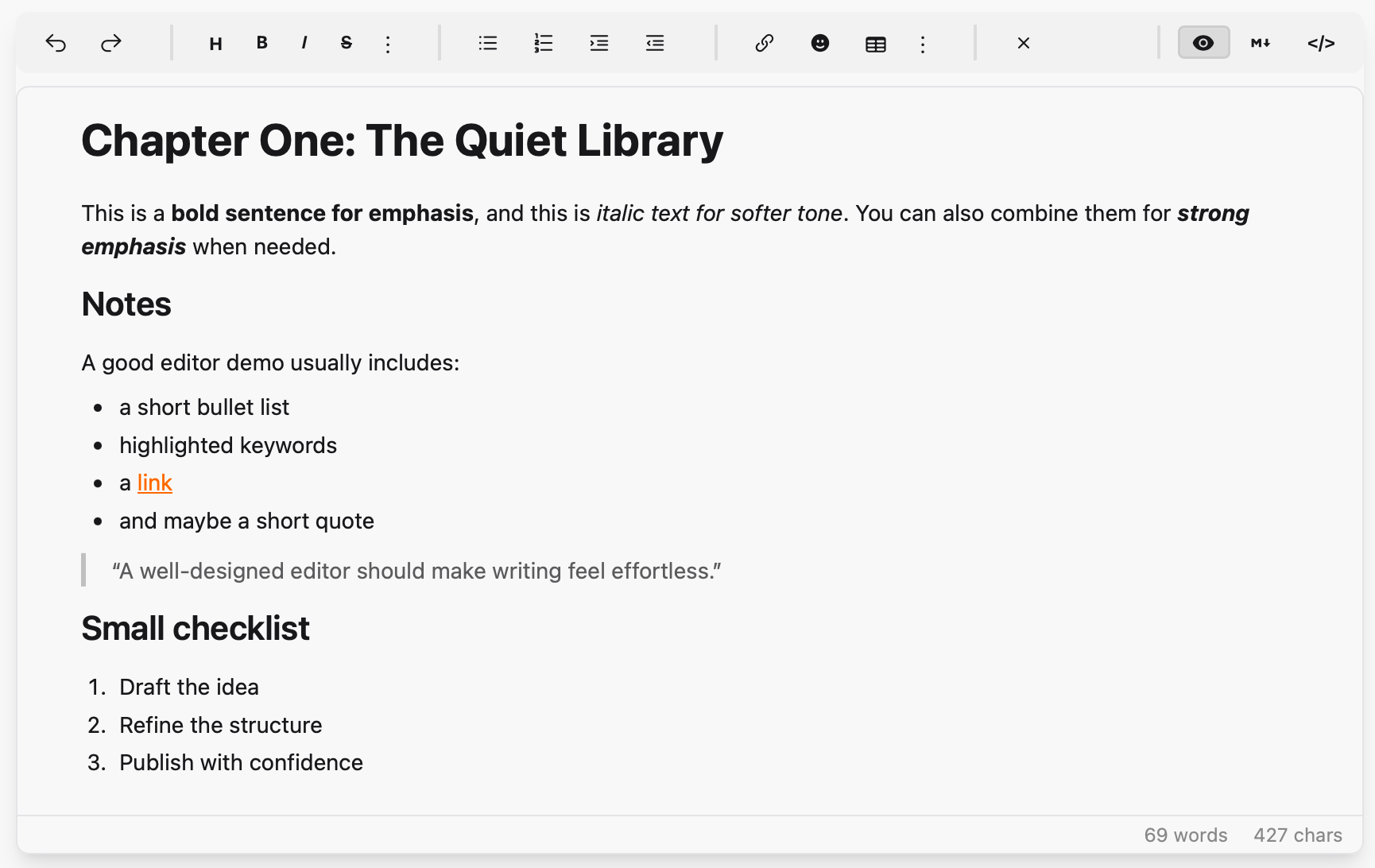
- Visual mode: contenteditable div with toolbar formatting (bold, italic, headings, lists, links, code blocks, etc.)
- Drag-and-drop reordering: drag any block element (headings, paragraphs, lists, images, blockquotes, code blocks) to rearrange content
- Markdown mode: plain textarea with toolbar support
- Content syncs between modes via Earmark and client-side HTML→Markdown conversion
- No npm dependencies — vendored JS bundle
Installation
Add leaf to your dependencies in mix.exs:
def deps do
  [
    {:leaf, "~> 0.1.0"}
  ]
end
JavaScript Setup
In your app.js, import the JS and register the hook:
import "../../../deps/leaf/priv/static/assets/leaf.js"

let liveSocket = new LiveSocket("/live", Socket, {
  hooks: {
    Leaf: window.LeafHooks.Leaf,
    // ... your other hooks
  }
})
CDN Alternative
If you prefer not to use the deps/ import path (e.g., non-standard project structure), you can load the JS from CDN instead:
// Load Leaf from CDN
const script = document.createElement("script");
script.src = "https://cdn.jsdelivr.net/gh/alexdont/leaf@v0.1.0/priv/static/assets/leaf.js";
script.onload = () => {
  // Leaf is now available at window.LeafHooks
};
document.head.appendChild(script);
Peer Requirements
Leaf's toolbar uses Tailwind CSS + daisyUI classes (btn, btn-xs, divider, textarea, etc.) and Heroicons CSS classes (hero-*). Make sure these are available in your project.
Usage
First, import the component in your view helpers (e.g., in my_app_web.ex):
import Leaf, only: [leaf_editor: 1]Then use it in your templates:
<.leaf_editor
  id="my-editor"
  content={@content}
  mode={:visual}
  toolbar={[:image, :video]}
  placeholder="Write something..."
  readonly={false}
  height="480px"
  debounce={400}
/>
Alternative: direct LiveComponent syntax
```heex <.live_component module={Leaf} id="my-editor" content={@content} mode={:visual} toolbar={[:image, :video]} placeholder="Write something..." readonly={false} height="480px" debounce={400} /> ```Assigns
| Assign | Type | Default | Description |
|---|---|---|---|
id | string | required | Unique editor ID |
content | string | "" | Markdown content |
mode | :visual | :markdown | :visual | Initial editor mode |
toolbar | list | [] |
Extra toolbar buttons (:image, :video) |
placeholder | string | "Write something..." | Placeholder text |
readonly | boolean | false | Read-only mode |
height | string | "480px" | Minimum editor height |
debounce | integer | 400 | Debounce interval in ms |
Messages to Parent
Handle these in your LiveView's handle_info/2:
def handle_info({:leaf_changed, %{editor_id: id, markdown: md, html: html}}, socket) do
  # Content was updated
  {:noreply, assign(socket, :content, md)}
end

def handle_info({:leaf_insert_request, %{editor_id: id, type: :image}}, socket) do
  # User clicked the image toolbar button — show your image picker
  {:noreply, socket}
end

def handle_info({:leaf_mode_changed, %{editor_id: id, mode: mode}}, socket) do
  # Mode switched between :visual and :markdown
  {:noreply, socket}
end
Commands from Parent
# Insert an image at the cursor position
send_update(Leaf, id: "my-editor", action: :insert_image, url: "https://...", alt: "description")

# Replace all content
send_update(Leaf, id: "my-editor", action: :set_content, content: "# New content")

# Switch mode programmatically
send_update(Leaf, id: "my-editor", action: :set_mode, mode: :markdown)
Gettext (optional)
To enable translations for toolbar tooltips:
# config/config.exs
config :leaf, :gettext_backend, MyApp.Gettext
Without this config, English strings are used as-is.
License
MIT — see LICENSE.