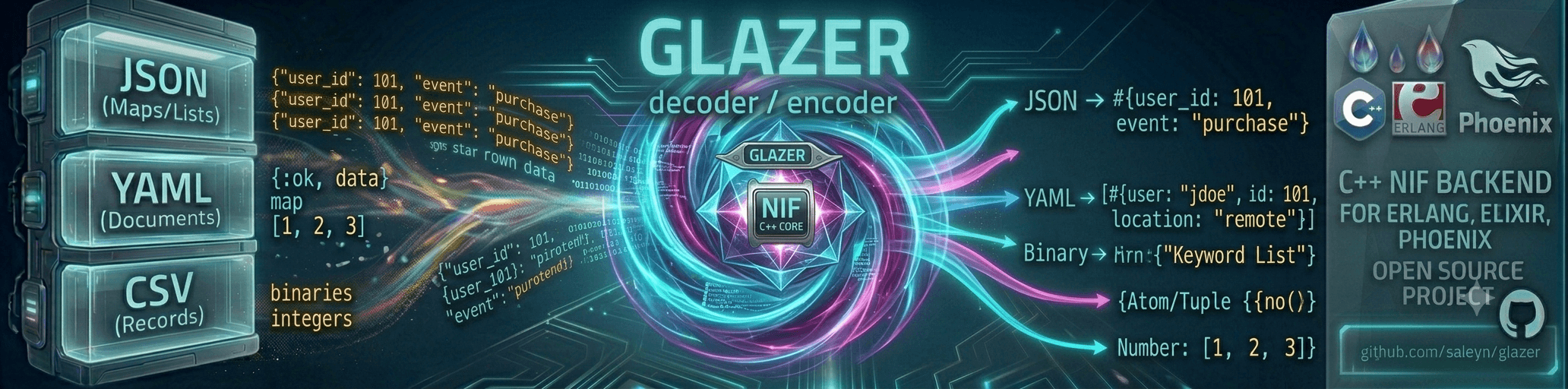



glazer - fast Erlang NIF encoder/decoder for JSON, YAML, and CSV,
built around hand-rolled recursive-descent decoders and direct
term-to-text encoders that produce/consume native Erlang terms in a
single pass. The JSON implementation was inspired by the
glaze C++ library; glazer has
since matured into a standalone implementation with no external C++
dependencies, and extended the same approach to YAML and CSV, with
performance and features unmatched by other existing libraries for these
formats.
It also has jq-style filters for JSON (query/2,3, see jq filter support),
and JSON Schema 2020-12 validation for JSON and YAML documents, with a schema registry
(see JSON Schema validation).
Table of contents
- Features
- Installation
- Performance
- JSON
- YAML
- CSV
- JSON Schema validation
- Big integers
- Limitations
- License
Features
JSON
- Decoding straight to Erlang terms: maps, lists, binaries, integers
(including bignums), floats, booleans, and
null - Encoding Erlang terms straight to JSON, including big integers
- Encoding a list of Erlang terms to newline-delimited JSON
- Incremental/streaming decoding of partial input (e.g. NDJSON over a
socket) via
decode_start/3,decode_continue/2 - Configurable representation of JSON
nulland JSON object keys minify/1andprettify/1helpers- Standalone big-integer encode/decode helpers
(
encode_integer/1,decode_integer/1,try_decode_integer/1) query/2,3: run a jq filter over a JSON document, returning decoded Erlang terms (requiresglazerto be built withlibjqavailable — see jq filter support)glazer:find/2andglazer:compile_path/1: look up value(s) in a decoded term using a small subset of jq path syntax (.a.b[].c[0]), with nolibjqdependency- Support native Erlang and Elixir API via
glazer_jsonandGlazer.JSONmodules
YAML
- Decoding YAML mappings/sequences/scalars to Erlang maps/lists/scalars, including big integers
- Encoding Erlang terms to YAML in block style
- Configurable representation of YAML
nulland mapping keys, with optional YAML 1.1 boolean compatibility (yes/no/on/off) - Support native Erlang and Elixir API via
glazer_yamlandGlazer.YAMLmodules
CSV
- RFC 4180 CSV encoding/decoding via
decode/1,2andencode/1,2, with optional header-row support - Incremental/streaming CSV decoding via
decode_start/3,decode_continue/2 - Support native Erlang and Elixir API via
glazer_csvandGlazer.CSVmodules
Installation
Erlang (rebar.config):
Erlang
{deps, [
  {glazer, "~> 1.0"}
]}.
Elixir (mix.exs):
The project comes with rebar.config, and mix.exs. The later project file is for
compiling it as a dependency in Elixir projects, and requires an explicit manager: :mix
instruction:
def deps do
  [
    {:glazer, "~> 1.0", manager: :mix}
  ]
end
Building
Building the NIF requires a C++23 compiler (GCC 12+ or Clang 16+) and
make. There are no external C++ library dependencies — all C++ code is
self-contained in c_src/. A plain
makebuilds priv/glazer.so and compiles the Erlang sources. For the fastest
performance, run a Profile-Guided Optimisation (PGO) build instead:
make optimizeor
OPTIMIZE=1 makeThis performs three steps automatically: compiles an instrumented binary,
runs the test suite to collect real branch-frequency data, then recompiles
with those profiles applied. The resulting .so typically outperforms a
plain -O3 build by 5–15% on realistic JSON workloads.
glazer is an Erlang application with a Rebar-based C++ NIF build;
mix invokes the same top-level Makefile/rebar3 compile path
described above, so the same C++23 compiler requirement applies.
Once compiled, call it via the :glazer module from Elixir:
Erlang
1> glazer_json:decode(~"{\"a\":1,\"b\":[true,null,3.5]}")
#{<<"a">> => 1,<<"b">> => [true,null,3.5]}
2> :glazer_json.encode(#{"a" => 1, "b" => [true, :null, 3.5]})
"{\"a\":1,\"b\":[true,null,3.5]}"
Elixir
iex> Glazer.JSON.decode!(~s({"a":1,"b":[true,null,3.5]}))
%{"a" => 1, "b" => [true, nil, 3.5]}
> Glazer.JSON.encode(%{"a" => 1, "b" => [true, nil, 3.5]})
"{\"a\":1,\"b\":[true,null,3.5]}"
Use the use_nil/{null, nil} option (see
Null term configuration below) to get idiomatic Elixir nil instead of the atom :null.
Testing
make testruns the EUnit test suite via rebar3 eunit.
Performance
- JSON: faster than almost every library benchmarked on
both encoding and decoding. It's competitive with
torque(Rustsonic-rsNIF) JSON-only library, and well ahead ofsimdjsone,jiffy, and the pure-Elixir librariesjason,thoas,euneus, and OTP's built-injson. - YAML: 2–7× faster than
yaml_rustlerandfast_yaml, and ~25–75× faster than the pure-Erlangyamerl/ymlr. - CSV: 4–12× faster than
nimble_csv, and tens to hundreds of times faster thancsvanderl_csv(which time out on large inputs).


Each chart compares glazer against other libraries for JSON/YAML/CSV
decode and encode on a representative small/medium/large file. Charts are
generated from the tables below via scripts/gen_bench_charts.py.
Benchmarking data tables:
JSON
Fast JSON encoding and decoding, with streaming, options, jq filters and Elixir protocol support. The full reference is in guides/json.md.
Erlang
1> glazer_json:decode(<<"{\"a\":1,\"b\":[true,null,3.5]}">>).
#{<<"a">> => 1, <<"b">> => [true, null, 3.5]}
Elixir
iex> Glazer.JSON.decode!(~s({"a":1,"b":[true,null,3.5]}))
%{"a" => 1, "b" => [true, nil, 3.5]}
YAML
YAML decoding and encoding, with the same option style as JSON. The full reference is in guides/yaml.md.
Erlang
1> glazer_yaml:decode(<<"a: 1\nb:\n  - true\n  - null\n  - 3.5\n">>).
#{<<"a">> => 1, <<"b">> => [true, null, 3.5]}
Elixir
iex> Glazer.YAML.decode!("a: 1\nb:\n  - true\n  - null\n  - 3.5\n")
%{"a" => 1, "b" => [true, :null, 3.5]}
CSV
CSV decoding and encoding, with headers, typed fields and streaming. The full reference is in guides/csv.md.
Erlang
1> glazer_csv:decode(<<"name,age\nAlice,30\n">>, [headers, {return, map}]).
#{headers => [<<"name">>,<<"age">>],
  data    => [#{<<"name">> => <<"Alice">>, <<"age">> => <<"30">>}]}
Elixir
iex> Glazer.CSV.decode!("name,age\nAlice,30\n", [:headers, {:return, :map}])
%{headers: ["name", "age"], data: [%{"name" => "Alice", "age" => "30"}]}
JSON Schema validation
Compile and validate JSON and YAML documents against JSON Schema 2020-12, with a schema registry. The full guide is in guides/json-validation.md.
Quick start
Erlang
Schema = #{
  ~"type"       => ~"object",
  ~"required"   => [~"name"],
  ~"properties" => #{
    ~"name" => #{~"type" => ~"string", ~"minLength"  => 1}
  }
},

{ok, Compiled} = glazer_schema:compile_schema(Schema),
ok = glazer_schema:validate(Compiled, #{~"name" => ~"Ann"}),
{error, {path, [~"name"], {string_too_short, ~""}}} =
  glazer_schema:validate(Compiled, #{~"name" => ~""}).
Elixir
schema = %{
  "type"       => "object",
  "required"   => ["name"],
  "properties" => %{"name" => %{"type" => "string", "minLength" => 1}}
}

{:ok, compiled} = Glazer.Schema.compile(schema)
:ok = Glazer.Schema.validate(compiled, %{"name" => "Ann"})
{:error, {:path, ["name"], {:string_too_short, ""}}} = Glazer.Schema.validate(compiled, %{"name" => ""})
Decoded JSON uses nil for null, so set config :glazer, null: nil to validate such data (see the moduledoc).
Big integers
JSON/YAML/CSV numbers that don't fit into a 64-bit integer are decoded as Erlang big integers (and big integers are encoded back to their exact decimal representation). The conversion routines are also available on their own.
API
| Erlang | Elixir | Description |
|---|---|---|
glazer:encode_integer/1 |
Glazer.encode_integer!/1 |
Encode an integer to its decimal string (raises ArgumentError in Elixir for a non-integer). |
glazer:decode_integer/1 |
Glazer.decode_integer!/1 |
Decode a decimal string to an integer, raising on invalid input (Glazer.ParseError in Elixir). |
glazer:try_decode_integer/1 |
Glazer.decode_integer/1 |
Decode a decimal string, returning {ok, Int} or {error, invalid_number_format} ({:ok, int} or {:error, :invalid_number_format} in Elixir). |
Erlang
1> glazer:encode_integer(123456789012345678901234567890).
<<"123456789012345678901234567890">>

2> glazer:decode_integer(<<"123456789012345678901234567890">>).
123456789012345678901234567890

3> glazer:try_decode_integer(<<"not a number">>).
{error, invalid_number_format}
Elixir
iex> Glazer.encode_integer!(123456789012345678901234567890)
"123456789012345678901234567890"

iex> Glazer.decode_integer!("123456789012345678901234567890")
123456789012345678901234567890

iex> Glazer.decode_integer("not a number")
{:error, :invalid_number_format}
See the module's documentation (src/glazer.erl, and lib/glazer.ex for Elixir) for full type
specs and details.
Limitations
Scope
glazer targets formats that map naturally onto a tree of Erlang
maps/lists/scalars — JSON and YAML both fit this model directly, so a
single decode/encode pair can convert losslessly between the format and
native terms. XML is intentionally not planned: its data model
(tagged elements, attributes, mixed text/element content, namespaces,
processing instructions, entities) has no single natural Erlang term
representation, and any choice (xmerl-style tuples, JSON-like maps with
@attr/#text keys, etc.) is a lossy or awkward fit compared to formats
that are already trees of scalars and collections. Erlang's standard
library already ships xmerl for XML; there's little value in
duplicating it here with a different, opinionated term shape.
Nesting depth
The JSON and YAML decoders both cap recursion at 256 levels of nesting (arrays/objects for JSON; mappings/sequences for YAML). Inputs that exceed this limit are rejected with a decode error rather than crashing the VM by overflowing the C stack.
| Format | Limit | Error returned |
|---|---|---|
| JSON | 256 | {error, <<"exceeded maximum nesting depth at offset N">>} |
| YAML | 256 | {error, <<"exceeded maximum nesting depth at offset N">>} |
256 levels is sufficient for any reasonable real-world document; it is deliberately not configurable, because the limit exists to protect the Erlang VM process (the NIF runs on the scheduler thread) from runaway recursive descent on adversarial input.
Schema validation
The known gaps of schema validation (decimals beyond double precision, float multipleOf
tolerance, and regex engine differences) are in
guides/json-validation.md.
License
Glazer uses MIT License. You can use the source code freely in any project, including commercial applications, as long as you give credit by publishing the contents of the LICENSE file somewhere in your documentation.