Exzeitable




Dynamic, live updating data tables generated with just a database query and a module. Ideal for quickly adding CRUD interfaces on an admin backend.
Features:
- Full-text search
- Sorting
- Periodic refresh
- Bootstrap friendly and easily configured for other CSS frameworks.
- Customizable everything (and if something isn’t, open an issue!)
- Powered by Phoenix LiveView and Postgres.
Find the documentation at https://hexdocs.pm/exzeitable.
Video
Getting Started
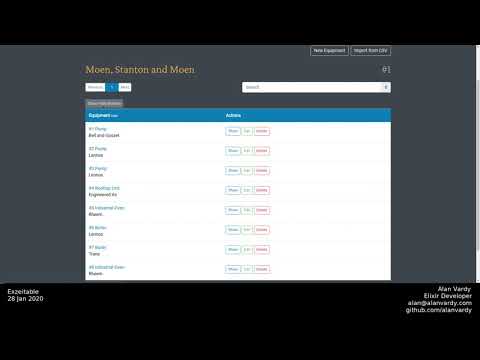
See the Exzeitable video on ElixirCasts for a walkthrough.
Dependencies
This package requires a Postgres database, Phoenix, and Phoenix LiveView.
Add Exzeitable and Phoenix Live View to your list of dependencies in mix.exs.
def deps do
  [
    {:exzeitable, "~> 0.6"},
  ]
end
Migration
Search requires the pg_trgm extension for Postgres.
Generate a new migration file and migrate to add it to Postgres.
mix exzeitable.gen.migration
mix ecto.migrate
Module
Add the boilerplate to a new module.
defmodule YourAppWeb.Live.File do
  @moduledoc "User's File table"
  alias YourAppWeb.Router.Helpers, as: Routes
  import Ecto.Query

  use Exzeitable,
    # Required
    repo: YourApp.Repo,
    routes: Routes,
    path: :file_path,
    action_buttons: [:show, :edit, :custom_button],
    query: from(f in File),
    fields: [
      image: [virtual: true],
      title: [hidden: true],
      description: [hidden: true],
    ],

    # Optional
    debounce: 300

  # The callback that renders your table
  def render(assigns), do: ~H"<%= build_table(assigns) %>"

  # Field functions, called when virtual: true or function: true
  def image(socket, file) do
    img_tag(file.url, class: "w-100")
    |> link(to: Routes.file_path(socket, :show, file))
  end
end
We can add options to both the module (as seen above) and the template (As seen below). Template options overwrite module options.
Controller
Controllers are an excellent place to define the base query that forms the default data of the table. Then, everything the table does is with a subset of this data.
query = from(f in Files)
render(conn, "index.html", query: query)
Template
Call the table from your template
<h1> My Awesome Files </h1>
<%= YourAppWeb.Live.File.live_table(@conn, query: @query, action_buttons: [:show, :edit], assigns: %{user_id: @current_user.id}) %>
Note that if you are navigating to the live table using Phoenix LiveView live_session/3 the opts in live_table/3 will not be utilized, and only the module options will apply.
Customizing your table
Required module/template options
:repoThe module for your repository. Example:YourApp.Repo:routesYour route module. Example:YourAppWeb.Router.Helpers:pathThe base path for your resource. Example::site_path:fieldsA keyword list where the atom is the Ecto field and the value is a keyword list of options. Example:metadata: [label: "Additional Information"]:queryAn Ecto.Query struct, the part before you give it to the Repo. Example:from(s in Site, preload: [:users])
Optional module/template options
action_buttons: [:new, :edit, :show, :delete]A list of atoms representing action buttons available for the user to use. Omitting an atom does not affect authorization, as the routes will still be available.per_page: 20Integer representing the number of entries per page.debounce: 300Sets how many milliseconds between responding to user input on the search field.refresh: falseRe-queries the database every x milliseconds, defaults to false (disabled).disable_hide: falseDisable show/hide functionality for columns, including not showing the buttons.pagination: [:top, :bottom]Whether to show the pagination above and belowtext: Exzeitable.Text.DefaultThe translation that appears on the table, defaults to English.assigns: %{}Passes additional assigns to socket.assigns. Keep your payload small!
Field options
Under the fields key, you can define a keyword list of atoms with keyword values. The map holds the options for that field. All of these options are optional.
fields: [
          name: [function: true],
          age: [order: false],
          metadata: [label: "Additional Information", virtual: true, hidden: true],
        ]
The following field options are available (with their defaults):
label: nilSet a custom string value for the column headingfunction: falsePass (socket, entry) to a function with the same name as the fieldhidden: falseHide the column by default (user can click show button to reveal)search: trueWhether to include the column in search results. See the important note below.order: trueDo not allow the column to be sorted (hide the sort button)formatter: {Exzeitable.HTML.Format, :format}Specifies a formatter function that will be applied to the column content when formatting. The formatter can be specified as either{Mod, fun}or{Mod, fun, args}(The function will have the original content prepended to the list ofargs). The default formatter passes through the data without modification.virtual: falseThis is shorthand for[function: true, search: false, order: false]and will override those settings. Virtual fields are for creating fields that are not database-backed.
IMPORTANT NOTE: Search uses ts_vector, which is performed by Postgres inside the database on string fields. This means that you cannot search fields that are not string type (i.e. integer, datetime, associations, virtual fields). Make sure to set search: false or virtual: true on such fields.
Module/template options for nested routes
Needed to build links where more than one struct is needed, i.e. link("Show Post", to: Routes.user_post_path(@conn, :show, @user, @post))
The official docs if you would like to learn more.
To define belongs_to, you must also define parent (and vice versa).
Continuing the example of users and posts:
resources "/users", UserController do
  resources "/posts", PostController
end
The users Exzeitable do not need the two options below, but the posts Exzeitable does. Because all of its routes are different. We will need the following to make the posts Exzeitable work:
belongs_to: :userparent: @user
Make sure that you include the :user_id in your query.
In addition, you will need to pass the parent option in from the template.
CSS
I have added generic classes and almost no CSS styling to make the table as CSS framework agnostic as possible, and thus a user of this library should be able to style the tables to their needs.
I have included a Bootstrap SASS example in the CSS Module
Contributing
Opening Issues and Pull Requests
Suggestions, bug reports, and contributions are very welcome! However, please open an issue before starting on a pull request, as I would hate to have any of your efforts be in vain.
Getting set up
This project uses the asdf version manager and docker-compose.
If you would like to contribute, fork the repo on GitHub and then head over to your terminal.
# Clone the project from your GitHub fork
git clone git@github.com:yourname/exzeitable.git
cd exzeitable

# Start postgres
docker-compose up -d

# Install dependencies
asdf install
mix deps.get

# Build assets, and run the test suite
mix check