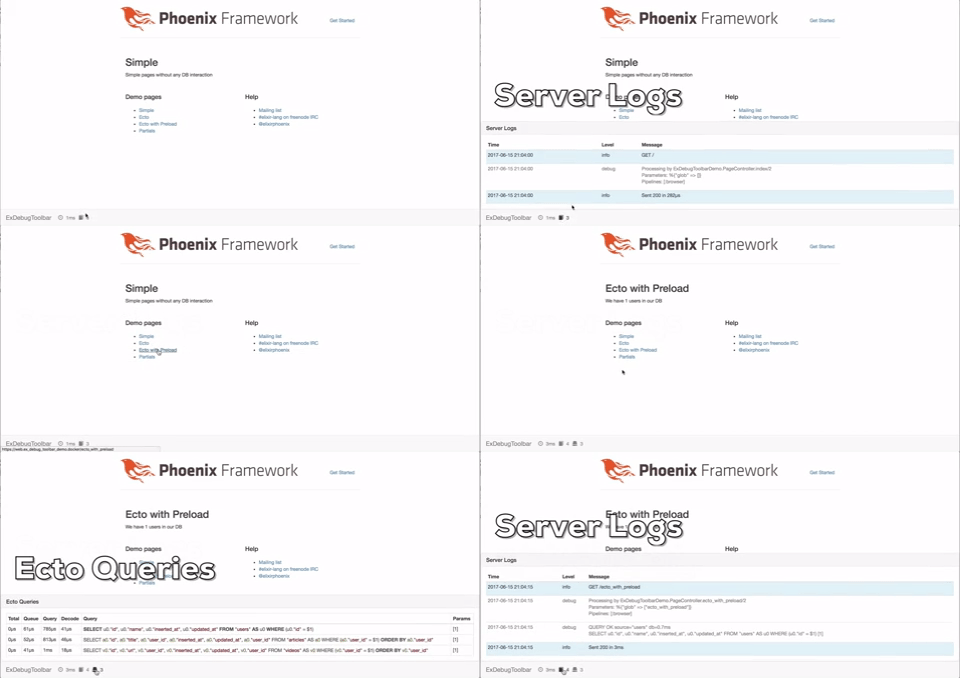
ex_debug_toolbar is a toolbar for Phoenix projects to display all sorts of information
about current and previous requests: logs, timelines, database queries etc.
Installation
- Add
ex_debug_toolbarto your list of dependencies inmix.exs:
```elixir
def deps do
  [{:ex_debug_toolbar, "~> 0.1.0"}]
end
```
- Ensure
:ex_debug_toolbaris started before your application:
def application do
  [applications: [:ex_debug_toolbar, :logger]]
end
- Add
ExDebugToolbar.Phoenixto your endpoint inlib/my_app/endpoint.ex
  defmodule MyApp.Endpoint do
    use Phoenix.Endpoint, otp_app: :my_app
    use ExDebugToolbar.Phoenix
    ...
  end
- Enable toolbar in config
config/dev.exsand setup collectors. Replace:my_appandMyAppwith your application name
  # ExDebugToolbar config
  config :ex_debug_toolbar,
    enable: true

  config :my_app, MyApp.Endpoint,
    instrumenters: [ExDebugToolbar.Collector.InstrumentationCollector]

  config :my_app, MyApp.Repo,
    loggers: [ExDebugToolbar.Collector.EctoCollector, Ecto.LogEntry]

  config :phoenix, :template_engines,
    eex: ExDebugToolbar.Template.EExEngine,
    exs: ExDebugToolbar.Template.ExsEngine
- To display parallel Ecto preloads you have to use
masterbranch
  defp deps do
    [
     {:ecto, github: "elixir-ecto/ecto", branch: "master", override: true}
    ]
  end
Contributors
Special thanks goes to Juan Peri!
Contribution
Contributions in the form of bug reports, pull requests, or thoughtful discussions in the GitHub issue tracker are welcome!
TODO
- Add custom messages to toolbar
- Add metadata to events and use groupable names (template.render, controller.render etc)
- Decorator for functions to time them
- System info panel
- Help/Docs Panel
- Add specs
- Request history
- Improve Docs
- Ajax calls
- Channels info
- Visualize timeline
- Visualize gettext
- Simple installer mix task
- Upgrade to Phoenix 1.3
- Configurable URL path (instead of hardcoded
__ex_debug_toolbar__) - Elm/React instead of jquery?
Demo App
Use demo app to simplify development process.