ExAtCoder

Mix Task for AtCoder
インストール
def deps do
  [
    {:ex_at_coder, "~> 0.2.3"}
  ]
end
使い方
ログイン
$ mix atcoder.login [username] [password]
AtCoderにログインします。
ログイン状態を保持するために、ローカルに cookie.txt を作成します。
提出用コードの作成
$ mix atcoder.new [contest]
$ mix atcoder.new [contest] [tasks]
指定したコンテスト用の提出ファイルの雛形とテストケースの作成を行います。
コンテストの指定は arc109 のようなURLに含まれる形で指定します。
また一部問題のみ作成したい場合は
arc109 a b d のような形で問題を指定することができます。
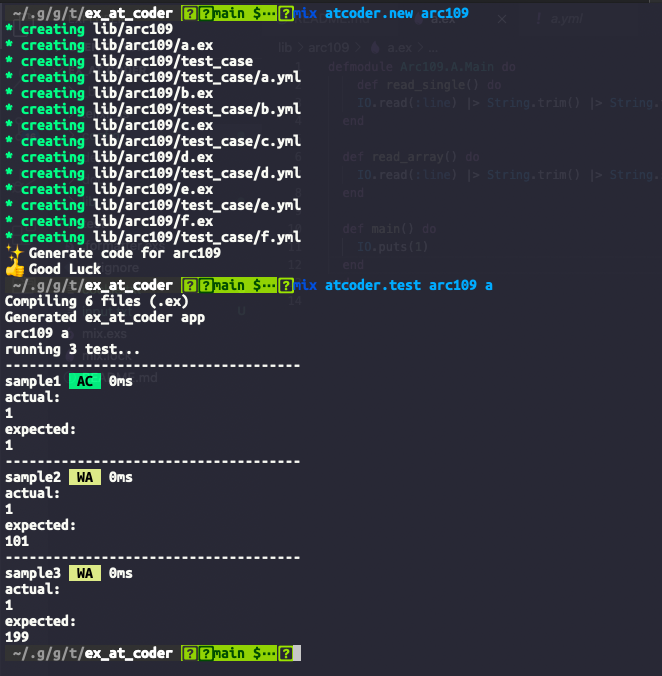
$ mix atcoder.new arc109
Generated ex_at_coder app
* creating lib/arc109
* creating lib/arc109/a.ex
* creating lib/arc109/test_case
* creating lib/arc109/test_case/a.yml
* creating lib/arc109/b.ex
* creating lib/arc109/test_case/b.yml
* creating lib/arc109/c.ex
* creating lib/arc109/test_case/c.yml
* creating lib/arc109/d.ex
* creating lib/arc109/test_case/d.yml
* creating lib/arc109/e.ex
* creating lib/arc109/test_case/e.yml
* creating lib/arc109/f.ex
* creating lib/arc109/test_case/f.yml
✨ Generate code for arc109
👍 Good Luck
問題はhttps://atcoder.jp/contests/[contest]/tasksのページから取得します。
提出ファイルの雛形に用いるテンプレートのEEXは以下の形でconfig.exsで指定することができます。
config :ex_at_coder,
  template_path: "lib/template.eex"
defmodule <%= @namespace %>.Main do
def read_single() do
IO.read(:line) |> String.trim() |> String.to_integer()
end
def read_array() do
IO.read(:line) |> String.trim() |> String.split(" ") |> Enum.map(&String.to_integer/1)
end
def main() do
n =
IO.read(:line)
|> String.trim()
|> String.to_integer()
IO.puts(n)
end
endテスト
$ mix atcoder.test [contest] [problem]指定したコンテスト、問題のテストケースを実行します。 デフォルトでは問題ページにある入出力サンプルをテストケースとして実行します
$ mix atcoder.test arc109 a
arc109 a
running 3 test...
-------------------------------------
sample1  AC  0ms
actual:
1
expected:
1
-------------------------------------
sample2  WA  0ms
actual:
1
expected:
101
-------------------------------------
sample3  WA  0ms
actual:
1
expected:
199
テストケースの入出力は lib/[contest]/test_case 以下にある yaml で設定できます。
# test_case/a.yml
- name: sample1
  in: |
    2 1 1 5

  out: |
    1


- name: sample2
  in: |
    1 2 100 1

  out: |
    101


- name: sample3
  in: |
    1 100 1 100

  out: |
    199
ブラウザでコンテストのページを開く
$ mix atcoder.open [contest]

# あるいは

$ mix atcoder.open [contest] [problem]
AtCoderのコンテストのページをブラウザで開きます。 コンテスト名のみを渡した場合はコンテストのトップページを、問題名も渡した場合はその問題のページを開きます。
Documentation can be generated with ExDoc and published on HexDocs. Once published, the docs can be found at https://hexdocs.pm/ex_at_coder.