Evil Clock
Elixir application for interfacing with Alpha Clock Five from Evil Mad Scientist Laboratories
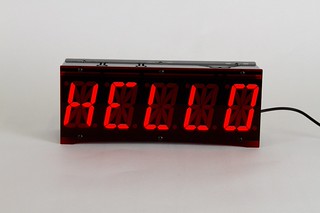
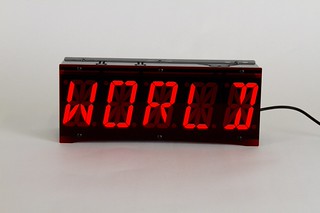
Communicate with the evil clock’s microcontroller using a simple protocol over TTL serial. You’ll need a serial TTL-232 cable such as the FTDI Serial TTL-232 USB Cable from Adafruit.
Currently supports the following commands from firmware versions 1.0 and 2.0:
ST: Set TimeA0/Ax: ASCII DisplayMT: Mode Time
For more details on these commands, check out the serial protocol docs on the Evil Mad Scientist wiki: Firmware 1.0 or Firmware 2.0.
Usage
-
Ensure
evil_clockis started before your application:
```elixir
def application do
  [applications: [:evil_clock]]
end
```-
Configure settings in
config/config.exs:
```elixir
config :evil_clock,
  port: "ttyUSB0",
  speed: 19200,
  firmware_version: 2,
  primary_clock: "A0",
  scroll_rate: 250
```-
Start your application, and call the clock using functions on
EvilClock:display_asciiset_timeset_local_timemode_time
Installation
If available in Hex, the package can be installed as:
-
Add
evil_clockto your list of dependencies inmix.exs:
```elixir
def deps do
  [{:evil_clock, "~> 0.1.0"}]
end
```-
Ensure
evil_clockis started before your application:
```elixir
def application do
  [applications: [:evil_clock]]
end
```
Copyright and License
Copyright (c) 2017 Jeff Smith
Evil Clock source code is licensed under the MIT License.