Why? 🤷
We needed a much simpler and extensively documented way to add "Sign-in with GitHub" capability to our Elixir App(s). <br />
We created this package because everyone @dwyl uses GitHub so using GitHub OAuth makes sense for our internal (and external) tools. By making it into a well-documented and tested reusable module other people can benefit from it.
What? 💭
An Elixir package that seamlessly handles GitHub OAuth Authentication/Authorization in as few steps as possible. <br /> Following best practices for security & privacy and avoiding complexity by having sensible defaults for all settings.
Who? 👥
This module is for people building apps using Elixir/Phoenix who want to ship the "Sign-in with GitHub" feature faster and more maintainably.
It's targetted at complete beginners with no prior experience/knowledge of auth "schemes" or "strategies". <br /> Just follow the detailed instructions and you'll be up-and running in 5 minutes.
How? 💻
Add GitHub Auth to your Elixir/Phoenix project by following these 5 simple steps:
If you get stuck setting up your App, checkout our working demo: https://github.com/dwyl/elixir-auth-github-demo <br /> The demo is deployed on Heroku: https://elixir-auth-github-demo.herokuapp.com/
1. Add the hex package to deps 📦
Open your project's mix.exs file
and locate the deps (dependencies) section. <br />
Add a line for :elixir_auth_github in the deps list:
def deps do
  [
    {:elixir_auth_github, "~> 1.0.2"}
  ]
end
Once you have added the line to your mix.exs,
remember to run the mix deps.get command
in your terminal
to download the dependencies.
2. Create a GitHub App and OAuth2 Credentials 🆕
Create a GitHub Application if you don't already have one, generate the OAuth2 Credentials for the application and save the credentials as environment variables accessible by your app.
Note: There are a few steps for creating a set of GitHub APIs credentials, so if you don't already have a GitHub App, we created the following step-by-step guide to make it quick and relatively painless: create-github-app-guide.md <br /> Don't be intimidated by all the buzz-words; it's quite straightforward. And if you get stuck, ask for help!
By the end of this step you should have these two environment variables set:
GITHUB_CLIENT_ID=d6fca75c63daa014c187
GITHUB_CLIENT_SECRET=8eeb143935d1a505692aaef856db9b4da8245f3c
⚠️ Don't worry, these keys aren't valid (they were revoked
beforewe published this guide). They are just here for illustration purposes.
💡 Tip: We tend to use an
.envfile to manage our environment variables on ourlocalhostand then use whichever system for environment variables appropriate for our deployment. e.g: Heroku For an example.envfile with the environment variables required byelixir-auth-githubsee:.env_sample
3. Create 2 New Files ➕
Create two files in order to handle the requests to the GitHub OAuth API and display data to people using your app.
3.1 Create a GithubAuthController in your Project
In order to process and display the data
returned by the GitHub OAuth2 API,
we need to create a new controller.
Create a new file called
lib/app_web/controllers/github_auth_controller.ex
defmodule AppWeb.GithubAuthController do
  use AppWeb, :controller

  @doc """
  `index/2` handles the callback from GitHub Auth API redirect.
  """
  def index(conn, %{"code" => code}) do
    {:ok, profile} = ElixirAuthGithub.github_auth(code)
    conn
    |> put_view(AppWeb.PageView)
    |> render(:welcome, profile: profile)
  end
end
This code does 3 things:
-
Create a one-time auth token based on the response
codesent by GitHub after the person authenticates. -
Request the person's profile data from GitHub based on an
access_token -
Renders a
:welcomeview displaying some profile data to confirm that login with GitHub was successful.
Note: we are placing the
welcome.html.eextemplate in thetemplate/pagedirectory to save having to create any more directories and view files. You are free to organise your code however you prefer.
3.2 Create welcome template 📝
Create a new file with the following path:
lib/app_web/templates/page/welcome.html.eex
And type (or paste) the following code in it:
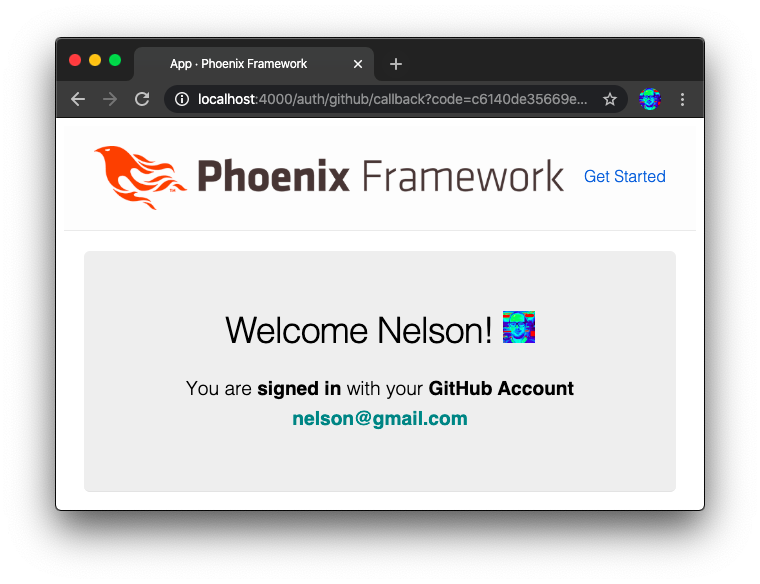
<section class="phx-hero">
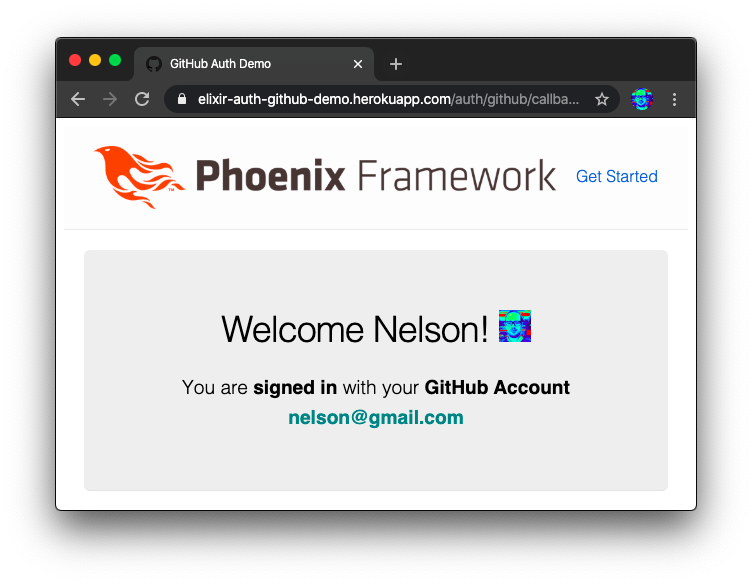
  <h1> Welcome <%= @profile.name %>!
  <img width="32px" src="<%= @profile.avatar_url %>" />
  </h1>
  <p> You are <strong>signed in</strong>
    with your <strong>GitHub Account</strong> <br />
    <strong style="color:teal;"><%= @profile.email %></strong>
  <p/>
</section>
Invoking ElixirAuthGithub.github_auth(code)
in the GithubAuthControllerindex function will
make an HTTP request to the GitHub Auth API
and will return {:ok, profile}
where the profile
is the following format:
%{
  site_admin: false,
  disk_usage: 265154,
  access_token: "8eeb143935d1a505692aaef856db9b4da8245f3c",
  private_gists: 0,
  followers_url: "https://api.github.com/users/nelsonic/followers",
  public_repos: 291,
  gists_url: "https://api.github.com/users/nelsonic/gists{/gist_id}",
  subscriptions_url: "https://api.github.com/users/nelsonic/subscriptions",
  plan: %{
    "collaborators" => 0,
    "name" => "pro",
    "private_repos" => 9999,
    "space" => 976562499
  },
  node_id: "MDQ6VXNlcjE5NDQwMA==",
  created_at: "2010-02-02T08:44:49Z",
  blog: "http://www.dwyl.io/",
  type: "User",
  bio: "Learn something new every day. github.com/dwyl/?q=learn",
  following_url: "https://api.github.com/users/nelsonic/following{/other_user}",
  repos_url: "https://api.github.com/users/nelsonic/repos",
  total_private_repos: 5,
  html_url: "https://github.com/nelsonic",
  public_gists: 29,
  avatar_url: "https://avatars3.githubusercontent.com/u/194400?v=4",
  organizations_url: "https://api.github.com/users/nelsonic/orgs",
  url: "https://api.github.com/users/nelsonic",
  followers: 2778,
  updated_at: "2020-02-01T21:14:20Z",
  location: "London",
  hireable: nil,
  name: "Nelson",
  owned_private_repos: 5,
  company: "@dwyl",
  email: "nelson@gmail.com",
  two_factor_authentication: true,
  starred_url: "https://api.github.com/users/nelsonic/starred{/owner}{/repo}",
  id: 194400,
  following: 173,
  login: "nelsonic",
  collaborators: 8
}
More info: https://developer.github.com/v3/users
You can use this data however you see fit. (obviously treat it with respect, only store what you need and keep it secure)
4. Add the /auth/github/callback to router.ex
Open your lib/app_web/router.ex file
and locate the section that looks like scope "/", AppWeb do
Add the following line:
get "/auth/github/callback", GithubAuthController, :index
That will direct the API request response
to the GithubAuthController:index function we defined above.
5. Update PageController.index
In order to display the "Sign-in with GitHub" button in the UI, we need to generate the URL for the button in the relevant controller, and pass it to the template.
Open the lib/app_web/controllers/page_controller.ex file
and update the index function:
From:
def index(conn, _params) do
  render(conn, "index.html")
end
To:
def index(conn, _params) do
  oauth_github_url = ElixirAuthGithub.login_url_with_scope(["user:email"])
  render(conn, "index.html", [oauth_github_url: oauth_github_url])
end
5.1 Update the page/index.html.eex Template
Open the /lib/app_web/templates/page/index.html.eex file
and type (or paste) the following code:
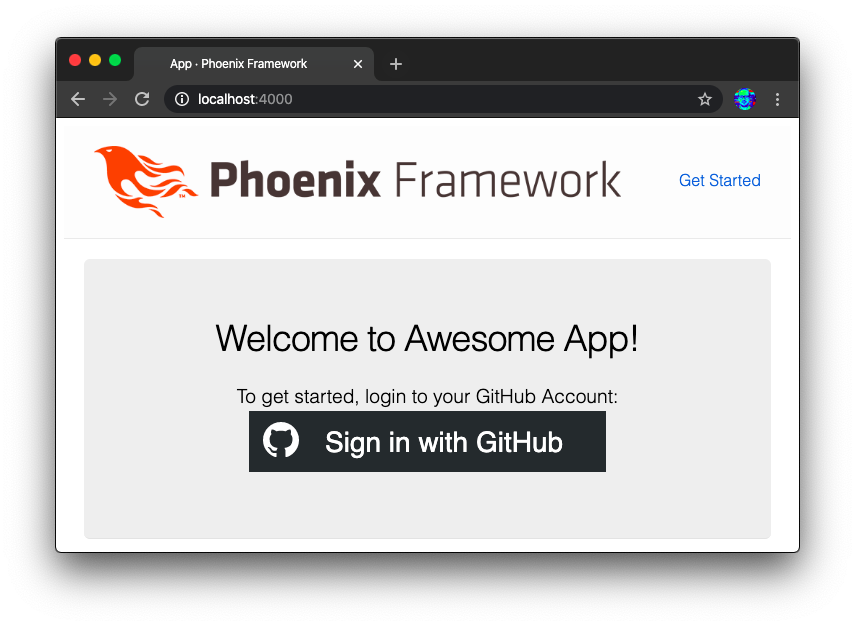
TODO: create button: https://github.com/dwyl/elixir-auth-github/issues/33
<section class="phx-hero">
  <h1>Welcome to Awesome App!</h1>
  <p>To get started, login to your GitHub Account: <p>
  <a href="<%= @oauth_github_url %>">
    <img src="https://i.imgur.com/qwoHBIZ.png" alt="Sign in with GitHub" />
  </a>
</section>
6. Run the App!
Run the app with the command:
mix phx.serverVisit the home page of the app where you will see a "Sign in with GitHub" button: http://localhost:4000
Once the user authorizes the App, they will be redirected back to the Phoenix App and will see welcome message:
If you got stuck setting up your App, checkout our working demo: https://github.com/dwyl/elixir-auth-github-demo <br /> The demo is deployed on Heroku: https://elixir-auth-github-demo.herokuapp.com
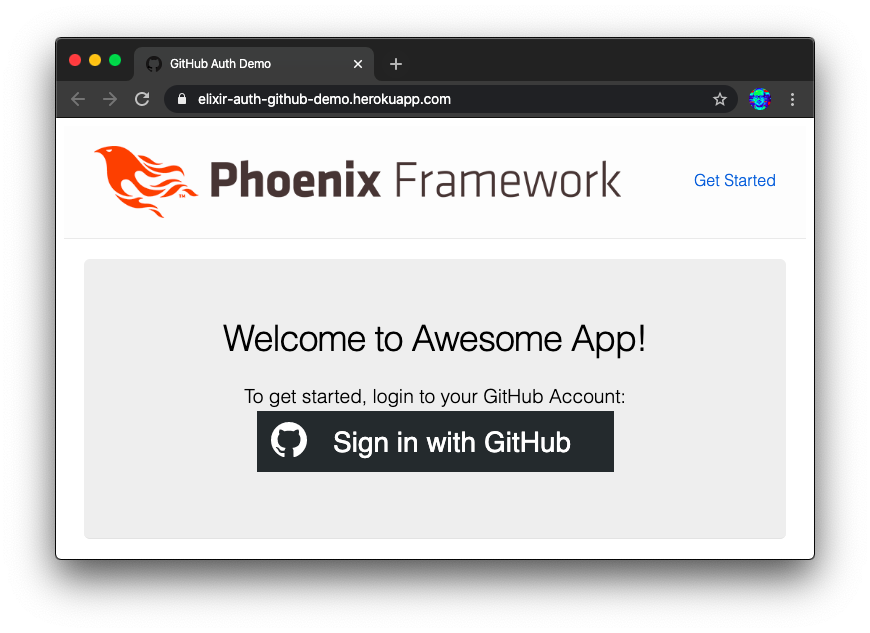
Auth Step:
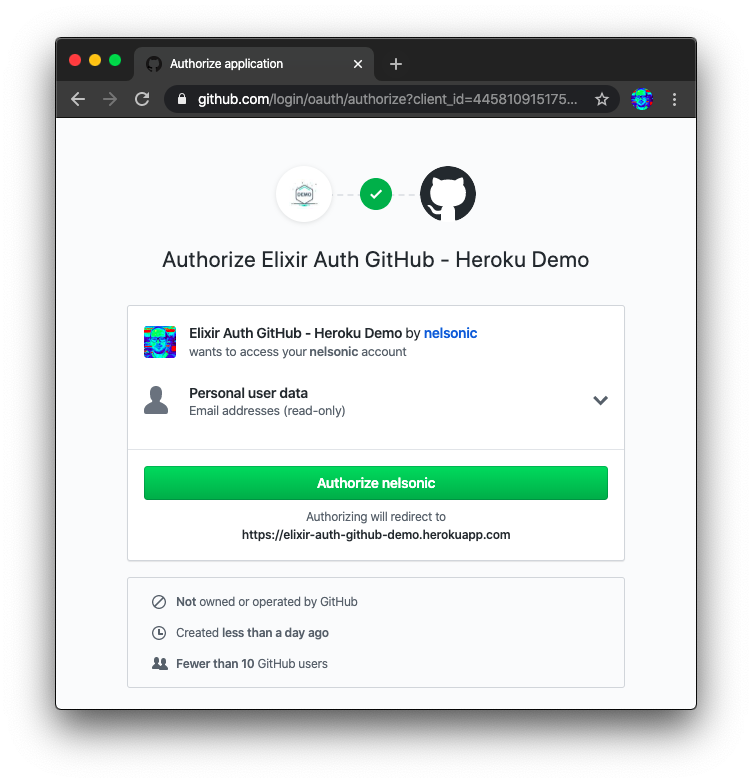
Success:
Useful Links and Further Reading
- GitHub Apps docs: https://developer.github.com/apps/building-github-apps/creating-a-github-app
- Authorizing OAuth Apps: https://developer.github.com/apps/building-oauth-apps/authorizing-oauth-apps
- Basics of Authentication: https://developer.github.com/v3/guides/basics-of-authentication/
- GitHub Logos and Usage: https://github.com/logos <br /> (tldr: no official auth buttons but use of Octocat logo is encouraged to help users identify that your App has a GitHub integration)