Credo 

Credo is a static code analysis tool for the Elixir language with a focus on teaching and code consistency.
What can it do?
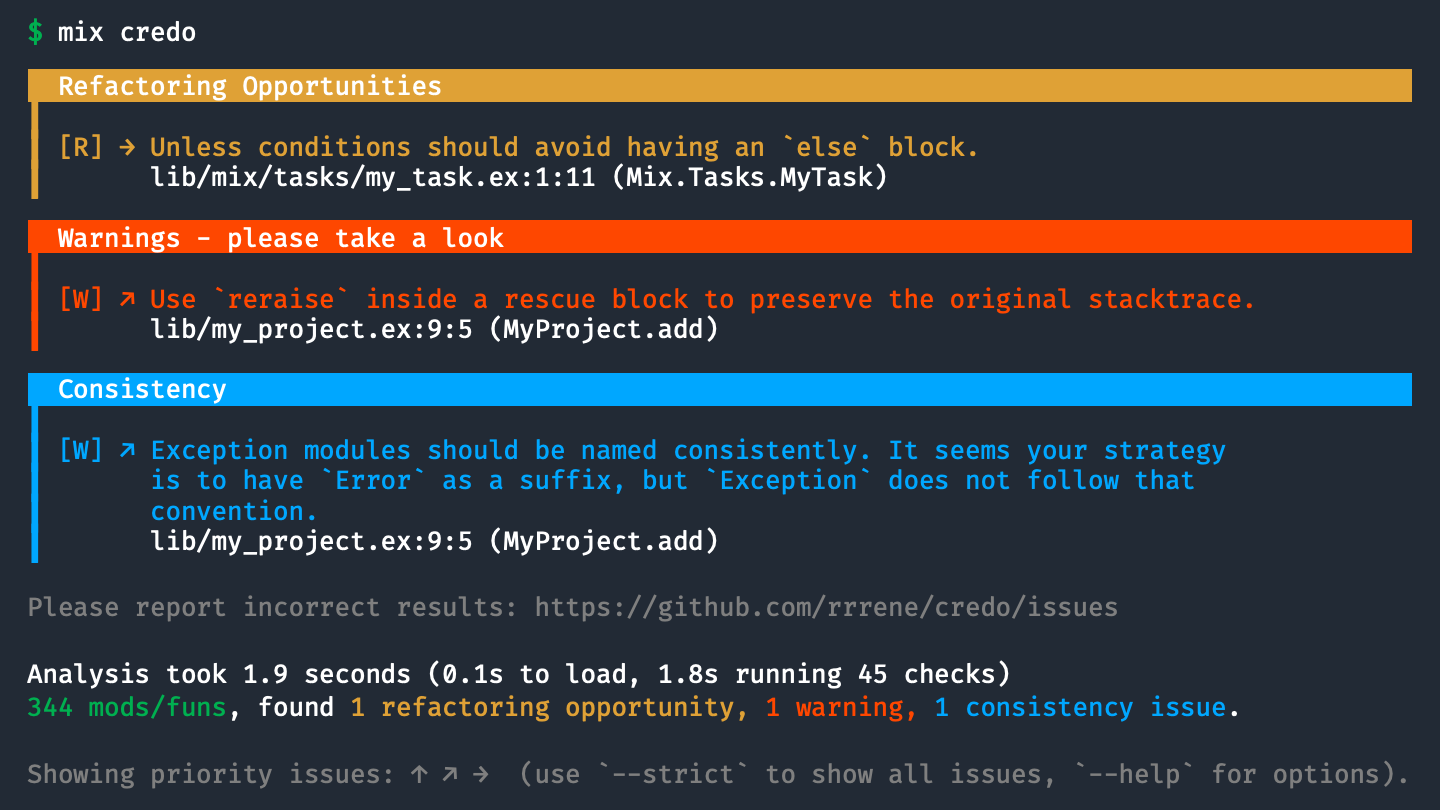
credo can show you refactoring opportunities in your code, complex code fragments, warn you about common mistakes, show inconsistencies in your naming scheme and - if needed - help you enforce a desired coding style.
Installation and Usage
The easiest way to add Credo to your project is by using Mix.
Add :credo as a dependency to your project's mix.exs:
defp deps do
  [
    {:credo, "~> 1.2", only: [:dev, :test], runtime: false}
  ]
end
And run:
$ mix deps.get

$ mix credo
Issues
Like any code linter, Credo reports issues. Contrary to many other linters these issues are not created equal. Each issue is assigned a priority, based on a base priority set by the config and a dynamic component based on violation severity and location in the source code.
These priorities hint at the importance of each issue and are displayed in the command-line interface using arrows: ↑ ↗ → ↘ ↓
By default, only issues with a positive priority are part of the report (↑ ↗ →).
Checks
Consistency
These checks take a look at your code and ensure a consistent coding style. Using tabs or spaces? Both is fine, just don't mix them or Credo will tell you.
Readability
Readability checks do not concern themselves with the technical correctness of your code, but how easy it is to digest.
Refactoring Opportunities
The Refactor checks show you opportunities to avoid future problems and technical debt.
Software Design
While refactor checks show you possible problems, these checks try to highlight possibilities, like - potentially intended - duplicated code or TODO: and FIXME annotations.
Warnings
These checks warn you about things that are potentially dangerous, like a missed call to IEx.pry or a call to String.downcase without saving the result.
Plugins
Integrations
IDE/Editor
Some IDEs and editors are able to run Credo in the background and mark issues inline.
- IntelliJ Elixir - Elixir plugin for JetBrains IDEs (IntelliJ IDEA, Rubymine, PHPStorm, PyCharm, etc)
- linter-elixir-credo - Package for Atom editor (by @smeevil)
- ElixirLinter - VSCode plugin (by @iampeterbanjo)
Automated Code Review
- Codacy - checks your code from style to security, duplication, complexity, and also integrates with coverage.
- SourceLevel - tracks how your code changes over time and have this information accessible to your whole team.
- Stickler CI - checks your code for style and best practices across your entire stack.
Contributing
- Fork it!
- Create your feature branch (
git checkout -b my-new-feature) - Commit your changes (
git commit -am 'Add some feature') - Push to the branch (
git push origin my-new-feature) - Create new Pull Request
Author
René Föhring (@rrrene)
License
Credo is released under the MIT License. See the LICENSE file for further details.