
Evaluate prompts with real visibility.
A Phoenix-native workbench for comparing providers, tracking prompt history, and running regression suites.



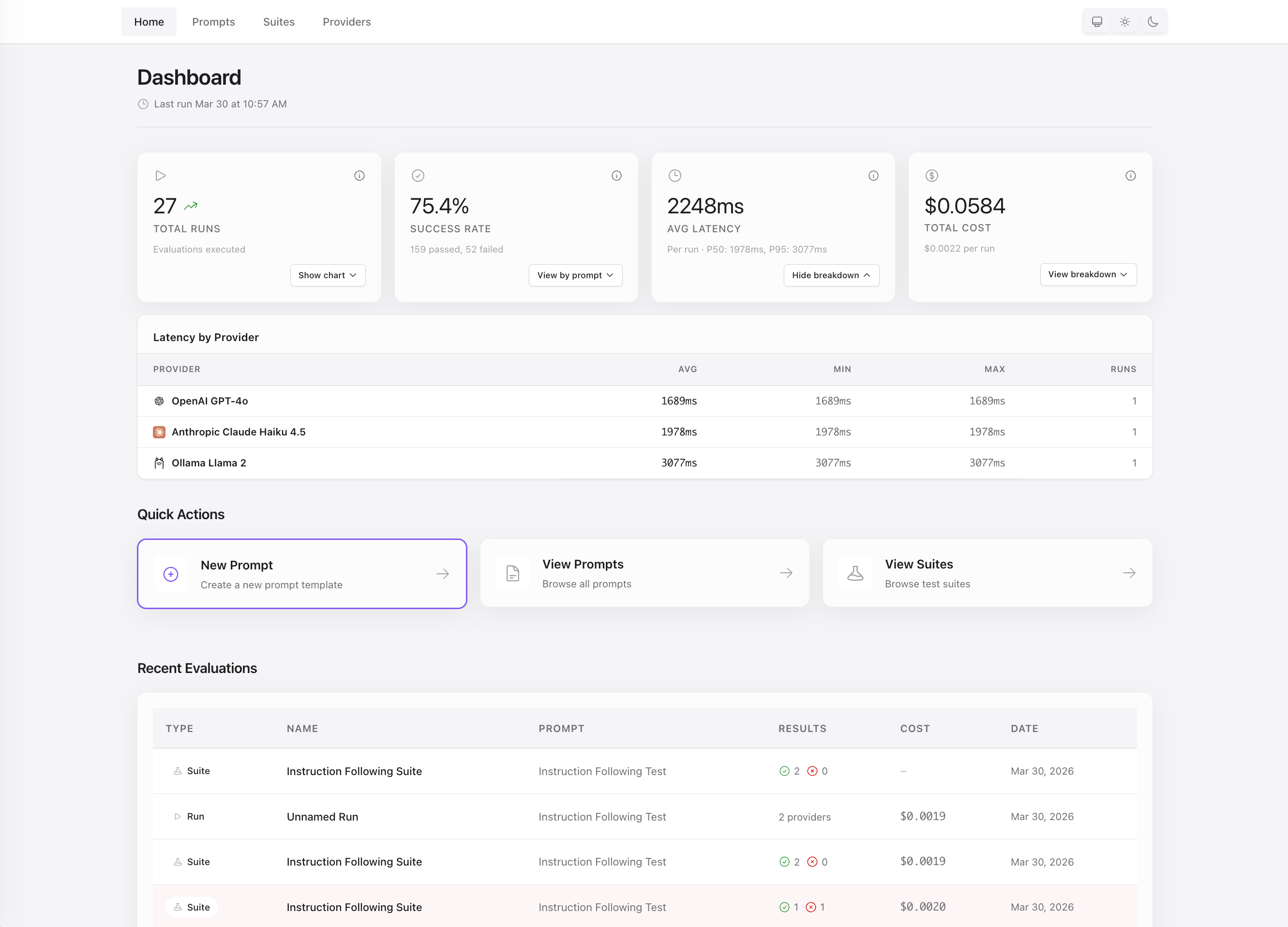
Aludel gives teams a clean way to evaluate prompt and model behavior without inventing their own tooling first.
- Compare the same prompt across OpenAI, Anthropic, Gemini, and Ollama.
- Inspect output, latency, token usage, and cost side by side.
- Version prompts and see how changes affect results over time.
- Run evaluation suites with assertions and document attachments.
- Use it inside an existing Phoenix app or run it standalone.
Why Aludel
Most teams evaluating LLM behavior end up with some combination of scripts, spreadsheets, and ad hoc dashboards. Aludel brings that work into one place with a UI that is practical enough for day-to-day iteration.
- Provider comparison: run the same input across models and vendors in one view.
- Prompt history: keep prompt changes traceable instead of losing them in copy-pasted variants.
- Regression coverage: turn important scenarios into repeatable suites with assertions.
- Phoenix-native deployment: mount it in your app or run it as a standalone dashboard.
Quick Start
Embed in an existing Phoenix app
Requirements:
- Elixir and Phoenix
- PostgreSQL 12+
Aludel depends on PostgreSQL-specific features, including JSONB, percentile_disc(), and DATE()-based aggregations. SQLite and MySQL are not supported.
1. Add the dependency
def deps do
  [
    {:aludel, "~> 0.1"}
  ]
end
mix deps.get2. Configure the repo
config :aludel, repo: YourApp.Repo3. Install and run migrations
mix aludel.install
mix ecto.migrate
4. Mount the dashboard
use YourAppWeb, :router
import Aludel.Web.Router

if Mix.env() == :dev do
  scope "/dev" do
    pipe_through :browser
    aludel_dashboard "/aludel"
  end
end
5. Start using it
Visit your configured path, for example http://localhost:4000/dev/aludel.
Standalone mode
If you want to run Aludel by itself:
git clone https://github.com/ccarvalho-eng/aludel.git
cd aludel/standalone
mix deps.get
mix ecto.create
mix ecto.migrate
mix phx.server
To populate the local database with sample prompts, providers, and suites:
mix aludel.seed
Visit http://localhost:4000.
Provider support
Aludel supports OpenAI, Anthropic, Google Gemini, and Ollama.
| Provider | API key required | Notes |
|---|---|---|
| OpenAI | Yes |
Configure with OPENAI_API_KEY |
| Anthropic | Yes |
Configure with ANTHROPIC_API_KEY |
| Google Gemini | Yes |
Configure with GOOGLE_API_KEY |
| Ollama | No | Runs locally |
For embedded apps, configure provider keys in config/runtime.exs:
# In config/runtime.exs
config :aludel, :llm,
  openai_api_key: System.get_env("OPENAI_API_KEY"),
  anthropic_api_key: System.get_env("ANTHROPIC_API_KEY"),
  google_api_key: System.get_env("GOOGLE_API_KEY")
Ollama runs locally and does not require an API key.
Documentation
The README is intentionally optimized for first contact. For deeper setup, usage, and contribution details:
Development
For local development:
mix deps.get
mix compile
mix test
mix precommit
If you are changing frontend assets:
mix assets.build
mix compile --force
For standalone development, run the app from the standalone directory:
cd standalone
mix phx.server
If you change frontend assets, rebuild them from the repo root and restart the standalone server:
mix assets.build
mix compile --force